AI Chatbot for Customer Support a Modern Guide
Let’s face it-traditional customer support is stretched thin. Long waits, agents giving different answers, and a general feeling of being overwhelmed are making for a pretty frustrating experience. For everyone. It’s tough on customers, and it’s burning out your support teams. The answer isn’t to just hire more people; it’s to work smarter with an AI chatbot for customer support. These tools are built to handle the common, repetitive questions instantly, freeing up your human experts for the tricky stuff.
Why Your Business Needs a Modern Support Strategy
Moving to an AI chatbot is like swapping out a basic calculator for a full-blown spreadsheet. Sure, the calculator gets the job done one sum at a time, but a spreadsheet opens up a whole new world. It automates complex work, shows you the bigger picture with data, and makes you far more efficient. An AI chatbot for customer support is that same kind of leap. It fundamentally changes how your support team operates, shifting it from a cost center to an efficiency powerhouse. This isn’t just a “nice-to-have” anymore; it’s essential.
The market is exploding for a reason. Projections show the global AI chatbot market hitting $10-$15 billion in 2025, with some estimates even soaring past $46 billion by 2029. More importantly, your customers are already on board. Over 67% of consumers globally have used a chatbot for support. They’re ready for instant, automated help. You can dig into more data on market adoption and consumer acceptance of AI chatbots to see just how big this shift is.
What to Expect from This Guide
This guide is your roadmap. We’re going to break down everything you need to know about building an AI-powered support system, from the core benefits and must-have features to actually measuring the return on your investment. The goal is simple: to give you the practical knowledge you need to choose the right solution and get it running successfully.
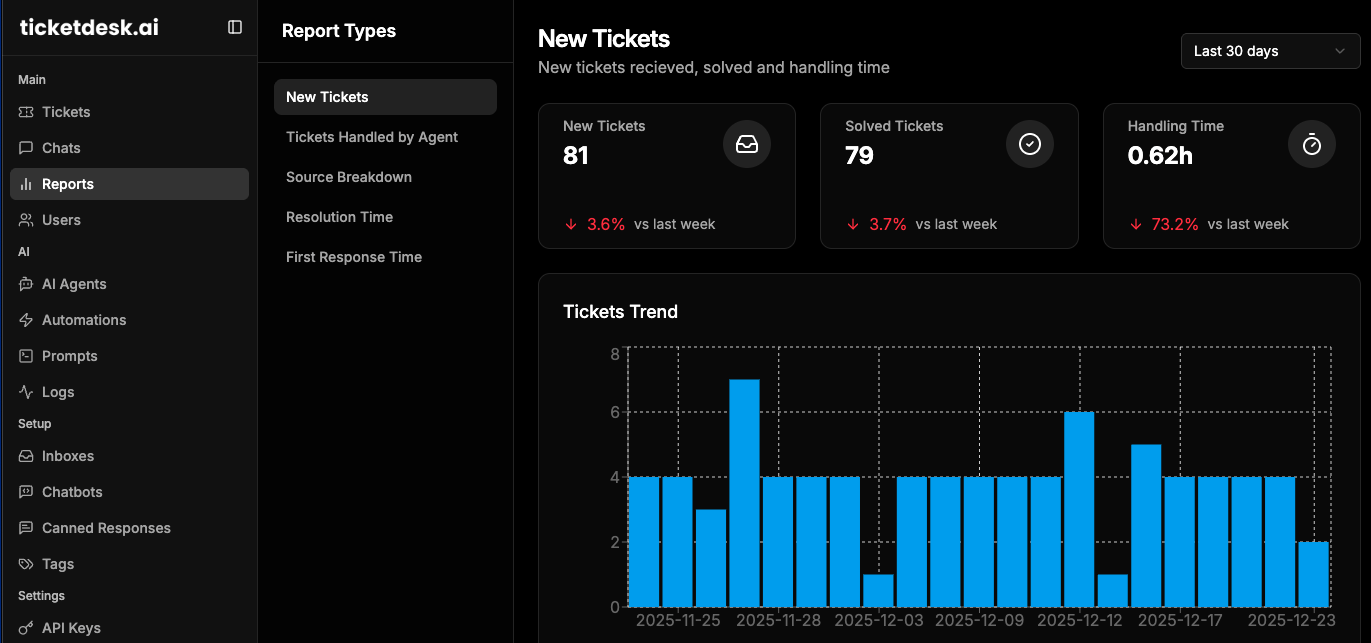
The image below perfectly captures the new normal for support teams-a blend of smart technology and human expertise working together.

This is the future of customer service. Automation handles the routine, predictable work, which lets your team shine on the high-impact, complex conversations. Throughout this guide, we’ll walk through exactly how to build this for your own business and show you how a platform like Ticketdesk AI fits right in, giving you that perfect mix of powerful automation and smart human oversight.
How AI Chatbots Drive Real Business Impact
Adding an AI chatbot for customer support isn’t just about sticking a modern widget on your website. It’s a strategic move that sends ripples across your entire operation, changing how your team works, how customers see your brand, and how fast you can grow.
The value isn’t just in answering questions. It’s about building a better support model from the ground up, one that rests on three huge pillars: radical cost efficiency, a genuinely better customer experience, and effortless scalability. Each one directly solves a massive headache that comes with traditional support.
Driving Radical Cost Efficiency
The first thing you’ll notice-and the easiest to measure-is the impact on your bottom line. Every time a human agent answers a repetitive question, you’re paying for it in salary, time, and overhead. Automating those common queries slashes your average cost-per-interaction.
Think about a simple “Where is my order?” request. An AI can fetch the status from your system and close the ticket in seconds. A human agent takes minutes. Multiply that small win by thousands of tickets, and you’re looking at serious savings.
Industry analysts are projecting that businesses will save an incredible $80 billion in contact-center labor costs by 2026 by adopting AI. The numbers tell the story: a typical human-handled ticket costs around $6.00, while a chatbot can solve the same thing for about $0.50.
This also completely changes how you build your team. Instead of constantly hiring more agents to keep up with ticket volume, you can empower a smaller, more skilled team to tackle the high-value problems that actually need a human brain. That leads to a much more engaged and effective support staff. You can dive deeper into the financial impact of AI in customer service to see just how big the numbers get.
Transforming the Customer Experience
Beyond the cost savings, AI chatbots directly improve how customers feel when they interact with your company. Today’s customers don’t have patience. Making them wait in a queue for a simple answer is one of the fastest ways to lose them.
An AI chatbot makes that wait disappear. It delivers:
- 24/7 Instant Resolutions: Your support never sleeps. Customers get immediate answers day or night, no matter what time zone they’re in.
- Consistent Accuracy: People have off days and sometimes give slightly different answers. A chatbot pulls from a single source of truth-your knowledge base-so every customer gets the right information, every single time.
- Multilingual Support: A single AI can be trained to chat fluently in dozens of languages, letting you serve a global audience without hiring a massive multilingual team.
This kind of speed and reliability builds trust. It tells your customers you respect their time, turning a potentially frustrating interaction into a smooth, helpful one that makes them want to come back.
Achieving Effortless Scalability
What happens when you have a sudden spike in customers? A big product launch, a flash sale, or an unexpected outage can completely overwhelm a traditional support team, creating huge backlogs and angry customers.
This is where an AI chatbot is a game-changer. It can handle ten, a hundred, or even a thousand conversations at the same time without breaking a sweat. Performance and speed never drop. This built-in scalability means you can grow your business without your support costs exploding alongside it.
A platform like Ticketdesk AI is designed around this exact principle. It pairs powerful automation to handle the volume with smart routing to make sure any issue that truly needs a human is sent to the right expert with all the context they need.
To make the business case crystal clear, let’s look at a side-by-side comparison.
Comparing Traditional Support vs AI Chatbot Support
The table below breaks down the operational differences between a classic human-only support model and a hybrid approach that includes an AI chatbot. The numbers speak for themselves.
| Metric | Traditional Human Support | AI Chatbot-Assisted Support |
|---|---|---|
| Availability | 8-10 Hours/Day, 5 Days/Week | 24 Hours/Day, 7 Days/Week |
| First Response Time | Minutes to Hours | Instant (Under 5 Seconds) |
| Resolution Time | Hours to Days | Minutes (for automated queries) |
| Cost Per Interaction | ~$6.00 | ~$0.50 |
| Scalability | Limited by Headcount | Virtually Unlimited |
| Consistency | Variable | 100% Consistent |
As you can see, bringing an AI chatbot onto your team isn’t just a small improvement-it’s a fundamental upgrade to your entire support operation.
Understanding the Anatomy of a Smart Chatbot
Not all chatbots are created equal. We’ve all been stuck in a loop with a frustrating, rule-based bot that just can’t grasp a simple request. A truly effective AI chatbot for customer support is a completely different beast. It’s not just following a script; it’s a sophisticated system built to understand, reason and actually solve problems.
Think of a basic bot like a simple phone tree-it shoves you down a rigid, predetermined path. A smart chatbot, on the other hand, acts more like a skilled concierge. It listens to what you need, understands the little details, and knows exactly where to find the right information or who to loop in for help. This intelligence comes from a few key components working together behind the scenes.
The Brain: Natural Language Processing
The absolute heart of any smart chatbot is Natural Language Processing (NLP). This is the tech that lets the AI understand human language as we actually speak it-typos, slang, and all.
Instead of hunting for rigid keywords, NLP deconstructs a customer’s message to figure out two critical things:
- Intent: What is the customer actually trying to do? (e.g., “track order,” “request refund,” “update account”).
- Entities: What are the key bits of information in the message? (e.g., an order number, an email address, or a product name).
By grasping both intent and entities, the chatbot understands that “where’s my stuff?” and “what’s the delivery status of order #12345?” are fundamentally the same question. This is the magic that separates a bot that genuinely helps from one that just repeats, “I’m sorry, I don’t understand.”
The Library: Knowledge Base Integration
A smart brain is useless without a library to pull from. That’s where knowledge base integration comes in. A modern AI chatbot plugs directly into your company’s ‘library’-your help center articles, FAQs, product guides, and internal docs.
When a customer asks something, the bot doesn’t just make an educated guess. It instantly scans this entire library, pinpoints the most relevant info, and serves it up in a clear, conversational way. This makes sure the answers are not only fast but also 100% accurate and consistent with your official resources.
A well-integrated chatbot acts as the ultimate gatekeeper for your knowledge base. It ensures customers get the right information instantly, deflecting a huge volume of tickets before they ever reach a human agent.
This direct line to your knowledge base is what turns your chatbot from a simple greeter into a real problem-solver.
The Senses: Advanced AI Capabilities
Beyond just understanding words and fetching articles, the best AI chatbots have advanced “senses” that let them handle more complex situations with a bit more finesse. These capabilities are what really take the customer experience to the next level.
Three of the most important features are:
- Sentiment Analysis: The bot can pick up on the emotional tone of a message. It can tell if a customer is happy, neutral, or getting annoyed. This lets the system respond with more empathy or, even better, proactively escalate a conversation with a frustrated customer to a human agent before things get worse.
- Automated Ticket Routing: When a question is too complex or sensitive for the AI to handle alone, it doesn’t just hit a dead end. Smart routing logic kicks in, automatically creating a ticket and assigning it to the right human team-billing questions go to finance, bug reports go to engineering, and so on. Platforms like Ticketdesk AI are built for this, ensuring a seamless handover with the full conversation history attached.
- Contextual Awareness: The chatbot remembers what you’ve been talking about. If a customer provides their order number and then asks, “When will it arrive?” the bot knows what “it” is. This simple memory makes the conversation feel natural and saves customers from the headache of repeating themselves.
For your team to nail these handovers, clear communication is everything. Our guide on writing for customer support provides a solid checklist to keep your human agents consistent and clear when they jump in.
Your Step-By-Step Implementation Playbook
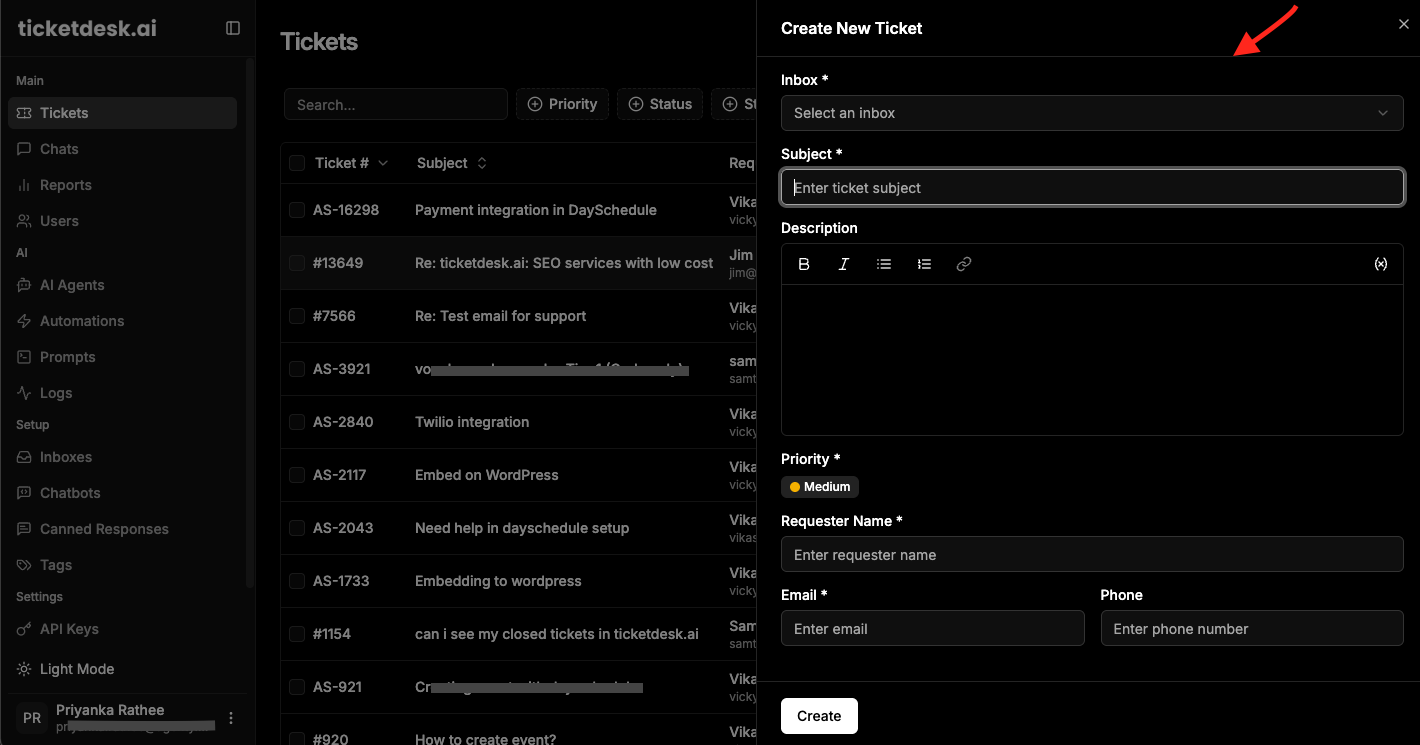
Rolling out an AI chatbot for customer support doesn’t have to be a massive, months-long headache. With the right game plan, you can get a powerful assistant up and running fast. This playbook breaks it all down into four clear phases, taking you from the initial idea to a fully tuned-up launch.
Think of it like building a house. You wouldn’t just start nailing boards together without a blueprint, right? The same logic applies here. A solid plan from the get-go ensures a smooth deployment that starts delivering real value from day one.
Phase 1: Define Your Strategy
Before you touch any tech or pick a vendor, you need to know why you’re doing this. This first step is all about making sure your chatbot is built to solve actual business problems, not just to check a box. So, start by defining what a “win” looks like for your team.
Maybe your main goal is to slash first-response times, trim support costs, or just see your CSAT score climb. Get specific. For instance, a great goal is to automate 30% of repetitive password reset queries within the first quarter.
Next, figure out where to start. Don’t try to automate everything at once. Dive into your support tickets and find the top 3-5 questions your team answers over and over again. These simple, high-volume queries are the perfect place to start for a quick and visible return on your investment.
Pro Tip: Kick things off with the easy stuff, like “Where’s my order?” or “What are your business hours?” Nailing these builds momentum and proves the bot’s value to both your customers and your team right away.
Once you have your goals and use cases locked in, you can start looking at platforms. You’ll want something that’s easy to set up, plays nice with your existing tools, and gives you clear analytics. A platform like Ticketdesk AI is built for this kind of quick deployment, letting you connect your knowledge base and go live without a huge technical project.
Phase 2: Build Your Foundation
With a clear strategy in hand, it’s time to lay the groundwork. This phase is all about plugging your new chatbot into the systems that hold your company’s knowledge and customer data. This is what turns a generic bot into a genuinely helpful sidekick.
The first and most important connection is your knowledge base. Your chatbot needs a direct line to your help center articles, FAQs, and any product docs. This becomes its brain-its single source of truth-ensuring it gives accurate and consistent answers 24/7. Modern platforms can slurp this information up automatically, so you don’t have to do it manually.
Next up, integrate the bot with your other critical tools, especially your CRM. Connecting to your CRM lets the bot pull up customer-specific details like order history or subscription status to give truly personal support. It can also create or update customer records on the fly.
Other key integrations to consider:
- E-commerce Platforms: To pull real-time order tracking and product info.
- Internal Communication Tools: To ping human agents when a conversation needs to be escalated.
- Analytics Software: To pipe performance data into your main business dashboards.
If you have unique systems, you’ll need a platform with a solid API. You can check out how to integrate your systems with the Ticketdesk API to build out your own powerful, custom workflows.
Phase 3: Train and Test
Now that your chatbot is connected, it’s time to make it smart. This part is all about training the AI on your specific business context and then putting it through its paces to iron out any wrinkles before a real customer ever talks to it.
Training an AI chatbot isn’t like teaching a person from scratch. It’s more about fine-tuning. You’ll feed it historical support chats, ticket data, and other internal documents. This helps the AI learn your company’s tone, pick up on industry jargon, and understand all the weird ways customers phrase their questions.
Once that initial training is done, it’s time to test. Do not skip this step. Grab a small group of your most experienced support agents and let them try to break the bot. Have them ask questions in odd ways, use slang, make typos-really push its limits. This internal testing is priceless for catching confusing answers or broken flows before they frustrate customers.
Phase 4: Launch and Optimize
With a well-trained and battle-tested chatbot, you’re ready to go live. But a good launch isn’t about just flipping a switch. It’s about a controlled rollout and a commitment to making the bot better over time using real-world data.
Instead of a big-bang launch, try a phased approach. You could start by enabling the chatbot on just one lower-traffic page or making it available to a small percentage of your users. This lets you see how it performs in the wild and make adjustments with minimal risk.
After launch, your job shifts to optimization. Keep a close eye on your KPIs. Track things like the containment rate (how many chats it solves without a human), escalation rate, and customer satisfaction scores from bot conversations. This data will tell you exactly what’s working and where the bot needs a little help.
Finally, set up a feedback loop. Every conversation the bot has is a learning opportunity. When it gets something wrong or can’t find an answer, use that failure to teach it the right response. This constant cycle of monitoring, analyzing, and retraining is what turns a good chatbot into a great one.
Measuring Success and Proving Your ROI
Bringing an AI chatbot into your customer support workflow is a big step, but its real worth only shines through when you can measure the impact. To prove the investment is actually paying off, you need to look beyond gut feelings and track the specific Key Performance Indicators (KPIs) that tell the whole story. These numbers help you build a solid business case, showing exactly how automation is making your support operation faster, smarter, and more cost-effective.
I like to break these KPIs down into three main buckets: efficiency gains, customer satisfaction, and team productivity. Each one gives you a different view of your chatbot’s performance, so you get a complete picture of its impact. Modern platforms like Ticketdesk AI are great for this because they build dashboards around these exact metrics, making it simple to keep an eye on things and show real results.
Gauging Efficiency Gains
The first thing you’ll notice with an AI chatbot is how much faster it handles things. I mean, it’s instant. These metrics are all about proving how much time and effort you’re saving.
Here are the key efficiency KPIs to watch:
- First Response Time (FRT): This is just how quickly a customer gets that first reply. An AI bot makes this metric practically zero, slashing wait times from hours down to seconds. It’s a huge win for just acknowledging the customer right away.
- Average Resolution Time: This tracks the total time it takes to completely solve a customer’s issue, from start to finish. By instantly knocking out all those simple, high-volume questions, the chatbot pulls the overall average way down. This frees up your human agents for the tricky stuff.
- Resolution Rate: This is the percentage of questions the chatbot resolves all by itself, with zero human help. A high resolution rate is a direct sign that the bot is doing its job well and delivering a strong ROI.
Getting these efficiency wins starts with a solid setup process. You can’t just turn a bot on and hope for the best. It’s a structured flow from strategy to launch that lays the groundwork for success.
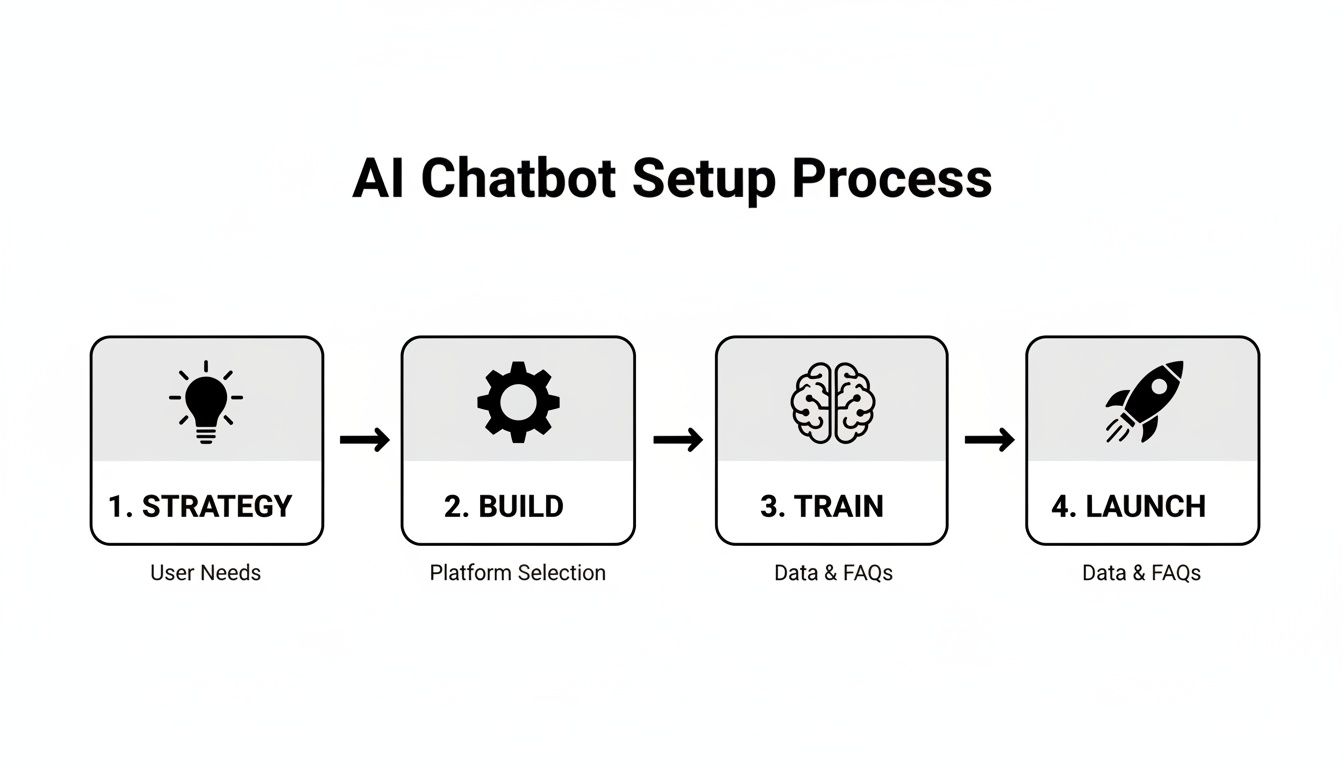
This kind of methodical approach ensures your chatbot is ready to start delivering measurable results from the moment it goes live.
Monitoring Customer Satisfaction
Speed is great, but not if your customers end up frustrated. That’s why you have to keep a close eye on satisfaction metrics to make sure the automated experience is actually a good one.
Two important satisfaction KPIs are:
- Customer Satisfaction Score (CSAT): This is usually measured with a simple post-chat survey asking something like, “How satisfied were you with your support experience?” If you’re seeing high CSAT scores on bot-only conversations, you know the AI is giving helpful and accurate answers.
- Containment Rate: This is similar to the resolution rate, but it specifically measures how many conversations stay inside the chatbot without needing to be passed to a human. A high containment rate means the bot is successfully handling what customers need on its own.
Tracking Team Productivity
Finally, and this is a big one, a good AI chatbot should make your human agents better, not replace them. These metrics show how the bot is helping your team become more productive and focused on what matters.
Productivity KPIs you’ll want to track:
- Escalation Rate: This is the percentage of chats the bot hands off to a human agent. You want this number to be low and stable. It tells you the bot is handling the right kinds of issues and letting your agents focus on more valuable, complex interactions.
- Ticket Volume Reduction: This one is simple: it tracks the drop in the number of tickets your human agents have to deal with manually. It’s a direct measure of the bot’s workload and how much it’s lightening the load for your team.
The trend here is clear. Top-tier CX teams expect AI to resolve around 80% of customer issues without any human intervention. Many have already seen AI-powered triage slash their response times. You can dig into more statistics on the AI revolution in customer support to see just how big this shift is.
By tracking these KPIs across all three areas-efficiency, satisfaction, and productivity-you can paint a clear, data-driven picture of your success. And if you want to see what these gains look like in dollars and cents, you can use our free help desk ROI calculator to get a bottom-line estimate.
Common Questions About AI in Customer Support
Jumping into the world of AI brings up a lot of questions. Just like with any powerful new tool, it’s totally normal to wonder about the cost, the complexity, and how it’ll affect your team. This section tackles the most common questions we hear from business leaders who are thinking about adding an AI chatbot for customer support.
The goal here is to give you clear, straight answers that cut through the marketing fluff. We’ll get into the practical side of setting up a chatbot, how it works alongside your human agents, the way it gets smarter over time, and the critical security measures you absolutely need to have in place.
How Difficult Is It to Set Up an AI Chatbot?
This is usually the first question people ask, and the answer is better than you might think: it really depends on what you’re trying to accomplish. The days of needing a massive, months-long IT project to launch a chatbot are long gone.
Modern, no-code platforms are built for speed. You can connect a knowledge base, tweak the bot’s look and feel, and have a functional AI assistant live in just a few hours. This quick-start approach is perfect for tackling your most common questions and showing value almost right away.
Of course, if you’re aiming for something more complex, it’ll take more work. Deep integrations with custom backend systems-like an internal ERP or proprietary databases-will naturally require more technical resources and time.
The key takeaway is that getting started is easier than ever. You don’t need to automate your entire support operation on day one. A great first step is to automate your top 10 most frequent questions. It’s a fast and effective way to see an immediate impact.
This phased approach lets you learn and adapt as you go without a huge upfront commitment, making the whole process far less daunting than most people assume.
Will an AI Chatbot Replace My Human Agents?
This is probably the biggest myth out there about AI in customer support. The whole point of an AI chatbot isn’t to replace your team, but to augment them. It’s all about making your human experts even better by taking the repetitive, low-value work off their shoulders.
Just think about the questions your team answers over and over again every single day:
- “What’s my order status?”
- “How do I reset my password?”
- “What are your business hours?”
An AI is the perfect tool for handling this high volume of simple queries instantly and accurately, 24/7. This frees up your human agents to focus on what they do best: solving the complex, nuanced, or emotionally charged issues that require empathy, critical thinking, and a genuine human touch.
The best support teams run on a hybrid model. The AI acts as a smart, efficient first line of defense. It resolves what it can and then seamlessly escalates issues it can’t handle to the right person, providing the full conversation history so the agent has all the context they need. It makes for a smoother ride for everyone involved-both the customer and the agent.
How Does the Chatbot Learn and Improve Over Time?
An AI chatbot isn’t a “set it and forget it” tool; it’s a dynamic system designed to get smarter with every conversation. This learning happens through a continuous loop of machine learning and human feedback.
First, you train the bot on your existing company data. This includes your help center articles, FAQs, past support tickets, and any other documentation you have. This gives it a solid foundation of knowledge about your business and products right from the start.
But the real learning begins after you go live. Every single conversation is a new data point.
- Successful Resolutions: When the bot nails the answer and the customer is happy, that reinforces its understanding and makes that problem-solving path stronger.
- Failures and Escalations: When the bot gets it wrong or a customer gives negative feedback, it flags an area that needs improvement.
Modern platforms like Ticketdesk AI build this feedback loop right into the workflow. Your support team can easily review misunderstood questions, correct the AI’s response, and teach it the right answer for the next time. This constant refinement ensures the chatbot gets more accurate and helpful over time, becoming an increasingly valuable part of your support operation.
What Security Measures Should I Look For?
Security is completely non-negotiable. Your chatbot will be handling customer information, some of it sensitive, so you have to get this right. When you’re looking at different AI chatbot platforms, you must prioritize ones with robust, enterprise-grade security.
A weak security setup isn’t just a tech problem; it’s a massive business risk. Here are the must-have security features and practices to look for in any vendor:
- End-to-End Data Encryption: All data, whether it’s in transit or sitting on a server, has to be encrypted to keep it safe from prying eyes.
- Regulatory Compliance: The vendor must comply with major data protection laws like GDPR for your European customers and CCPA for those in California.
- Secure Authentication: If the bot needs to access account-specific info, it must use secure methods to confirm the customer’s identity.
- Access Controls: You should have tight control over what data the bot can access and who on your team can manage its settings or read conversations.
Beyond that, a good vendor will be completely transparent about their security practices. They should have clear documentation on their security architecture, data handling policies, and any certifications they hold. This is how you build trust and ensure your customers’ data is in safe hands.

Ready to get started?
Join hundreds of teams using Ticketdesk AI to deliver exceptional customer support.