Choosing the Right API for Chatbot Integration
At its core, a chatbot API is the translator that lets your business software-like your helpdesk-have a conversation with powerful AI models. It’s the essential connection that allows a chatbot to actually understand what a customer is asking, dig through your knowledge base for answers and provide smart, automated responses without a human needing to step in.
Think of it as the bridge that turns raw AI potential into a practical, problem-solving tool your team can actually use.
Why Your Support Team Needs a Chatbot API
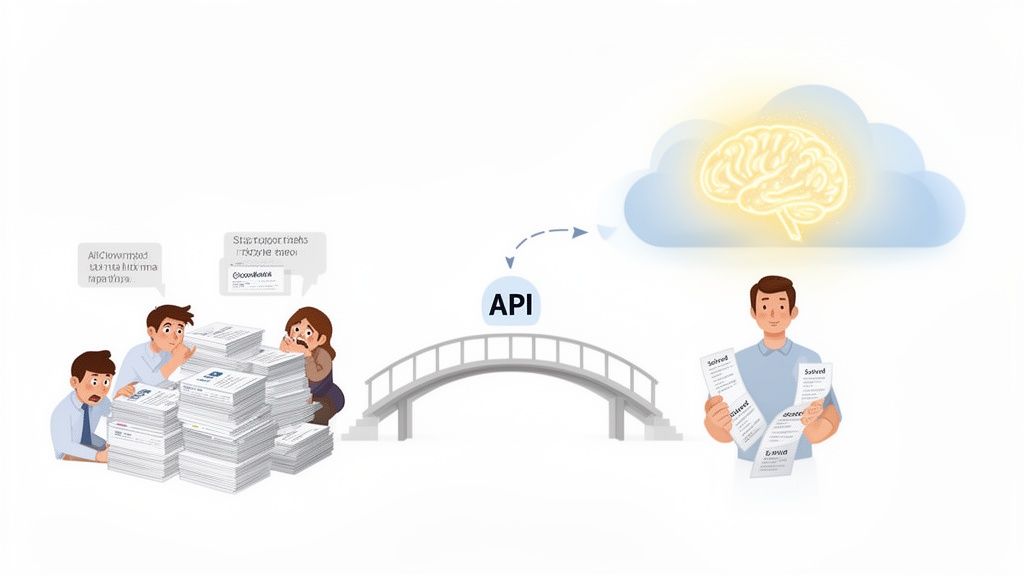
Picture your support team buried under a mountain of repetitive tickets. Every single question about order status, password resets, or basic product features demands a manual reply. All that time adds up, pulling your agents away from the complex issues where they’re needed most.
This is exactly where an Application Programming Interface (API) becomes more than just a piece of tech-it becomes a strategic tool for scaling your customer service without burning out your team.
Without an API, a chatbot is basically an island. It’s stuck with limited knowledge and can only recite pre-programmed answers. But once you connect it with an API, that same chatbot can tap into your helpdesk, CRM, or internal documents in real-time. It suddenly has the context it needs to be genuinely helpful.
Unlocking Automation and Intelligence
The main job of a chatbot API is to get information flowing smoothly. When a customer opens a ticket, the API can instantly shoot that query over to an AI model. The AI processes the request, scans your knowledge base for the right answer, and sends a drafted response right back through the API.
Just like that, a tedious manual workflow becomes an automated, intelligent system.
This kind of automation brings some huge wins:
- 24/7 Availability: Your chatbot is always on, ready to solve common problems even when your human team is asleep.
- Instantaneous Responses: Customers get immediate answers to simple questions instead of waiting in a queue, which makes a world of difference for customer satisfaction.
- Increased Agent Productivity: By taking all the routine queries off your team’s plate, the chatbot frees them up to focus on the high-value, tricky problems that require a human touch.
An effective API for chatbot integration doesn’t just answer questions-it automates entire workflows. It can tag tickets, route complex issues to the correct department, and provide agents with context-rich summaries before they even open a ticket.
Ultimately, integrating an API is the first real step toward building a smarter, more scalable support operation. It’s what connects the tools you already use with the incredible power of modern AI, turning your customer service from a cost center into a real strategic asset.
How a Chatbot API Actually Works
Let’s break down how an API for chatbot integration really works. The easiest way to think about it is like a waiter in a busy restaurant.
Your helpdesk software is the customer sitting at the table, and the powerful AI model is the kitchen. The API is the waiter, taking orders, carrying them to the kitchen, and bringing the finished dish back to the table. This whole exchange is a seamless flow of information, all guided by a clear set of rules.
It starts when your helpdesk (the customer) has a request-a new support ticket with a question. It neatly packages this request into a structured message and hands it to the API (the waiter). The API knows exactly where to take this order: the AI model (the kitchen). That communication is the heart of the system.
The AI model gets to work, just like a chef preparing a meal. It analyzes the customer’s question, checks its knowledge base (the pantry full of ingredients), and cooks up the best possible answer. Once the “meal” is ready, it’s handed back to the API.
Finally, the API delivers the perfectly prepared response back to your helpdesk, completing the loop. The incredible part? This all happens in seconds, letting your team serve customers with amazing speed and accuracy.
The Core Components of an API Call
This “conversation” between your helpdesk and the AI relies on a few key components working together in harmony. Each piece has a specific job to ensure the message is sent, understood, and answered correctly. It’s a predictable and reliable interaction, which is exactly why APIs are the gold standard for getting different software to talk to each other.
Here’s a look at the essential elements:
- API Endpoint: This is the specific URL where your helpdesk sends its request. Think of it as the restaurant’s unique street address-the waiter has to know exactly where to go.
-
Request Method: This tells the API what kind of action you want it to perform. Common methods are
GET(to retrieve data),POST(to send new data), andPUT(to update existing data). For a chatbot, you’ll almost always use aPOSTrequest to submit a new query. - Headers: This is where you put important metadata about the request. The most critical piece here is usually the authentication info, like an API key, which proves you have permission to use the service.
- Request Body: This contains the actual payload-the customer’s question, the ticket ID, and any other context the AI might need. This information is typically formatted in JSON (JavaScript Object Notation), a simple, human-readable data format.
Receiving and Using the Response
After the AI model processes the request, the API sends a response back, also usually in JSON format. This response package contains the AI-generated answer, a status code to tell you if the request was successful (like 200 OK), and any other relevant data. Your helpdesk can then easily parse this information and display the chatbot’s reply as a comment or a ready-to-send draft.
An API is fundamentally a contract. It defines the precise rules of engagement between two software systems, guaranteeing that as long as you format your request correctly, you’ll get a predictable response back. This reliability is what makes automation possible.
For developers who want to see these components in action, the best way to learn is by digging into the documentation. For a detailed guide on specific endpoints and request structures, you can check out the Ticketdesk AI API documentation to see some practical examples. Getting that kind of hands-on knowledge is invaluable when you’re ready to build your own custom integrations.
Comparing the Different Types of Chatbot APIs
Picking the right API for your chatbot isn’t a one-size-fits-all deal. The market is packed with options, each built for different needs, budgets, and technical skills. If you choose the wrong one, you could end up with a system that’s way too complicated or one that just can’t keep up as your business grows.
To make a smart choice, it helps to think of these APIs in three main buckets. Each one serves a different purpose, from giving you raw AI power to offering a complete, ready-to-go solution for something specific like customer support. Getting these differences is the first step to finding your perfect fit.
The diagram below shows how a helpdesk system typically talks to an AI model through an API to process a request and spit out an answer.
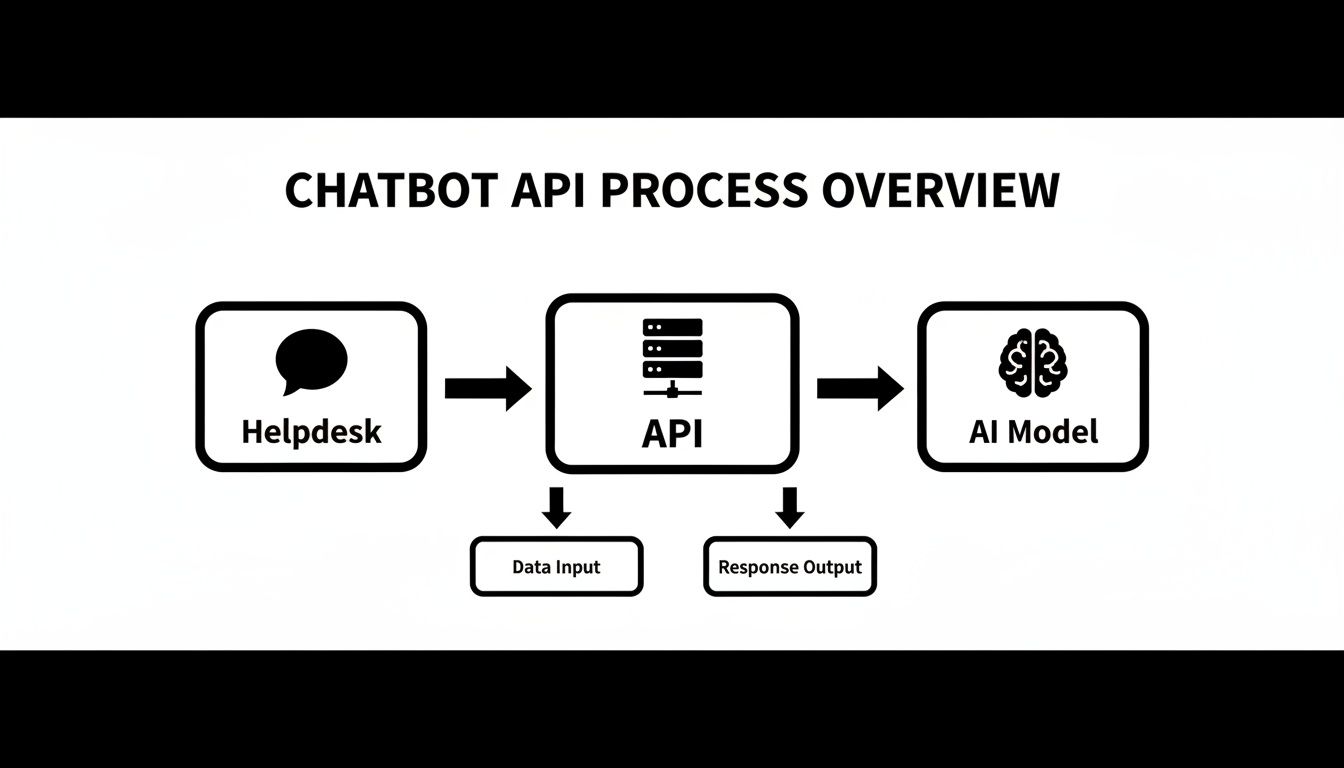
You can see how the API acts as the crucial middleman here, translating requests from your tools into a language the AI gets, and then sending the AI’s response back.
To help you figure out which path is right for you, let’s break down the different categories of chatbot APIs. This table gives you a quick look at how they stack up against each other.
Comparison of Chatbot API Types
| API Type | Primary Use Case | Key Features | Best For |
|---|---|---|---|
| Foundational Model | Building custom AI applications from scratch. | Direct access to raw LLMs (e.g., GPT, Claude); maximum flexibility and control. | Companies with strong in-house engineering teams building unique, proprietary AI solutions. |
| Full-Stack Platform | Accelerating chatbot development with pre-built tools. | Dialogue management, intent recognition, channel integrations, analytics dashboards. | Teams that want to build custom bots faster without starting from zero; requires some technical skill. |
| Specialized Helpdesk | Automating customer support workflows. | Pre-built helpdesk integrations, support-specific AI training, ticket automation features. | Support managers and businesses focused on immediate ROI and efficiency gains without a big development lift. |
Now, let’s dig into what each of these really means for your team.
Foundational Model APIs
First up are Foundational Model APIs. These come from big names like OpenAI (with their GPT series) or Anthropic (with Claude). They give you direct access to incredibly powerful, general-purpose Large Language Models (LLMs).
Think of these as a box of high-quality, raw ingredients for a chef. You get amazing creative freedom and power, but that freedom comes with a lot of responsibility. Using these APIs means your team has to build everything else from scratch-conversation management, context handling, and connecting to your own knowledge sources. This route is best for companies with a dedicated engineering team ready to build a completely custom AI app from the ground up.
Full-Stack Platform APIs
Next, we have Full-Stack Platform APIs. These give you more than just the raw model. They come with a whole suite of tools to help you build, deploy, and manage your conversational AI. You’ll often find features like dialogue management, intent recognition, and pre-built connections to popular chat channels.
These platforms are a solid middle ground. They do a lot of the heavy lifting for you compared to foundational models, but they still require some technical know-how to get everything configured and customized. They’re a great fit for teams who want to speed up development without having to build every single piece themselves.
Choosing an API isn’t just a technical choice; it’s a strategic one. The right API aligns with your team’s skills, your company’s goals, and your customers’ expectations, ensuring you get the most value from your investment in automation.
Specialized Helpdesk APIs
Finally, there are Specialized Helpdesk APIs, like the one we offer here at Ticketdesk AI. These are purpose-built to solve one specific business problem: automating customer support. They’re designed to plug right into helpdesk environments and understand support workflows straight out of the box.
This type of api for chatbot is all about getting up and running fast and seeing an immediate impact. The key advantages are pretty clear:
- Minimal Setup: Integrations are often low-code, cutting down development time from weeks to just a few minutes.
- Pre-Trained for Support: The AI already knows how to handle common support questions, understand ticket context, and learn from your knowledge base.
- Workflow Automation: These APIs don’t just answer questions. They automate tasks like tagging tickets, routing them to the right person, and even summarizing long conversations.
For any support manager or business focused on boosting efficiency without kicking off a massive development project, a specialized API is the fastest way to get real results.
Your Checklist for Selecting the Best Chatbot API
Picking a chatbot API is a huge decision. Get it right, and you’ll supercharge your support automation. Get it wrong, and you’re in for months of development headaches and lackluster results. It’s not just about the tech; it’s about choosing a long-term partner for your support team.
So, how do you cut through the marketing fluff and find the right fit? This checklist breaks down the critical factors to look at, helping you focus on what really matters for your team and your customers.
Performance and Scalability
First things first: can the API actually handle your workload? A solution that seems fine with 100 tickets a day might completely fall apart when hit with 1,000. You need an API built to grow with you, not hold you back.
Here are the key performance questions to ask:
- Response Time: How fast does the API return a response? In customer support, every millisecond counts.
- Uptime and Reliability: What’s the provider’s service-level agreement (SLA)? Look for 99.9% uptime or better. Your chatbot is no good if it’s constantly down.
- Concurrent Request Handling: Can the system handle sudden spikes in ticket volume without breaking a sweat?
A truly solid api for chatbot integration should work silently in the background, smoothly handling whatever you throw at it without any dip in performance.
Documentation and Ease of Integration
Great documentation is an absolute deal-breaker. It’s the difference between a smooth, painless setup and weeks of frustrating guesswork. Clear, comprehensive guides empower your developers to get up and running in hours, not weeks.
A great API is defined by its documentation. If developers can’t understand how to use it, even the most powerful features are useless. Prioritize APIs with clear examples, tutorials, and a straightforward getting-started guide.
Look for APIs designed for a quick, streamlined setup. For instance, tools like Ticketdesk AI can turn what would normally be a multi-week development slog into just a few minutes of configuration. That’s a massive win for any team that needs to move fast.
Security and Pricing Model
You have to be able to trust the API with your customer data. Full stop. Make sure the provider follows strict security standards like SOC 2 and GDPR. Things like secure API key management and data encryption aren’t nice-to-haves; they are fundamental requirements.
Just as important is a pricing model you can actually understand. Avoid confusing plans with hidden fees. Whether it’s pay-per-call, a tiered subscription, or a flat rate, the costs should be transparent and align with your expected usage. This lets you budget accurately and calculate a clear return on your investment.
Chatbot APIs are changing the game in customer service. It’s no wonder that 87.2% of consumers view their interactions with bots as neutral or positive, and 62% would rather use one than wait for a human agent.
Alright, let’s get that section sounding like it was written by someone who’s actually been in the trenches setting these things up.
Here is the rewritten content:
A Step-By-Step Guide to API Integration
Okay, enough with the theory. Let’s talk about how to actually connect a chatbot API to your helpdesk. This is where the magic really happens, turning your chatbot from a simple Q&A tool into an active part of your support team. The whole idea is to build a solid communication bridge so your tools and the AI can talk to each other without a hitch.
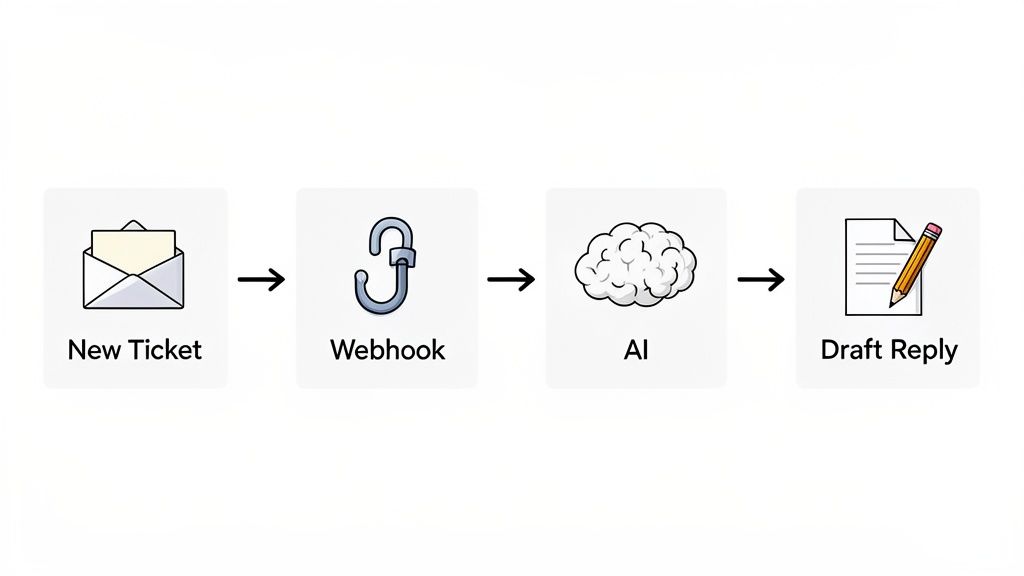
Most people go one of two routes here. The first is a direct API call, where your helpdesk pings the AI and asks for an answer. The second, and my personal favorite for its power, is using webhooks. Think of webhooks as automated notifications that one app sends to another when something specific happens.
An Example Workflow Using Webhooks
Let’s walk through a real-world scenario to make this concrete. A customer submits a new support ticket. That one event is all it takes to kick off an entire automated workflow that saves your team a ton of time.
Here’s how it plays out, step by step:
- A New Ticket Arrives: A customer sends in a question, and a ticket pops up in your system.
- Webhook Trigger: Your helpdesk instantly fires off a webhook. This is just a small, neat package of data with the ticket content, customer info, and any other context.
- Data Sent to the API: That webhook sends its data payload straight to your chatbot API’s endpoint.
- AI Processing: The API hands the information over to the AI model. The AI reads the customer’s question and scans your knowledge base to figure out the best possible answer.
- Draft Reply is Posted: The API shoots the AI-generated response right back to your helpdesk. It usually appears as an internal note, ready for an agent to quickly review and approve.
This “human-in-the-loop” setup is the sweet spot. You get the speed of AI without sacrificing quality. Instead of typing out replies from scratch, your agents just need to give the AI’s draft a quick once-over and hit send. It’s a game-changer for letting small teams handle a huge volume of tickets.
The real power of an API integration isn’t just generating replies-it’s automating the entire ticket lifecycle. From initial routing and issue tagging to drafting solutions, the API acts as an intelligent assistant for your support agents.
Expanding Automation Capabilities
Drafting replies is just the beginning. Once you have a well-integrated api for chatbot, it can handle all sorts of other tedious tasks. It can automatically tag tickets with keywords like “billing” or “bug report,” route urgent issues to a senior agent, or even pull up links to the right help docs. This kind of automation is why the industry is growing so fast.
The AI chatbot market has already hit a valuation of $10-11 billion globally, and it’s growing at a staggering 23-26% each year. This boom is all thanks to AI’s ability to tackle complex questions with surprising accuracy.
You can dig into the AI chatbot market share and trends to see just how much this tech is changing customer service.
Once it’s connected to your helpdesk, you can easily extend its reach. For example, the same system can power a public-facing bot on your website. If you’re interested in that, take a look at our guide on how to embed an AI chatbot on your website. It’s a great way to create a consistent support experience everywhere your customers are.
Managing Security and Performance Post-Integration
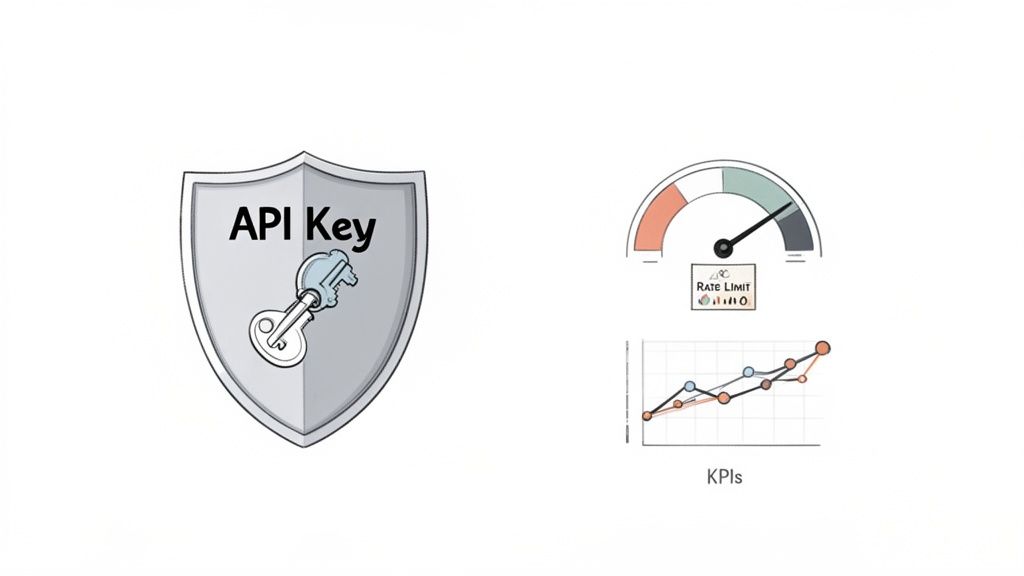
Getting your chatbot API integrated is a huge win, but the real work has just begun. To protect your data and make sure you’re actually getting value from your investment, you need to stay on top of ongoing management. And that starts with security.
Treat your API keys with the same care you would a password-they are literally the keys to your system. Storing them in the wrong place, like embedding them in client-side code or committing them to a public code repository, opens the door to huge risks for your chatbot and customer data.
A great way to tighten up security is by adopting solid secrets management best practices. This is all about centralizing and locking down your most sensitive credentials, which dramatically cuts down the risk of someone getting access who shouldn’t.
Monitoring What Matters
Beyond just keeping things secure, you’ve got to track performance. This is how you prove the chatbot is worth it and find ways to make it even better. It’s not enough to just have it running; you need to measure its real-world impact on your support operations.
This is where Key Performance Indicators (KPIs) come in. They give you the hard data needed to make smart decisions. I’d recommend starting with these three:
- API Response Time: How fast does the API spit back a response? If it’s slow, your chatbot will feel sluggish, and users will get frustrated.
- AI Resolution Rate: What percentage of tickets does the bot close on its own, without a human ever touching it? This is a direct measure of its effectiveness and ROI.
- Customer Satisfaction (CSAT): After an interaction, are customers actually happy with the help they got? This is the ultimate gut-check on your chatbot’s quality.
Your chatbot API is a living, breathing part of your support ecosystem. Continuous monitoring and optimization aren’t just one-off tasks-they’re the core activities that turn a good integration into a great one that delivers real value over the long haul.
By regularly checking in on these metrics, you’ll quickly see what’s working and what’s not. You can use these insights to sharpen your AI’s knowledge base, tweak its personality, or fine-tune your automation workflows.
For any business handling sensitive customer data, a rock-solid security posture is non-negotiable. You can see how platforms like Ticketdesk AI approach enterprise-grade security measures to keep customer data safe.
Common Questions About Chatbot APIs
Even with the best plan, you’re bound to have questions when you start working with a new API. Let’s walk through some of the most common ones that come up for support leaders looking at an api for chatbot integration.
How Much Technical Skill Do I Actually Need?
Honestly, it really depends on the path you take.
If you go with a foundational model API from a provider like OpenAI, you’ll need some serious development skills. You’re essentially building the entire conversational logic and data connections from scratch.
On the flip side, specialized helpdesk platforms are built for speed. Tools like Ticketdesk AI offer low-code integrations and much simpler APIs. This means you can get a really powerful setup running in just a few minutes, often with very little technical help.
Can a Chatbot API Understand Our Specific Products?
Absolutely. This is one of the most powerful features of a modern chatbot API-its ability to learn your company’s specific knowledge. It connects directly to the documentation you already have, like FAQs, user guides, and even past ticket resolutions.
This process is often called Retrieval-Augmented Generation (RAG). It allows the AI to give customers accurate, context-aware answers that are genuinely helpful for your products, not just generic fluff.
The best chatbot APIs create a “human-in-the-loop” system. This is a game-changer for quality control, as it lets your agents quickly review and approve AI-generated replies before they go out, blending automation with essential human oversight.
How Do We Stop It From Giving Wrong Answers?
This all comes down to control and oversight. You’re in the driver’s seat.
Advanced helpdesk integrations let your agents review AI-drafted replies before a customer ever sees them. You can also set confidence thresholds, telling the bot to only answer questions it’s 100% sure about. If it’s not certain, it automatically escalates the ticket to a human agent. This way, you get the speed of AI without ever sacrificing the quality of your support.