Helpdesk Software Comparison Guide to Choosing the Right Platform
Picking the right helpdesk software isn’t just about managing tickets. It’s a major decision that shapes your customer satisfaction, team efficiency, and ultimately, your bottom line. Modern helpdesks have moved far beyond simple ticketing; they’re the brain of your entire customer experience. This guide will give you a clear, honest comparison to help you find the right tool for your team’s real-world challenges.
Why Choosing the Right Helpdesk Software Matters
Support leaders today are in a constant balancing act. You’re juggling more tickets and higher customer expectations, all while trying to keep costs down and scale your team without burning them out. In this environment, the right helpdesk isn’t a nice-to-have-it’s the central nervous system for your entire support operation.
The market’s growth tells the same story. In 2024, the global helpdesk software market was valued at around USD 11.24 billion. It’s expected to shoot up to over USD 23.58 billion by 2035, which shows just how critical these tools have become.
When you choose a platform, you’re picking a partner for your company’s growth. The right system can turn your support team from a reactive cost center into a proactive force that builds real customer loyalty.
Core Challenges and Modern Solutions
The problems are pretty universal, but the solutions are getting a lot smarter. Any good helpdesk software comparison has to tackle these core issues head-on:
- Rising Ticket Volumes: Trying to manage tickets manually just doesn’t scale. Modern tools use automation and AI to sort, prioritize, and route tickets so your agents can stop doing busy work and focus on the tough problems.
- Maintaining Service Quality: Consistency is everything. Features like saved replies, a solid knowledge base, and SLA tracking make sure every customer gets fast, accurate help, every single time.
- Scaling Teams Effectively: Bringing on new agents and keeping performance high is a huge challenge. A good helpdesk gives you the analytics and tools you need to train your team and track KPIs without micromanaging them.
The real goal here is to get beyond just closing tickets. The best helpdesk software gives your team the power to solve problems efficiently, anticipate what customers need, and directly contribute to the business by making the entire customer experience better.
This guide will break down how to evaluate different platforms based on what actually matters, so you can pick a solution that not only fixes today’s headaches but also grows with you tomorrow.
Laying the Groundwork: Your Core Evaluation Criteria
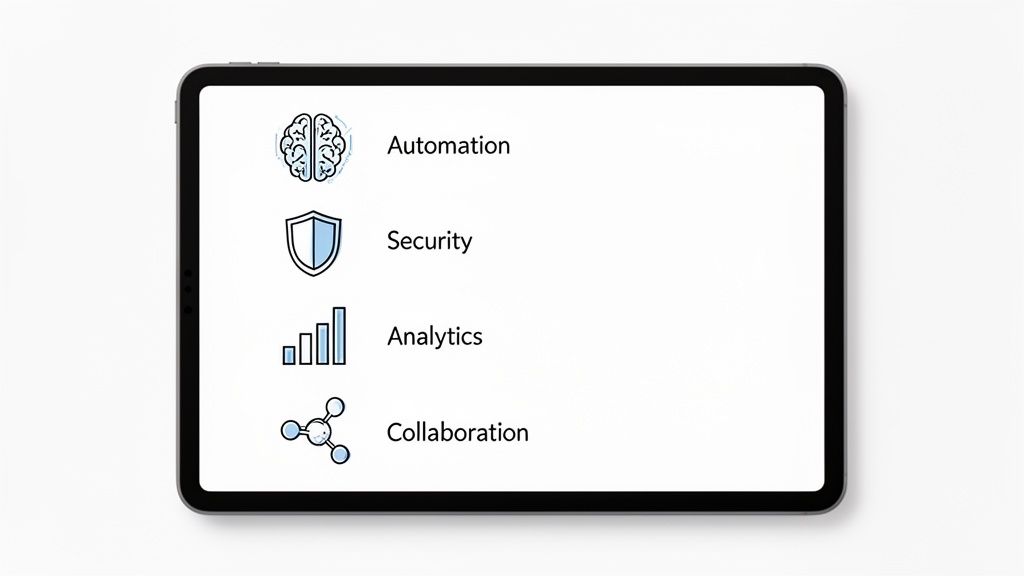
Before you even look at a single demo, you need a plan. Picking a helpdesk isn’t about finding the one with the longest feature list; it’s about matching the right capabilities to your real-world problems. This means getting clear on what matters most to your team and your customers.
A big part of this initial thinking is the age-old question of build versus buy. The debate over custom software development vs off-the-shelf solutions is a classic one. While a custom build gives you ultimate control, a ready-made platform gets you up and running fast. For most of us, an off-the-shelf tool is the way to go, but knowing this helps you focus on finding a platform with the right amount of flexibility.
Automation and AI Capabilities
Modern support runs on smart automation. I’m not talking about canned “we got your email” replies. I mean systems that genuinely lighten the load for your agents and get customers accurate answers, faster. The real game-changer here is AI that can actually learn from your existing knowledge base-think user guides, API docs, and FAQs.
This is what separates a dumb chatbot from a smart assistant. An AI that constantly learns from your documentation can give agents context-aware suggestions and even resolve common questions all by itself. For example, it should be smart enough to see a ticket is about billing and route it straight to the finance team, no human touch required. You can see how advanced AI features make this a reality by handling these kinds of complex workflows automatically.
Analytics and Reporting Depth
If you can’t measure it, you can’t improve it. A solid helpdesk needs to give you clear, actionable data on your team’s performance and customer happiness. Don’t settle for basic metrics like total ticket count. You need to dig deeper.
Look for platforms that give you a handle on these key metrics:
- First-Contact Resolution (FCR) Rate: How many problems get solved in the first interaction? This is a huge indicator of efficiency.
- Average Resolution Time: This shows you the full lifecycle of a ticket and helps you spot where things are getting stuck.
- Agent Performance Metrics: Individual stats and leaderboards are essential for coaching and figuring out who needs help.
- CSAT and NPS Tracking: You have to know how customers feel. This links your support efforts directly to loyalty.
A great analytics dashboard doesn’t just throw numbers at you; it tells a story. It helps you spot trends, like a flood of tickets after a new feature launch, so you can get ahead of problems instead of just reacting to them.
Scalability and Deployment Model
The helpdesk you choose today needs to work for the company you’ll be tomorrow. Scalability is more than just adding more agent licenses. It’s about whether the platform can handle a growing number of tickets, more complex automation rules, and new integrations without slowing to a crawl.
This is where the deployment model really matters. Cloud-based solutions are the standard for a reason. By 2025, cloud platforms are expected to make up 61.3% of the help desk market’s total revenue, proving they’re the top choice for businesses that want an easy setup and the ability to work from anywhere. This approach takes server maintenance off your plate and ensures you’re always on the latest version, letting your team focus on what they do best: helping customers.
A Detailed Side-by-Side Platform Analysis
When you’re trying to wade through the crowded market of support platforms, you need a direct, honest comparison. Forget the marketing fluff. We’re going to dissect four of the top contenders-Ticketdesk AI, Zendesk, Freshdesk, and Intercom-using the practical criteria we laid out earlier. I’ll break down how each one actually handles critical functions so you can get a clear picture of their real-world strengths.
This isn’t about finding a single “best” platform. It’s about matching the right tool to your specific needs, whether you’re a scrappy startup or a global enterprise.
Intelligent Ticket Routing and Automation
Getting the right ticket to the right person, right away, is the foundation of any efficient support team. This is where automation should shine, but how each platform gets there is dramatically different.
Zendesk and Freshdesk are both veterans when it comes to robust, rule-based routing. You can build out complex workflows triggered by just about anything-channel, keywords, or customer segment. For instance, you can set a rule that automatically escalates any ticket from a “VIP” customer with the word “billing” to a Tier 2 finance specialist. It’s a reliable, time-tested approach that works perfectly for well-defined support structures.
Intercom comes at routing from a conversational angle, using its chatbots to qualify issues before an agent ever sees them. It’s fantastic at guiding users through a few questions to figure out their intent. This works incredibly well for sales-focused chats or simple support questions but can sometimes be a barrier for a frustrated customer with a complex technical issue who just wants to talk to a human.
Ticketdesk AI approaches this differently. Instead of just relying on rules you have to manually create and maintain, our AI learns directly from your existing documentation. It actually analyzes the content of a ticket to understand its context. If a ticket mentions a specific API endpoint that’s detailed in your developer docs, the system knows it’s a technical query and routes it straight to the engineering support queue. This adaptive routing means you spend less time tweaking rules every time your product changes.
The real difference comes down to being proactive versus reactive. Rule-based systems react to triggers you’ve defined. A learning-based AI proactively understands and categorizes issues based on your actual knowledge base, making it far more resilient when new or unexpected problems pop up.
Helpdesk Software Feature Comparison Matrix
To give you a clearer at-a-glance view, I’ve put together a matrix that highlights the key differences between these platforms. This isn’t an exhaustive list of every single feature, but rather a focused look at the areas that often matter most: AI, automation, and the ability to scale effectively.
| Feature | Ticketdesk AI | Competitor A | Competitor B | Competitor C |
|---|---|---|---|---|
| AI Ticket Routing | Proactive, context-based routing learned from documentation | Rule-based with keyword and property triggers | Rule-based with basic AI suggestions | Conversational bot-led qualification |
| AI Learning Model | Continuous, automatic learning from all connected sources | Requires manual training and knowledge base updates | Pre-trained models with periodic manual updates | Learns from conversational data and help articles |
| AI Reply Suggestions | Context-aware suggestions based on live documentation | Based on historical ticket data and macros | Template-based with some AI enhancement | Pulled directly from help center articles in real-time |
| Automation Workflows | AI-driven with minimal rule configuration needed | Highly customizable, complex rule-based engine | User-friendly, template-driven automation builder | Chatbot-centric “Custom Bots” for conversational flows |
| Out-of-the-Box Setup | Connect docs and go; AI starts learning immediately | Requires significant setup and rule configuration | Moderate setup with pre-built templates | Quick setup for chat, more involved for email/tickets |
| Cross-Functional Handoffs | Automated routing to external systems (e.g., Jira) based on ticket content | Manual assignment or rule-based triggers | Basic assignment and internal notification features | Collaborative inbox with Slack integration |
| Scalability | Designed to scale with your knowledge, not your headcount | Scales with process complexity and agent licenses | Best for SMBs to mid-market; can become complex | Scales with conversation volume and user engagement |
As you can see, the choice often hinges on how you want to manage your internal processes. If your team prefers hands-on control with deep customization, a traditional rule-based system might be a good fit. But if your goal is to build an automation engine that grows smarter on its own, a learning-based model offers a distinct advantage.
AI Capabilities and Continuous Learning
AI is a buzzword every helpdesk uses, but how it’s actually implemented can be worlds apart. The key distinction is often between static AI and a dynamic AI that truly learns.
Zendesk and Freshdesk have invested heavily in AI, offering features like AI-powered reply suggestions and automated ticket categorization. Freshdesk’s Freddy AI, for instance, can handle common questions and deflect tickets by pointing users to the right knowledge base articles. These are great tools for cutting down the workload on repetitive tasks.
Intercom’s AI, Fin, is purpose-built for conversational support. It’s designed to give instant answers in a chat window by pulling from your help center content, making it incredibly effective in live chat environments where speed is everything.
Ticketdesk AI stands apart with its continuous learning model. While other platforms often need a manual process to train their AI or update their knowledge bases, Ticketdesk AI is always ingesting and learning from your entire ecosystem of documentation-from your technical guides to internal FAQs.
- Scenario: Your team just shipped a new feature. A customer submits a ticket about it.
- Traditional AI: The AI probably won’t recognize the new terms. It will either fail to answer or need someone to manually update the knowledge base before it can help.
- Ticketdesk AI: Since it’s constantly synced with your documentation, it understands the context of the new feature on day one. It will provide accurate reply suggestions and correctly tag the ticket without anyone having to lift a finger.
Analytics and Reporting Depth
Good data is what elevates a support team from a cost center to a value driver. All these platforms offer analytics, but the depth and focus are quite different.
Zendesk Explore is incredibly powerful and customizable. It’s a data analyst’s dream, letting you build complex dashboards that mash up support data with other business metrics. That power comes with a price, though-it has a steep learning curve and can be overkill for teams without a dedicated analyst.
Freshdesk gives you a more straightforward, user-friendly analytics suite. Its pre-built reports are intuitive and cover all the essential KPIs, making it easy for a manager to get a quick pulse on team performance and customer satisfaction without a ton of setup.
Intercom understandably focuses its reporting on conversational metrics. It’s great at tracking how effective your chatbots are, agent response times in live chat, and how those conversations are leading to sales conversions. It’s the perfect fit for teams where support and sales are tightly woven together.
Ticketdesk AI centers its analytics on the direct impact of automation. We provide clear dashboards showing how many tickets were deflected, which issues were auto-resolved, and the exact time saved by AI-suggested replies. This helps managers measure the ROI of their automation strategy and pinpoint where to improve next.
Collaboration and Cross-Functional Workflows
Customer problems rarely stay in one department. They often need input from engineering, product, or finance, so your platform needs to make that collaboration seamless.
All four platforms cover the basics with internal notes and ticket assignments.
Zendesk and Freshdesk take it a step further with “light agents” or “collaborators,” which let people from other departments view and comment on tickets without a full, paid license. It’s a cost-effective way to loop in other teams.
Intercom’s shared inbox is naturally collaborative for real-time chats. Its deep integration with tools like Slack makes it easy to pull experts into a customer conversation on the fly.
Ticketdesk AI helps automate that initial handoff. By intelligently identifying the ticket’s nature-like a bug report or a feature request-it can automatically route it to the right team’s backlog. A bug can go straight to a Jira board, and a feature idea can land in a product management tool. This cuts out the manual step of an agent having to diagnose the issue and then figure out who to notify.
When looking at these platforms, it’s also smart to think about how they integrate with specialized tools like the best outbound call center software for more proactive engagement. While a helpdesk is built for inbound requests, these kinds of integrations help create a complete, 360-degree view of the customer.
Summary and Key Differentiators
To make your decision a bit easier, here’s a quick breakdown of where each platform truly shines:
| Platform | Core Strength & Ideal Use Case | Key Differentiator |
|---|---|---|
| Ticketdesk AI | AI-Driven Efficiency for Tech-Focused Teams. Best for SaaS and software companies that want to automate support using their existing documentation. | Continuous Learning AI. The platform stays up-to-date automatically, reducing manual configuration and improving AI accuracy over time. |
| Zendesk | Enterprise-Grade Customization. Perfect for large organizations with complex support needs and the resources to manage a powerful, customizable system. | Unmatched Reporting Depth. Zendesk Explore offers deep, granular analytics for teams that need to dissect every aspect of their support operations. |
| Freshdesk | User-Friendly All-in-One Solution. A great choice for growing SMBs who need a balanced, feature-rich platform that is easy to implement and use. | Intuitive Interface. Its clean design and straightforward workflows lower the barrier to entry for teams adopting their first serious helpdesk. |
| Intercom | Proactive Conversational Support. Ideal for businesses focused on sales, marketing, and support through live chat and automated messaging. | Engagement-First Approach. It’s built to engage website visitors and customers proactively, not just react to support tickets. |
In the end, the right choice really comes down to your team’s main goal. If your top priority is cutting down manual work with an AI that adapts as your product evolves, Ticketdesk AI is built for you. If you need maximum flexibility and deep analytics for a large-scale operation, Zendesk is the industry standard. For a user-friendly, balanced solution, Freshdesk is a solid choice. And if your entire model is built around sales and engagement, Intercom leads the pack.
How AI-Powered Automation Changes the Game
Let’s be honest, standard helpdesk automation is pretty rigid. It’s built on simple “if-then” rules: if a ticket says “billing,” it goes to the finance team. That works, but it’s brittle. The moment your product or services change, you have to go back and manually update every single rule. Modern support teams need something smarter-a system that adapts on its own.
This is exactly where AI-powered automation comes in. Instead of just following a script, advanced platforms like Ticketdesk AI actually learn from your entire knowledge ecosystem. We’re talking about everything from your technical API documentation and user guides to internal process docs.
This learning model goes way beyond basic keyword matching. It gets to the real intent and complexity behind a customer’s question. It’s the difference between a system that just spots a word and one that truly understands a concept.
Moving Beyond Manual Rule-Making
Building out traditional automation workflows is a time sink. Support managers can spend hours creating and maintaining complex webs of rules that go stale almost as soon as they’re created. Every new feature or policy change means another manual update, creating a ton of administrative work and a high risk of sending tickets to the wrong place.
AI-driven automation flips this entire model around. Ticketdesk AI, for example, plugs directly into your sources of truth. When you update a user guide or publish a new FAQ, the AI just ingests that new information and works it into its decision-making. The automation stays current without you having to lift a finger.
The point of true AI-powered automation isn’t to replace your agents. It’s about making them better. By handling all the repetitive, predictable stuff with greater accuracy, it frees up your team to focus on the high-value, complex problems that actually require a human touch.
This chart breaks down the core pieces of a modern helpdesk, and you can see how central AI automation really is.
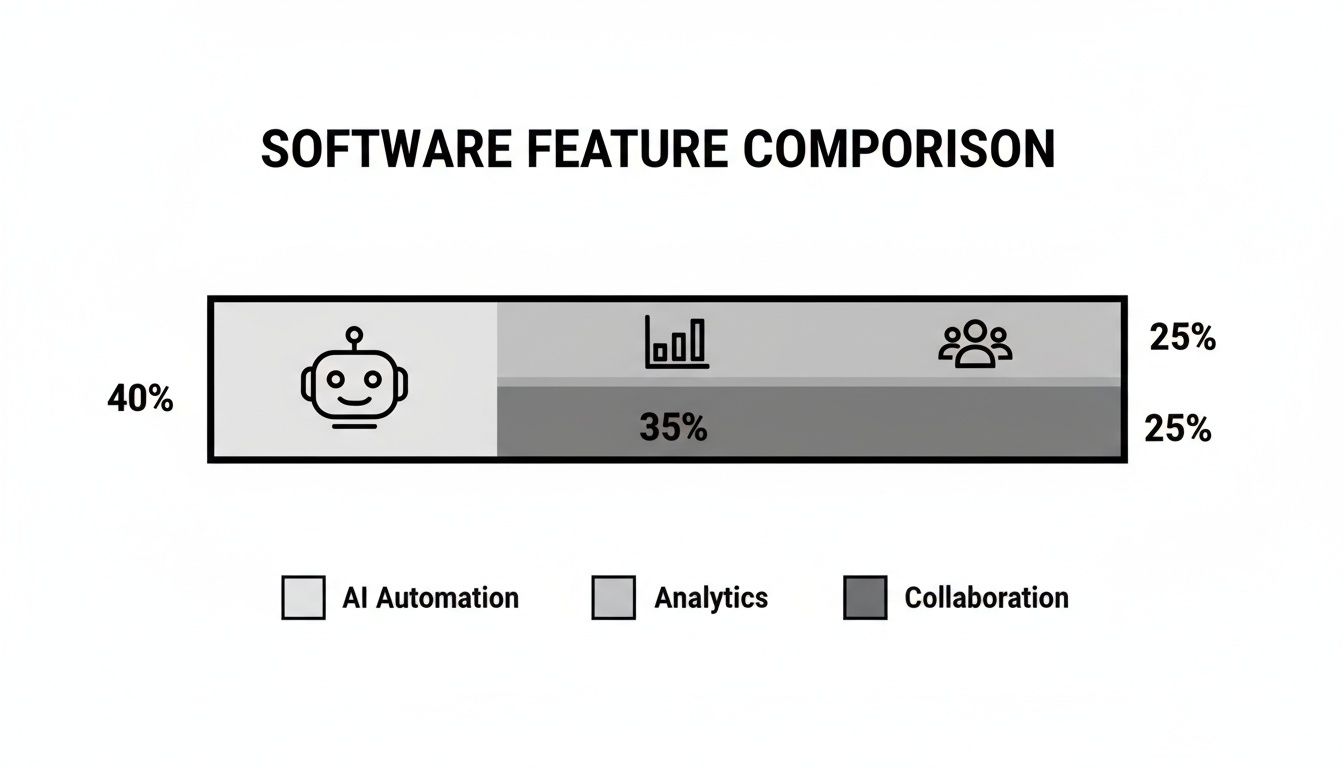
While analytics and collaboration are critical, smart automation is the engine that actually drives efficiency.
The Real-World Benefits of Intelligent Automation
Switching to a learning-based AI system isn’t just a cool tech upgrade; it leads to real, measurable wins for your support metrics. The benefits ripple across the whole operation, from agent productivity to customer happiness. It’s no surprise the helpdesk automation market is expected to jump from USD 10.7 billion in 2024 to a massive USD 91.9 billion by 2033. Businesses are clearly seeing the value, as you can see in the full market analysis from the IMARC Group.
Here’s what that impact looks like on the ground:
- Faster First Responses: AI can instantly sort, prioritize, and route tickets to the right person or team, cutting out the manual triage that slows everything down.
- More First-Contact Resolutions: By giving agents reply suggestions pulled from the very latest documentation, AI helps them solve issues correctly on the first try.
- Lower Operational Costs: When you automate routine tasks and let AI-powered self-service handle common questions, you reduce the total number of tickets your human agents have to touch.
AI-powered automation isn’t just another feature to check off in a helpdesk software comparison. It’s a fundamental shift in how support teams can operate, scale, and deliver value. If you want to get into the nuts and bolts, check out our guide on AI in customer service for a deeper dive.
Matching Helpdesk Software to Your Business Needs
Looking at a feature list is only step one. The right helpdesk for your business comes down to your operational reality-your team size, industry demands, and where you’re headed. A tool that’s a perfect fit for a massive online retailer would just be overkill for a lean startup.
So, let’s move past generic advice. I’m going to break down a few realistic business profiles and match them with the helpdesk model that actually solves their problems. Think of this as a practical framework for picking a tool that fits your budget, goals, and day-to-day work.
The Scaling SaaS Startup
When you’re a growing SaaS company, every dollar and every minute counts. Your support team is probably just a few people wearing multiple hats, so they need a tool that’s up and running in hours, not weeks. The biggest challenge is scaling support without hiring an army of agents.
Their ideal solution needs to hit a few key points:
- A strong free or startup plan: Getting started without a big upfront investment is non-negotiable.
- AI-powered self-service: The ability to connect a knowledge base and let an AI handle common questions is a massive force multiplier for a small crew.
- Easy integrations: The helpdesk has to talk to development tools like Jira or GitHub to keep bug reports and feature requests flowing smoothly.
A platform like Ticketdesk AI was pretty much built for this. Because it can learn from your existing docs, a startup can automate support right out of the gate. This frees up the founders and early hires to actually focus on building the product.
A startup’s most valuable asset is time. The right helpdesk gives that time back by automating the repetitive tasks that bog down a small team, allowing them to focus on high-impact customer interactions and product improvements.
The High-Volume Ecommerce Retailer
An ecommerce business lives and dies by its response times, especially during busy seasons like Black Friday. Most of the questions are transactional-“Where’s my order?”, “How do I make a return?”, or basic product questions. Speed, efficiency, and being everywhere at once are everything.
This kind of business needs a helpdesk focused on:
- An omnichannel inbox: You need one unified view of emails, social media DMs, live chats, and web forms. Without it, conversations get lost in the chaos.
- Macros and canned responses: The ability to fire off pre-written answers to common questions with a single click can save hundreds of hours a month.
- Solid reporting: Managers need to see ticket volume, agent response times, and CSAT scores at a glance to manage staffing and spot problems before they blow up.
Traditional platforms with powerful, rule-based automation and excellent omnichannel support tend to shine here. They provide the rigid structure needed to manage thousands of tickets with consistency and control.
The Enterprise IT Department
For a big company, the internal IT helpdesk is supporting a huge, diverse employee base with all kinds of technical issues. Here, the game is all about security, compliance, and sticking to the process. The helpdesk isn’t just for tickets; it’s a core piece of the company’s IT service management (ITSM) strategy.
The must-haves for an enterprise IT helpdesk include:
- Advanced workflow automation: The platform absolutely has to support complex, multi-step approvals for things like new hardware requests or getting access to software.
- Tough security and compliance: The software must meet strict standards like SOC 2 or ISO 27001 and offer features like data encryption and role-based access control.
- SLA management: You need to be able to define and enforce Service Level Agreements (SLAs) to keep service delivery consistent across the entire organization.
These enterprise-grade solutions are built for this kind of complexity, offering deep customization and control. As you look at these heavy-hitters, you have to think about the financial impact. You can start to map out the potential savings by using our free help desk ROI calculator to see how automation could affect your bottom line. It’s a great way to justify the investment in a more powerful, secure platform that keeps your operations and governance teams happy.
Unpacking the FAQs on Helpdesk Software
When you’re deep in a helpdesk software comparison, the same practical questions always seem to pop up. It’s one thing to compare feature lists, but it’s another to understand how a new platform will actually fit into your daily operations.
Let’s cut through the noise and tackle the most common questions that come up during the evaluation process. Getting these answers right is key to choosing a tool you won’t regret later.
How Long Does It Really Take to Implement New Helpdesk Software?
This is the classic “it depends” answer, but I’ll give you some real-world timelines. The time it takes to get up and running can vary wildly, from a few hours to several weeks, depending on how deep you need to go.
For a small team that just needs basic email ticketing, you can often get a simple cloud-based solution working in an afternoon. The initial setup is usually pretty straightforward.
But a full-blown implementation is a different story. If you’re migrating years of ticket history, connecting a large knowledge base, building out custom automation rules, and training your entire team, you’re looking at a project that can take anywhere from a few days to a few weeks. For enterprise setups with custom API integrations, you can expect that timeline to stretch even further.
My advice? Look for platforms with clear documentation and support that actually responds. It can make all the difference.
What Are the Hidden Costs I Should Watch Out For?
The price you see on the website is almost never the final price. To create an accurate budget and avoid nasty surprises down the road, you have to dig a little deeper than the advertised subscription fee.
Keep an eye out for these common extra costs:
- Per-Agent Fees: This one’s obvious but critical. Most plans are priced per user, so your bill will grow right alongside your team.
- Premium Add-Ons: That cool AI feature or advanced analytics module you saw in the demo? It often costs extra. Social media integrations are another common paid add-on.
- Data and Storage Limits: Some providers will hit you with overage fees if you go over your plan’s limits for file attachments or data storage.
- Implementation and Training Fees: Don’t assume setup is free. Some vendors charge one-time fees for guided onboarding, data migration help, or dedicated team training.
- Priority Support: If you want a dedicated account manager or 24/7 support, expect to pay for it. It’s almost always an add-on.
Before you sign anything, ask for a complete cost breakdown based on your team size and the features you actually need.
A transparent pricing model tells you a lot about a vendor. If a company makes it hard to figure out what you’ll actually pay, that’s a major red flag. Press them for clarity before you commit.
How Can I Measure the ROI of a New Helpdesk Platform?
Measuring the return on your investment (ROI) comes down to tracking the right metrics before and after you make the switch. A good helpdesk shouldn’t just feel better; it should deliver clear, measurable improvements to your efficiency and customer satisfaction.
First, you need a baseline. Start by benchmarking your current performance on these key metrics:
- First Response Time (FRT): Good automation should drastically cut down the time it takes to acknowledge a customer’s ticket.
- Average Resolution Time: How long does it take, on average, to completely resolve a ticket? This is a core measure of your team’s efficiency.
- Customer Satisfaction (CSAT): Use surveys to get a hard number on customer happiness. A better helpdesk should make for smoother interactions and higher scores.
- Ticket Volume Per Agent: Armed with better tools, each agent should be able to handle more tickets without sacrificing quality.
Don’t forget to also factor in cost savings from deflecting tickets with a better self-service portal or knowledge base.
Can I Migrate My Existing Customer Data to a New System?
Yes, absolutely. Any modern helpdesk platform worth its salt knows that you can’t just abandon your historical data. Preserving old tickets, customer contacts, and knowledge base articles is non-negotiable for providing consistent support.
Most leading platforms give you tools to import your data. The most common methods are uploading CSV files or using an API to automate the transfer.
Before you make a final decision, get specific. Confirm exactly what migration tools the new platform offers. Ask what data formats they support, whether they offer hands-on help with the migration, and if there are any extra costs involved. A clean data migration is the foundation of a successful transition.

Ready to get started?
Join hundreds of teams using Ticketdesk AI to deliver exceptional customer support.