Your Guide to AI Email Responder Solutions
An AI email responder isn’t just another inbox tool; it’s a smart system that uses artificial intelligence to automatically read, understand, and even draft unique replies to your incoming emails. Forget the old-school auto-replies that just send a generic, “We got your message” template. This is a much more advanced approach that actually analyzes what the sender wants and provides a genuinely helpful, context-aware answer right away.
What Is an AI Email Responder
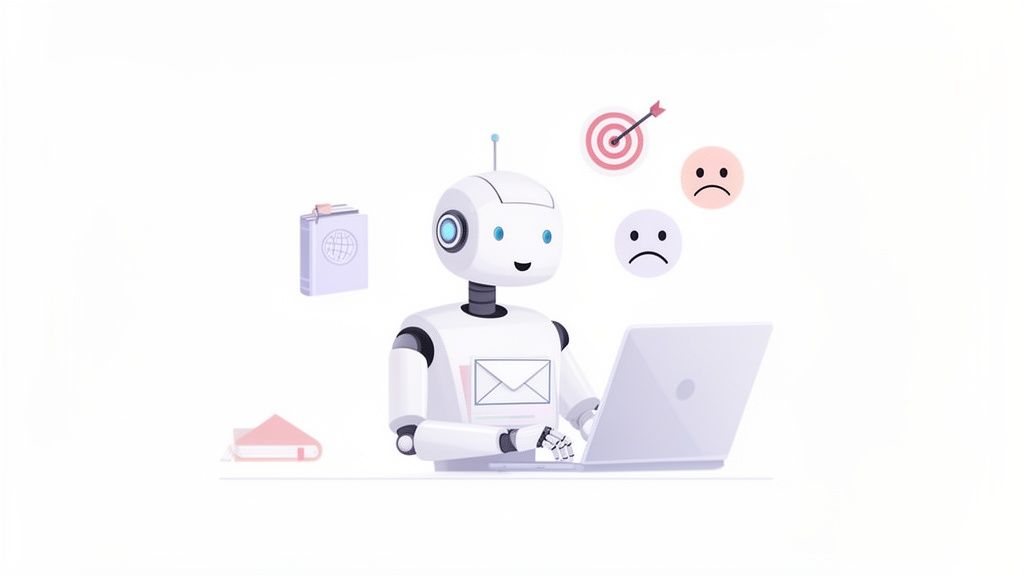
Think of an AI email responder as your most efficient team member. It works 24/7, never needs a coffee break, and has a perfect memory of every help document and past customer chat you’ve ever had.
This technology goes way beyond simple keyword matching. It’s powered by Natural Language Processing (NLP), a field of AI focused on helping computers understand human language. This allows the tool to figure out the nuances in a message, identifying not just what a customer is asking, but also their sentiment. Are they frustrated? Curious? Delighted?
By grasping this deeper context, the AI can craft responses that are genuinely helpful and even empathetic.
Beyond Basic Auto-Replies
A traditional auto-responder is a blunt instrument. It blasts the same “We’ve received your message” reply to every single email, no matter what it’s about. An AI email responder, on the other hand, is a precision tool. It reads the message, checks it against your internal knowledge base (like FAQs and user guides), and then generates a specific, actionable answer.
This leap in intelligence is driving some serious market growth. The AI-Powered Email Assistant Market is expected to jump from USD 750 million in 2023 to USD 1,910.2 million by 2033. Big companies, which already made up over 72.4% of the market in 2023, are all-in, using these systems to slash response times and automate how tickets are routed.
Let’s break down the key differences.
AI Responder vs Traditional Auto-Responder
A quick look at the table below makes it clear just how far we’ve come from the simple, rule-based auto-replies of the past.
| Feature | Traditional Auto-Responder | AI Email Responder |
|---|---|---|
| Response Type | Static, pre-written templates. | Dynamic, unique responses generated in real-time. |
| Understanding | Keyword-based triggers. | Deep contextual understanding using NLP. |
| Personalization | Very limited (e.g., uses sender’s name). | Highly personalized based on intent and history. |
| Actionability | Acknowledges receipt of email. | Provides direct answers and resolves issues. |
| Learning | Does not learn or improve. | Continuously learns from new data and interactions. |
The takeaway is simple: AI responders are built for actual problem-solving, not just acknowledging that an email arrived.
How It Works in Your Inbox
Modern AI responders are designed to integrate seamlessly with the platforms your team already lives in. Whether you’re looking for an AI email responder for Outlook, Gmail, or other clients, these tools connect right into your existing inbox.
This lets the AI act like a co-pilot for your support agents. It can suggest replies that your team can quickly review, edit, and send in just a few seconds.
The core benefits here are pretty compelling:
- Instantaneous Responses: Customers get the right answers immediately, which is a huge boost for satisfaction.
- Team Efficiency: Your support staff is freed from answering the same questions over and over, letting them focus on more complex problems.
- Consistent Quality: Every response aligns with your brand’s tone and policies, keeping your communication consistent and professional.
An AI email responder is not just about sending emails faster. It’s about understanding customer needs at scale and providing intelligent, personalized assistance without human intervention for every common query.
Many businesses start by trying out an AI email responder free of charge to get a feel for how it works. While these free versions often have limits on email volume or features, they offer a great preview of how automation can really change your support workflows for the better.
And this technology isn’t just for support. When you look at tools like an AI Newsletter Generator, you see the same underlying AI being used to proactively create marketing content. It’s a clear sign that AI is becoming a core part of the entire email ecosystem, from outreach to support.
The Real Business Impact of Email Automation
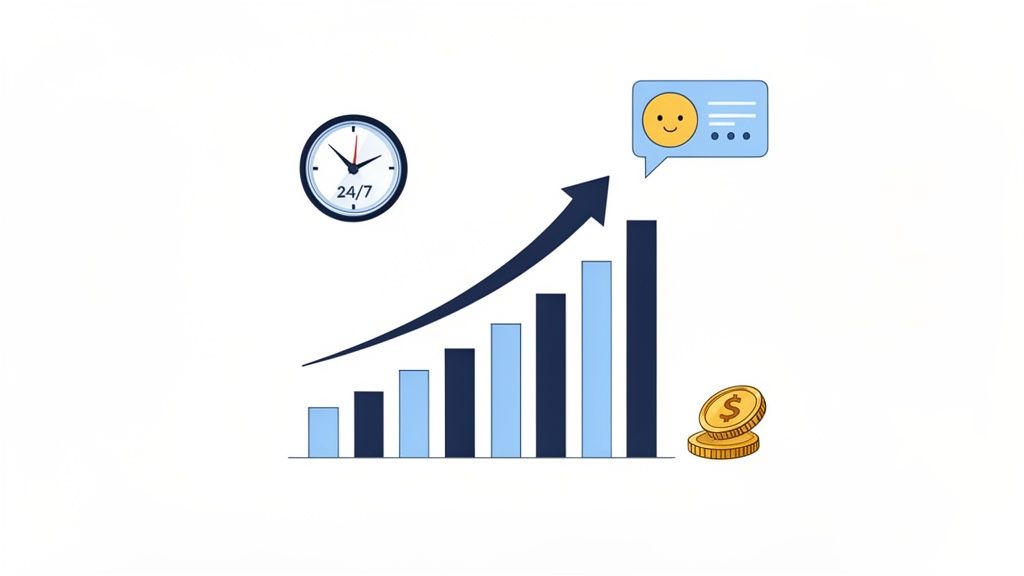
Let’s get straight to the point: bringing an AI email responder into your workflow isn’t just a tech upgrade. It’s a strategic move with a real, measurable return. For anyone looking at the bottom line, the benefits are crystal clear. You can turn your support desk from a cost center into a genuine engine for business growth.
This shift happens across four key areas. It starts with a dramatic drop in operational costs, leads to a much better customer experience, lets you scale without friction, and finally, uncovers invaluable insights hidden in your data.
Slash Costs and Boost Efficiency
The first thing you’ll notice is a major jump in efficiency. An AI assistant takes all those repetitive, time-sucking queries off your team’s plate-think password resets or “where’s my order?” questions. This frees up your human agents to tackle the complex, high-stakes problems where their skills really shine.
Picture this: you launch a new product, and the email volume explodes. Instead of frantically hiring and training temp staff, an AI responder handles the flood of inquiries instantly. Every customer gets a fast reply, and you don’t have to blow up your payroll budget.
By automating routine inquiries, an AI email responder can handle up to 70% of incoming support tickets. This lets a smaller, more focused team deliver incredible service, directly cutting overhead while making everyone more productive.
Deliver an Exceptional Customer Experience
Modern customers don’t like waiting. An AI email responder meets that expectation head-on, delivering accurate, helpful replies 24/7, no matter the time zone or holiday. That kind of instant support prevents frustration and shows you’re serious about service.
AI also brings consistency. Every single response follows your brand’s tone and pulls from your official knowledge base. You can say goodbye to the risk of different agents giving conflicting answers, building trust and reinforcing a professional image with every email sent.
Scale Your Support Effortlessly
For any growing business, especially a startup, scaling is a constant headache. An AI responder lets a small team manage a huge influx of customers without service quality taking a nosedive. It’s how you maintain momentum without getting buried in support costs.
And as your company grows, the AI grows right alongside it. It’s always learning from new interactions and updated documents, getting smarter and more effective over time. This creates a support foundation that can handle thousands of emails a day just as easily as it handles a hundred.
Email overload is a real problem for everyone-daily global traffic is rocketing towards 523 billion by 2030. AI email assistants can automate up to 76% of routine tasks, and the numbers back it up: automated emails see 42.1% open rates and 1.9% conversions. For businesses, 76% see a return in the first year, often driven by a 451% jump in lead generation. The proof is in the pudding: AI responders are the efficiency engine behind today’s best support teams.
Gain Data-Driven Insights
An AI responder does more than just answer emails; it’s also a powerful analytics tool. It systematically sorts and analyzes every single query, giving you a live look at what your customers are struggling with, asking about, and needing most.
This data is a goldmine for your business:
- Spot Product Flaws: A sudden spike in questions about a new feature? That could be a bug or a confusing user experience.
- Improve Your Knowledge Base: See which help articles are actually helping and find the gaps in your documentation.
- Guide Your Product Roadmap: Understand what features customers are begging for to inform what you build next.
The real power here is in turning conversations into structured data. It’s a key part of [how AI is revolutionizing email marketing with personalization, which leads to way better engagement. By listening to what your customers are telling you every day, you can make smarter decisions across the entire company.
Connecting Your AI Responder to Gmail and Outlook
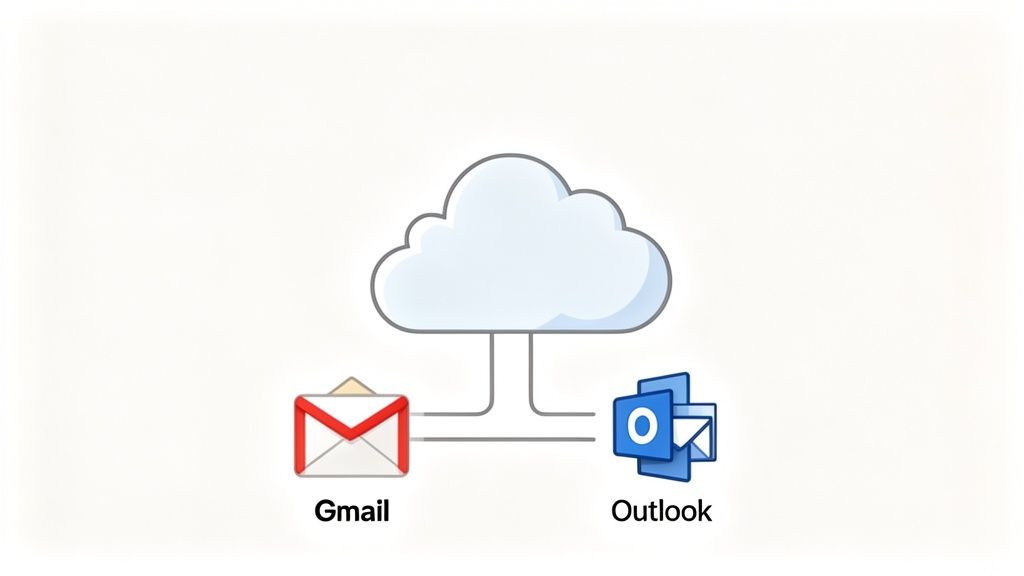
The best tools are the ones that slot right into your existing workflow, not the ones that force your team to learn something entirely new. A modern AI email responder is designed to do just that, connecting directly with the email clients your support agents already live in every day, like Gmail and Outlook.
This direct connection is the secret to a smooth rollout. When the AI feels like a natural part of the inbox instead of a clunky, separate app, your team will actually want to use it. It cuts down on disruption and lets everyone start reaping the benefits of automation almost immediately.
The whole point is to enhance the tools your team already relies on, not replace them. A well-integrated AI responder can serve up smart suggestions and knock out repetitive tasks right inside that familiar email interface.
Choosing Your Integration Method
So, how does the AI actually connect to your inbox? There are a few common ways to get it done, and the right one for you really depends on your team’s technical setup and how you work.
Most modern responders offer a few primary options:
-
Native Integrations: This is usually the easiest and most robust method. With just a few clicks, you can give the AI permission to access your shared inbox (like
support@company.com). It then works its magic in the background, reading incoming emails and drafting replies without you ever having to install anything. It’s the perfect approach for a dedicated AI email responder for Outlook, Gmail, or other platforms. - Browser Extensions: Many platforms provide simple extensions for browsers like Chrome or Edge. After a quick install, the AI’s features just appear right inside the Gmail or Outlook web app. This is a super user-friendly way to embed AI help right next to the “Reply” button your team already uses.
- API Connections: For teams with more complex setups or their own custom tools, an API (Application Programming Interface) offers the ultimate flexibility. This route lets your developers build a deeper, more customized link between the AI and your existing software.
The most effective AI email responders are built with an “inbox-first” philosophy. They get that support teams live and breathe in Gmail and Outlook, so they bring the intelligence directly to them. This simple shift drastically reduces context-switching and makes everyone more productive.
The Typical Setup Process
Getting everything up and running is usually pretty straightforward. While the exact steps might differ between tools, the process almost always involves granting access and tweaking a few settings to get the AI working just the way you want it.
Here’s what that workflow generally looks like:
- Authorize Your Account: You’ll start by logging into the AI responder’s platform and connecting your Gmail or Outlook account. This will trigger a standard permission screen from Google or Microsoft, which keeps the connection secure.
-
Select the Inbox: You then get to pick which specific inbox the AI should watch over-whether it’s an individual’s account or a shared team inbox like
help@yourcompany.com. - Configure Behavior: Finally, you set the rules of engagement. You can tell the AI when to draft a reply, how it should tag incoming messages, and what kinds of emails it should ignore, like marketing newsletters or internal updates.
For anyone managing a shared team inbox, understanding how to set up your inbox to create tickets via email is a great first step. That process ensures every customer query is neatly logged and ready for the AI to get to work.
By plugging your AI responder directly into your email platform, you create one powerful, unified system. Your team gets all the perks of smart automation without ever having to leave the inbox where they spend most of their day.
How to Evaluate a Free AI Email Responder
The promise of a powerful AI email responder free of charge is a big deal, especially for startups and small businesses keeping a close eye on their budget. It’s often the first step teams take into automation, using a free plan to dip their toes in the water with Gmail or Outlook.
But let’s be realistic. “Free” almost always comes with a catch. These plans are designed to give you a taste, not to be a permanent, scalable fix. They show you the core of what’s possible but have some very real limitations you need to know about before you jump in.
What to Expect from a Free Plan
Most AI email responder free tools are pretty similar in what they offer out of the box. They’re functional enough to show you the potential and can be a genuine help for tiny teams with very low email volume. Think of it as a proof-of-concept for your own workflow.
Here’s what you’ll usually find:
- Capped Monthly Responses: This is the most common limitation. You’ll get a strict cap on how many AI replies you can send each month-maybe 50, maybe a few hundred. A support desk with any real traffic will burn through that in no time.
- Access to Basic AI Models: Free plans typically give you a standard, off-the-shelf AI model. It works, but it won’t have the sophisticated fine-tuning of premium versions that learn to perfectly match your brand’s voice.
- Standard Integrations: You can expect basic connections for Gmail and Outlook, which makes getting started easy. However, linking up with your CRM or other business-critical tools is almost always a paid feature.
The Hidden Limitations to Consider
The advertised features are one thing, but the real evaluation comes down to the less obvious trade-offs. These are the hidden “costs” that can affect everything from data security to your ability to grow.
An AI email responder free plan is an excellent starting point, but it’s crucial to evaluate its limitations around data privacy and support. The goal is to find a tool that helps you grow, not one that holds you back once you start scaling.
The biggest red flags usually fall into three buckets: data privacy, customization, and customer support. A free tool might solve a small problem for you today but create a massive headache tomorrow if you’re not careful. To get a sense of what a full-fledged platform offers, check out the advanced features of an AI helpdesk and see how they solve these exact problems.
A Practical Evaluation Checklist
Before you commit, it’s worth taking a systematic approach. This checklist helps you figure out if a free AI email responder is a smart long-term move for your business or just a temporary fix.
Checklist for Evaluating a Free AI Email Responder
This table breaks down the critical questions you should be asking to see if a free tool truly fits your needs or if you’ll outgrow it in a month.
| Evaluation Criteria | Key Questions to Ask | Ideal Outcome |
|---|---|---|
| Data Privacy & Security | How is my data used? Is it used to train their public models? Does the tool comply with GDPR or CCPA? | The provider has a clear privacy policy stating your data remains confidential and is not used for external training. |
| Customization & Control | Can I train the AI on my specific knowledge base? Can I customize the tone and voice to match my brand? | The tool allows you to upload your own documentation and set specific rules for the AI’s personality and response style. |
| Scalability & Volume Caps | What happens when I hit the monthly response limit? Is the upgrade path clear and affordable? | The usage limits are reasonable for a trial period, and the transition to a paid plan is seamless and budget-friendly. |
| Support & Onboarding | What level of support is included? Is there documentation to help me get started? | Even on a free plan, there should be access to a knowledge base or community forum for troubleshooting basic issues. |
Ultimately, a good free tool should feel like a genuine entry point, not a dead end. Make sure you know what you’re getting into, and you’ll be in a much better position to make a smart choice for your team.
Your AI Email Responder Implementation Plan
Just launching a new tool without a real strategy is a recipe for frustration and wasted resources. To get an AI email responder humming along smoothly, you need a clear, step-by-step plan. This guide breaks the process down into five simple phases to make sure you get the most out of it from day one.
A good rollout isn’t just about flipping a switch. It’s about making sure the tech actually aligns with what your business needs. The real goal is to create a seamless partnership between your human agents and their new AI assistant, turning your support desk into a much smarter operation.
Phase 1: Define Your Goals
Before you touch anything, you need to know what success actually looks like. What specific problem are you trying to fix with an AI email responder? Vague goals like “improve efficiency” are useless. Get specific and set clear Key Performance Indicators (KPIs) you can actually track.
Here are a few concrete examples:
- Reduce First Response Time (FRT): Aim to cut your average first response time by 40% within the first quarter.
- Increase First Contact Resolution (FCR): Target a 15% improvement in solving issues on the first email by automating answers to common questions.
- Decrease Ticket Volume for Tier 1 Support: Set a goal to deflect 30% of routine tickets so your agents can focus on tougher problems.
Having these numbers gives you a clear benchmark to see if the tool is actually working.
Phase 2: Prepare Your Knowledge Base
Your AI is only as smart as the information it learns from. A messy, outdated, or incomplete knowledge base will only generate inaccurate, unhelpful replies. Think of your documentation as the textbook your AI needs to study to pass its customer service exam.
An AI email responder is a powerful engine, but your knowledge base is its fuel. High-quality, well-structured information is non-negotiable for generating accurate, trustworthy responses that customers can rely on.
This is probably the most important phase. Take the time to clean up and organize your help docs, FAQs, and internal guides. Make sure everything is current, easy to find, and covers the most common questions your customers ask.
Phase 3: Configure Smart Workflows
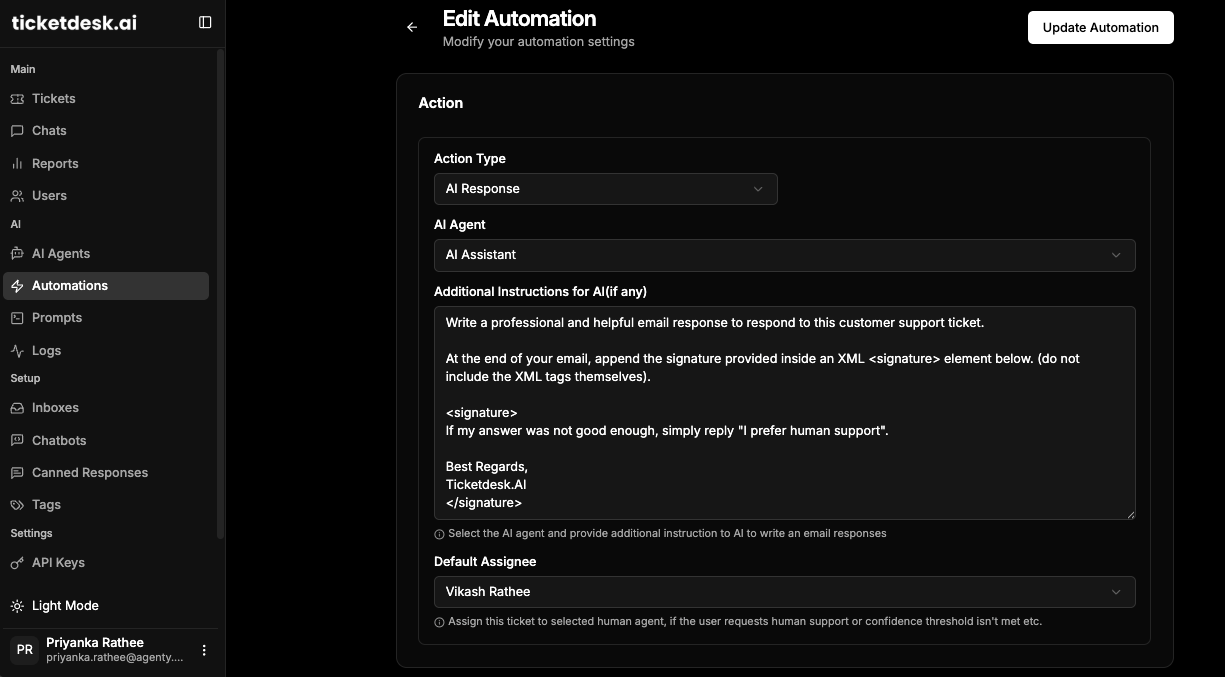
Automation isn’t an all-or-nothing game. The real trick is to set up smart workflows that tell the AI when to respond and when a human expert needs to jump in. A great AI email responder for Outlook, Gmail, and other inboxes will give you total control over these rules.
Your setup should include:
- Automated Responses: For simple, frequent questions like “How do I reset my password?” or “What are your business hours?”
- AI-Suggested Drafts: For trickier questions where an agent should review and approve the AI’s suggested reply before sending.
- Immediate Human Escalation: For sensitive stuff like billing disputes, security concerns, or really unhappy customers.
This balanced approach gives you the speed of automation without losing the human touch where it matters most. For a deeper look, our guide on how to automate ticket responses with AI walks through setting up these exact kinds of workflows.
As you look at different tools, especially any AI email responder free plan, you have to be extra careful about what you’re getting.
This chart shows the three most important things to check when you’re considering a free tool.
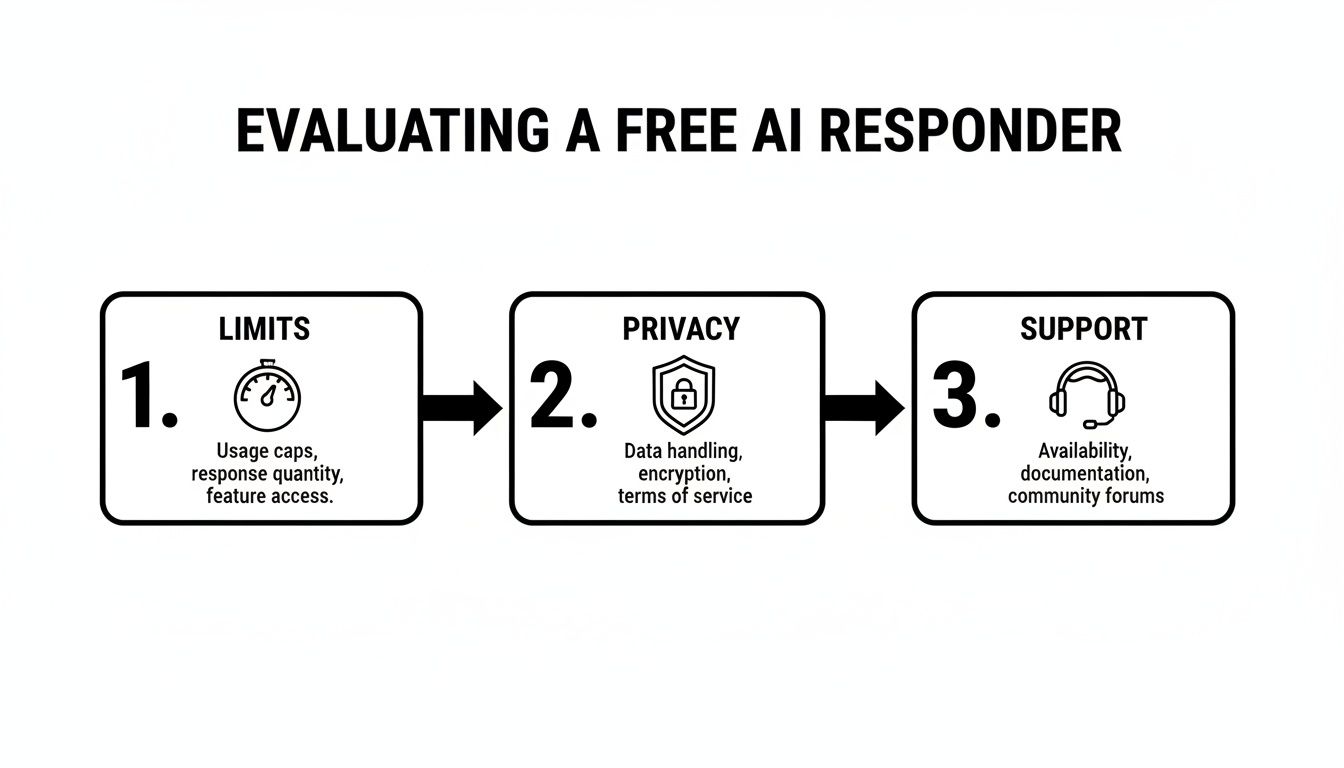
As you can see, free tools often come with tight limits, questionable data privacy, and almost no support-all critical things to think about before you commit.
Phase 4: Set Up Human-in-the-Loop Reviews
Letting an AI run wild from day one is asking for trouble. The best way to start is with a human-in-the-loop (HITL) system. This just means that for certain types of questions, the AI drafts a response, but an agent has to review, edit, and approve it before it’s sent to the customer.
This review process does two crucial things. First, it’s a safety net that prevents embarrassing mistakes. Second, it’s a powerful training tool. Every little edit an agent makes is feedback that helps the AI model learn and get better over time.
Phase 5: Train Your Team
Finally, get your team ready for their new AI coworker. This isn’t about replacing agents-it’s about making them better at their jobs. Frame the AI email responder as an assistant that handles the boring, repetitive tasks, freeing them up to focus on more interesting and challenging work.
Your training should cover how to review AI drafts, when to trust the automation, and how the new workflows operate. The conversational AI market is expected to hit USD 41.39 billion by 2030, and a huge part of that is from tools that help support teams work smarter. With features like AI draft reviews, agents can handle tickets with human-like care, which only adds to the already impressive email marketing ROI of $36 for every $1 spent. By following this plan, you’ll ensure a smooth transition and set your team up for success.
Common Mistakes to Avoid
Putting an AI email responder in place can seriously boost your support efficiency, but a few common slip-ups can easily kill its value. If you sidestep these early pitfalls, you’ll be in a much better position to get the results you’re after. Think of this as your “what not to do” guide for a smooth rollout.
The biggest mistake I see is the old “set it and forget it” mindset. An AI tool isn’t a magic box you just plug in; it needs attention to keep working well. Without regular check-ins, its performance will drift, leading to outdated or just plain wrong answers that will frustrate customers and end up creating more work for your team.
Over-Automating Sensitive Issues
A huge pitfall is trying to automate every single customer email that comes in. While an AI is perfect for handling common, low-stakes stuff like password resets, it’s not the right tool for emotionally charged or complex situations. Think billing disputes or a major service outage. Automating these conversations usually comes across as tone-deaf and can make an upset customer even angrier.
The trick is to build smart, clear escalation paths from the get-go.
- Define Sensitive Keywords: Flag words like “refund,” “legal,” “security,” or “angry” to immediately get an email in front of a human agent.
- Establish Clear Rules: Set up workflows that automatically assign emails with tricky account-specific questions to the right person or team.
- Prioritize the Human Touch: For your high-value customers or anyone with a history of issues, it’s almost always better to have a person handle it directly.
This hybrid approach gives you the speed of automation without sacrificing the critical judgment and empathy that only a human can provide.
Letting Your Knowledge Base Go Stale
Your AI email responder is only as smart as the information you feed it. A classic failure point is setting up the knowledge base and then never touching it again. Your products get updated, policies change, and new customer issues pop up all the time-if your help docs don’t keep up, your AI will start giving out bad information.
Think of your knowledge base as a living document, not a one-time project. A stale knowledge base is the number one cause of inaccurate AI responses and will quickly destroy customer trust.
Instead, get into a routine of content maintenance. Assign someone on your team to review and update your help articles every quarter. You should also pay close attention to the questions the AI can’t answer; these are bright, flashing signs showing you exactly where the gaps are in your documentation.
Failing to Monitor Performance
How do you even know if your AI is actually helping? If you’re not monitoring its performance, you’re just flying blind. I’ve seen a lot of teams, especially those starting out with an AI email responder free plan, completely overlook the need to track key metrics. This means they have no idea where the weak spots are or how to make things better.
Whether you use an AI email responder for Outlook, Gmail, or any other service, you have to track its effectiveness. Put together a simple dashboard to watch metrics like the AI resolution rate, customer satisfaction (CSAT) scores on automated replies, and how often it has to escalate to a human. Looking at this data regularly is how you fine-tune the AI’s behavior, update its training, and make sure you’re actually getting a real return on your investment.
Frequently Asked Questions
When you’re looking into an AI email responder, a few questions always pop up. It usually boils down to security, performance, and just how much work it’ll be. Let’s get right into the answers.
How Safe Is My Data with an AI Responder?
This is non-negotiable, and any platform worth its salt builds with security as a foundation. They use enterprise-grade encryption for your data, both when it’s moving and when it’s stored.
Beyond that, they have to play by the rules-think strict privacy regulations like GDPR and CCPA. This means your customer data is handled with care and is never, ever used to train public AI models. Always check a tool’s privacy policy and security certifications to be sure.
Can the AI Truly Match Our Company Brand Voice?
Absolutely. This is one of the most important features of a modern AI email responder. It’s designed to learn and adopt your specific brand voice by training on your company’s past email conversations, help docs, and knowledge base articles.
This process lets it pick up on your unique tone, the way you phrase things, and your overall communication style. You can steer it to be formal, super friendly, technical, or empathetic-whatever fits your brand. The goal is to make every automated reply feel like it came from a member of your team.
How Much Work Is It to Set Up and Train the AI?
You can get up and running surprisingly fast. A basic setup for an AI email responder for Outlook, Gmail, or your preferred client is often just a matter of minutes. It usually just involves authorizing your account and connecting it to your shared inbox.
The initial training is as simple as pointing the AI to your existing knowledge base. It starts working almost immediately, but you should plan for a short refinement period. You’ll review its suggestions, give it feedback, and this human-in-the-loop process is what makes it smarter and more accurate over time.
Can an AI Responder Handle Multiple Languages?
Yes, this is a must-have for any business operating globally. Most modern responders come with strong multilingual capabilities. They can automatically detect the language of an incoming email and reply in the same one.
It’s a huge win for companies with a diverse customer base. You can provide fast, accurate support to anyone, anywhere, without needing a massive multilingual team on standby 24/7. Even an AI email responder free trial can usually show you how this works.

Ready to get started?
Join hundreds of teams using Ticketdesk AI to deliver exceptional customer support.