Automating Customer Service A Practical Guide to Smarter Support
When people talk about automating customer service, they’re usually picturing technology-mostly AI and smart workflows-handling routine support tasks without a human needing to step in. It’s a way to deliver faster, more consistent service by letting software manage the repetitive questions, which frees up your agents to tackle the trickier problems.
What Is Customer Service Automation?
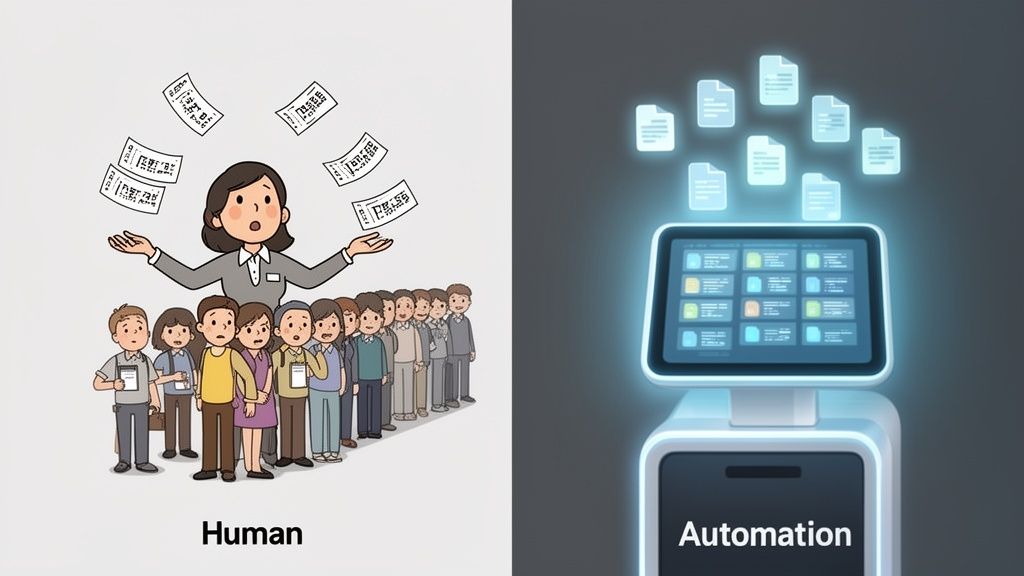
Let’s cut through the buzzwords. Think of your customer support team as a single, incredibly dedicated librarian trying to find books for hundreds of people all at once. It’s a noble effort, but it just doesn’t scale. Before you know it, you have long waits and frustrated patrons.
Now, imagine giving that library a powerful digital catalog, a self-checkout system, and an intelligent book-sorting machine. The librarian isn’t replaced; they’re supercharged. They no longer spend their day on mind-numbing tasks like checking books in and out. Instead, they can focus on helping people with in-depth research, recommending hidden gems, and curating special collections-the kind of high-value work that actually requires their expertise.
That’s what real customer service automation is all about. It’s not about getting rid of the human touch, but making it count.
The Role of Automation as an Enabler
The main goal here is to offload the predictable, high-volume tasks that eat up so much of an agent’s day. The numbers back this up: customer service automation can speed up first response times by 37% and resolve issues 52% faster. This kind of speed is possible because you’re letting technology handle the groundwork.
This isn’t just one piece of tech; it’s a few layers working together:
- Rule-Based Systems: This is automation in its simplest form, following basic “if-then” logic. For example, if a ticket contains the word “refund,” then it’s automatically routed to the billing team.
- AI and Machine Learning: More advanced systems use AI to actually understand what a customer is trying to say-their intent, their sentiment, and the context. An AI-powered chatbot can take a vague query like “my order is wrong” and ask the right follow-up questions to figure out the real problem.
- Knowledge Base Integration: Automation tools plug directly into your help center and internal docs. This lets them pull and deliver instant, accurate answers to common questions without ever needing to loop in an agent.
The core idea is simple: Automate the predictable so your team can handle the exceptional. This shift lets your agents focus on building relationships and solving the complex, emotionally charged issues where empathy and real thinking are irreplaceable.
From Manual Overload to Smart Support
Without automation, a support team is stuck in a constant state of reaction. Every single ticket-from a simple password reset to a critical system outage-piles up in the same queue, waiting for a human to manually sort and assign it. This creates bottlenecks and delays that kill the customer experience. In fact, over 50% of customers now expect businesses to be available 24/7, a demand that’s almost impossible to meet manually.
By automating customer service, you’re building a smart, self-sorting system. The most common questions get answered instantly, freeing up your team’s bandwidth. This strategic hand-off ensures that when a customer genuinely needs to speak with a person, that person is available, prepared, and ready to deliver the kind of high-touch support that builds real loyalty.
The Real Business Impact of Smart Automation
It’s easy to talk about the theoretical perks of automation, but what does it actually do for your business? The real impact goes way beyond just closing tickets faster. When done right, smart automation turns your support department from a cost center into a genuine engine for growth.
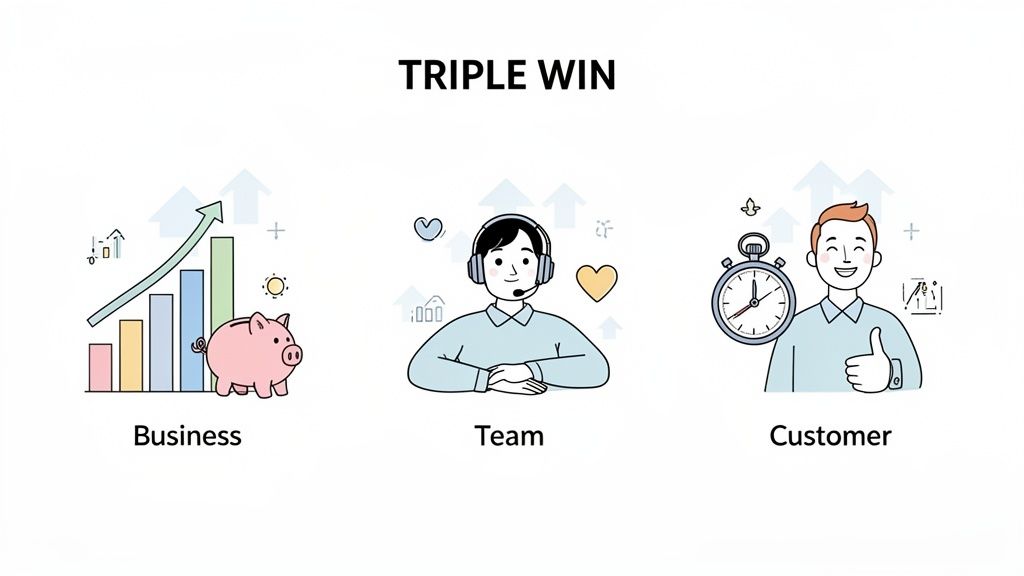
We call this the “triple win”-a powerful cycle where the business, the support team, and the customer all benefit. And each win feeds the others, creating a kind of momentum that’s nearly impossible to build with manual processes alone. Let’s break down how automating customer service actually creates value in these three key areas.
A Win for the Business
For any company, the bottom line is king. Automation hits this target head-on by seriously cutting down operational costs. Think about it: every single ticket deflected by a chatbot or resolved by a simple workflow is a direct saving on your cost-per-ticket. That adds up, fast.
But it’s not just about saving a few bucks. It’s about building a smarter, more resilient operation.
- Effortless Scaling: What happens during the holidays or a big product launch? Instead of frantically hiring temporary staff, automation scales up instantly to meet the demand. You get consistent service quality without blowing your budget.
- Data-Driven Insights: Your automated systems are constantly collecting and tagging interaction data. This gives you a crystal-clear view of common customer problems, feature requests, and product bugs-gold-standard feedback you can hand directly to your product and engineering teams.
A Win for Your Support Team
Let’s be honest, being a support agent can be a tough gig. Burnout is high, often driven by the sheer monotony of answering the same questions over and over. This is where automation really shines for your team. It acts as a filter, taking care of the routine stuff so your agents can focus on the work that actually requires a human brain.
This shift changes the role entirely. Your agents go from being simple problem-solvers to true customer advocates. When you remove the drudgery, you empower them to dive into complex troubleshooting, have high-empathy conversations, and even do proactive outreach. They get to do more fulfilling work that builds real customer relationships and boosts their own job satisfaction.
By automating the transactional, you empower the relational. Agents are freed from the tyranny of the queue to become expert consultants, driving customer success and fostering loyalty through meaningful interactions.
The result is a more engaged, more skilled, and much more stable support team.
A Win for the Customer
At the end of the day, this is all about the customer experience. We live in an on-demand world, and customers expect fast, accurate support whenever they need it-day or night. Automation is the only practical way to meet that expectation.
Customers get immediate answers to common questions without ever waiting in a queue. And when they do need to talk to a person, the issue is intelligently routed to the right agent who already has all the context. No more frustrating transfers or repeating the same information three times.
The numbers back this up. AI-powered customer service can slash operational costs by 30%. We’re seeing 95% of companies report real savings in time and money. It’s not just about cost, either-it’s about speed. A full 84% of organizations say AI helps them resolve issues faster. In one incredible example, companies that automated simple requests saw their response times drop by 69%.
If you want to dig deeper, you can get a look into these customer service trends and see how other businesses are cashing in.
Practical Automation Workflows You Can Use Today
Theory is great, but seeing automation in action is where the lightbulb really goes on. Let’s move past the concepts and look at some real, concrete examples of automating customer service that support teams are using right now to fix common, everyday headaches. These aren’t futuristic ideas-they’re practical, proven workflows that deliver results from day one.
Imagine a billing question lands in your helpdesk and, without an agent ever touching it, it’s instantly routed to the finance team’s queue. Or picture an AI automatically tagging new tickets with keywords, giving you an immediate pulse on trending issues after a new feature release. These are the kinds of powerful efficiencies available today.
Intelligent Ticket Routing and Triage
One of the biggest time-sinks for any support team is the manual triage process. An agent has to read a new ticket, figure out what it’s about, decide how urgent it is, and then pass it to the right person or department. Every manual hand-off adds delays and opens the door for human error.
Intelligent ticket routing automates this entire dance. Using a mix of simple rules and AI that understands customer intent, the system can instantly sort and direct incoming requests.
- Keyword-Based Routing: This is the simplest form. If a ticket contains words like “invoice,” “billing,” or “refund,” it automatically goes to the finance queue.
- Sentiment Analysis: An AI can detect frustration or urgency in a customer’s message. A ticket with clearly negative sentiment can be automatically flagged as high-priority.
- Customer-Tier Routing: You can create rules to make sure tickets from VIP or enterprise clients are immediately escalated to a senior support tier.
This workflow ensures the right expert sees the right ticket first, slashing resolution times and killing that frustrating “let me transfer you” experience for your customers.
By automating triage, you’re not just moving tickets faster; you’re creating a specialized, streamlined path to resolution for every single customer inquiry. It’s the difference between a chaotic mailroom and a high-tech sorting facility.
AI-Powered Reply Assistance
Even when a ticket lands in the right place, agents still spend a huge chunk of their day typing out replies. AI-powered reply assistance works like a co-pilot, helping them answer faster and more accurately without sounding like a robot.
Instead of just spitting out rigid, canned responses, modern systems actually read the customer’s question and suggest a complete, context-aware draft. The agent just needs to review it, maybe add a personal touch, and hit send. This is a massive win for efficiency. Many platforms offer detailed guides on how to automate ticket responses with AI that can help your team get started.
This workflow is especially powerful for:
- Onboarding New Agents: It acts as a safety net, helping new hires get up to speed quickly by showing them what a great response looks like.
- Maintaining Brand Voice: It helps ensure consistency in tone and language across your entire support team.
- Handling High Volume: During busy periods, it lets agents handle more conversations without sacrificing quality.
To get the most out of these workflows, it’s worth understanding the technical side of connecting different systems.
Automated Ticket Tagging and Categorization
To really understand what your customers are struggling with, you need clean, organized data. The problem is, manual ticket tagging is often inconsistent and slow, which leads to messy, unreliable reports.
Automation fixes this. It uses AI to analyze the content of each ticket and apply the right tags automatically. For example, an AI can spot mentions of a specific product feature, a bug report, or a feature request and apply tags like feature-X-feedback, bug-report-login, or feature-request-dashboard.
This gives your product and engineering teams an immediate, structured view of what customers are talking about, allowing them to spot trends in real-time. Instead of waiting for a quarterly review to find out what’s broken, you can see issues bubbling up as they happen and get ahead of them.
To make this even clearer, let’s compare how these tasks look with and without automation.
Table: Manual vs Automated Support Workflows
The table below breaks down the before-and-after, showing just how much automation can change the game for common support tasks.
| Support Task | Manual Process Without Automation | Automated Process With Automation | Key Benefit |
|---|---|---|---|
| Ticket Triage | An agent reads each ticket, determines its topic and priority, then manually assigns it to a team or individual. | AI analyzes ticket content, sentiment, and customer data to instantly route it to the correct queue. | Speed & Accuracy: Eliminates human delay and misrouting, getting tickets to the right expert faster. |
| First Response | Agent looks up information or finds a template, then types out a response from scratch. | AI drafts a complete, context-aware response based on the customer’s query for the agent to review and send. | Efficiency: Reduces agent handle time by 50% or more, allowing them to manage more conversations. |
| Tagging | Agents manually apply tags based on their interpretation, leading to inconsistent or missing data. | AI reads the ticket and automatically applies precise tags based on keywords, features, and intent. | Data Integrity: Creates clean, reliable data for better reporting and trend analysis. |
| Escalation | An agent has to recognize a high-priority issue and manually escalate it, which can be delayed. | Rules automatically flag tickets from VIPs or with urgent sentiment and escalate them to senior tiers. | Proactive Service: Ensures critical issues are addressed immediately without waiting for manual intervention. |
As you can see, automation isn’t about replacing agents. It’s about taking the repetitive, low-value work off their plates so they can focus on what they do best: solving complex problems and building customer relationships.
Your Roadmap to Implementing Service Automation
Getting started with automation isn’t about flipping a switch and hoping for the best. It’s a strategic process. Jumping in without a plan is like trying to build a house without a blueprint-you’ll end up with a mess. What you need is a clear, phased roadmap to make sure the transition is smooth for your team and delivers real value.
The best approach is to build momentum. Start with small, easy wins, then move on to bigger, more complex challenges. This lets your team get comfortable with the new tools and proves the value of automation every step of the way.
Start With the Low-Hanging Fruit
First things first: find the best place to start. You’re looking for the “low-hanging fruit”-those repetitive, high-volume tickets that take up your team’s time but don’t require much deep thinking. These are the perfect candidates for your first automation push.
Some classic examples include:
- Password Resets: A textbook case of a simple, scripted task.
- Order Status Inquiries: Straightforward requests for information that can be pulled directly from your CRM.
- "How-To" Questions: Basic queries that are already answered in your help docs.
By tackling these first, you can get a quick ROI and show your team and stakeholders the immediate wins of automating customer service. This builds the support you’ll need for bigger projects later on.
Prepare Your Knowledge Base as the AI Brain
Your knowledge base is the single most important piece of this puzzle. It’s the “brain” for your AI, giving it the source material it needs to generate accurate, helpful answers. A messy, outdated, or incomplete knowledge base will just lead to a poorly performing AI and unhappy customers.
Think of your AI as a brilliant student who needs top-notch study materials. If you give it messy, contradictory notes, it’s going to fail the test. A clean, comprehensive knowledge base is the curriculum it needs to ace every customer interaction.
Before you roll out any AI, do a full audit of your help docs. Make sure articles are up-to-date, easy to read, and thoroughly cover the most common questions you get. For a detailed guide on this, check out our walkthrough on how to train an AI agent for customer support.
The diagram below shows how a well-trained AI uses this knowledge to start streamlining your support flow with automated ticket triage.
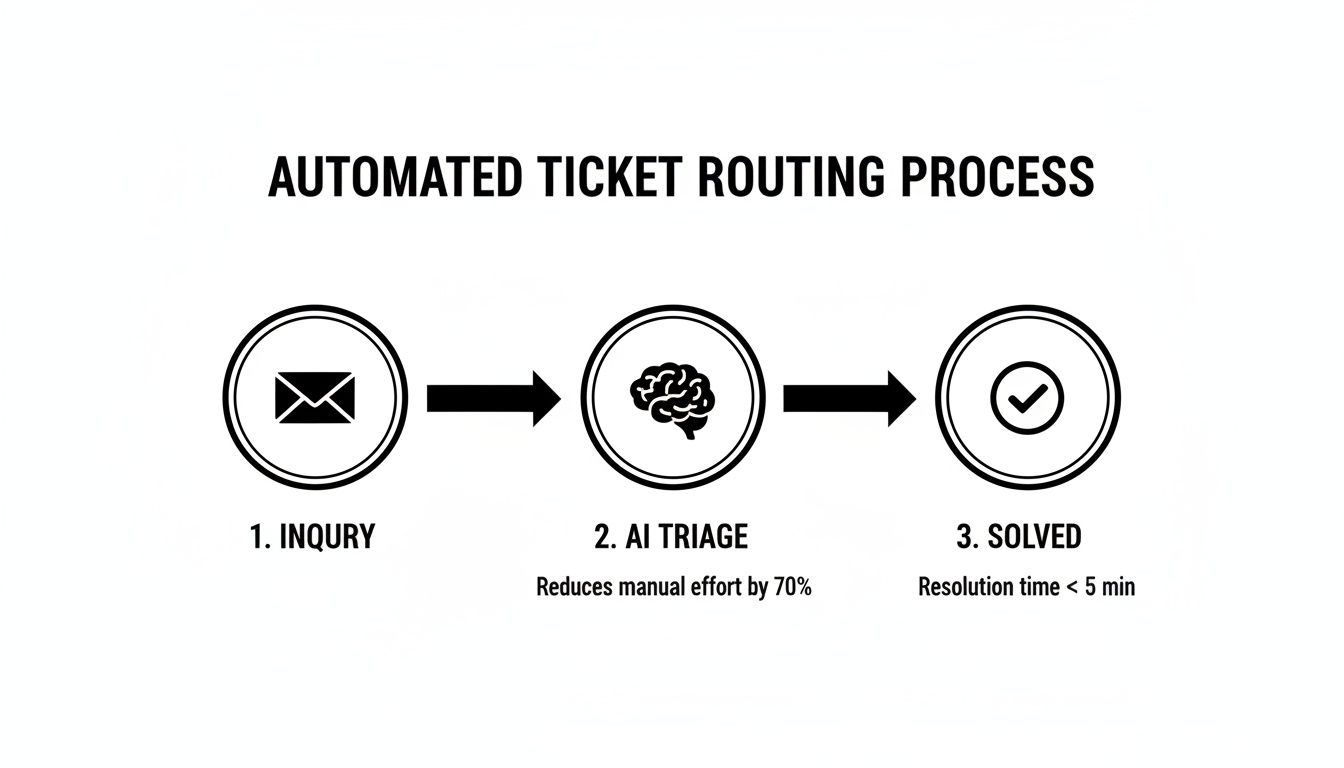
As you can see, the AI can immediately sort an incoming ticket and provide a solution-all powered by a solid knowledge base.
Adopt a Human-in-the-Loop Model
Automation isn’t about replacing your team; it’s about making them more powerful. The most successful setups use a human-in-the-loop model, where agents and AI work together. Here, the AI can handle the initial triage and draft a reply, but a human agent always has the final say.
This teamwork model does two critical things:
- Quality Control: It guarantees that no automated response goes out without a human thumbs-up, keeping your quality standards high.
- Continuous Improvement: Every time an agent accepts, edits, or rejects an AI suggestion, they’re teaching it. This feedback loop is what makes the AI smarter and more accurate over time.
This approach is getting serious executive buy-in. Today, 79% of executives see AI agents as essential for support, and 84% of business leaders believe automation is a key part of a winning customer experience strategy. This sentiment is backed by investment, with 64% of CX leaders planning to increase their chatbot spending. By the end of 2025, it’s expected that over 80% of businesses will use some form of chatbot automation.
Finally, don’t forget the technical side. Integrating your automation platform with key systems like your CRM or e-commerce platform is a must. This gives the AI access to customer history and order details, so it can provide personalized, context-aware support right from the start.
Measuring Success and Optimizing Your Strategy
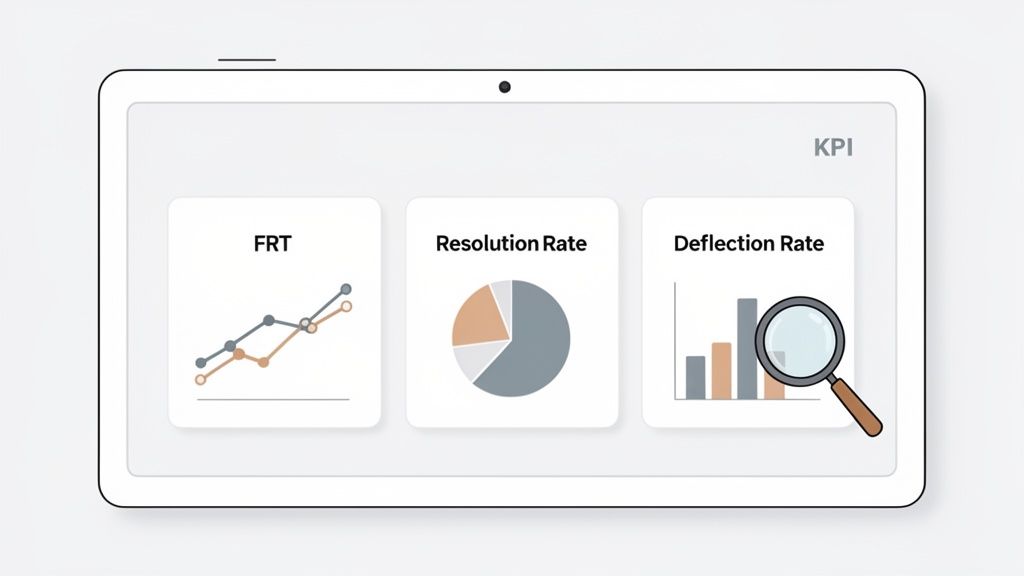
Rolling out automation isn’t a “set it and forget it” project. Think of it as a living system that needs constant attention and fine-tuning to really shine. To know if it’s actually working, you have to look beyond the surface and track the Key Performance Indicators (KPIs) that tell the real story.
This means digging into the data that shows how automating customer service is really impacting your team’s workload, your operational costs, and your customers’ happiness. Without the right numbers, you’re just guessing.
Core Metrics for Automation Performance
To get a clear picture, start with the bedrock KPIs that directly show how effective your automation is. These numbers give you a solid baseline to judge performance and find spots that need a little work.
- First Response Time (FRT): This is all about how fast a customer gets their first reply. Automation should crush this metric. Chatbots give instant acknowledgments, and a consistently low FRT is a huge win.
- Resolution Rate: What percentage of tickets are solved in a single touch? Good automation, especially with AI suggesting replies, helps agents solve problems more accurately on the first try, which pushes this number up.
- Ticket Deflection Rate: This might be the most important automation metric of all. It shows how many tickets never even made it to an agent because a self-service tool handled it. It’s a direct measure of your chatbots and knowledge bases pulling their weight.
A high ticket deflection rate isn’t just about cutting down agent work. It’s a sign that you’re giving customers the power to find their own answers, right now. That’s what a truly mature automation strategy looks like.
Gauging Customer and AI Satisfaction
Speed is great, but not if it comes at the cost of quality. You absolutely have to measure how customers feel about their automated chats. You also need to know if the AI is genuinely helping your human agents or just getting in the way.
A simple Customer Satisfaction (CSAT) survey after an automated fix gives you direct feedback. Just a quick “Was this helpful?” can tell you a lot about your bot’s performance.
Internally, there are two key numbers to watch:
- Agent Acceptance Rate: How often do your agents use the AI’s suggested replies without changing them much? If this rate is high, it means your AI is delivering quality, relevant answers.
- Bot-to-Human Escalation Rate: How often does a bot have to give up and hand the conversation over to a person? A high rate might mean your knowledge base has some gaps or the bot is being asked questions it was never trained to answer.
Continuously Refining Your Automation Engine
When you track this data, you create a feedback loop that makes your whole system smarter.
For example, if the agent acceptance rate is low for a specific topic, you know it’s time to update that knowledge base article. If you see a spike in escalations for billing questions, that’s your cue to build a dedicated workflow for it.
By keeping a close eye on these KPIs, you ensure your automation evolves with your business and your customers’ needs. To see the financial impact, you can plug your numbers into a help desk ROI calculator to see exactly how much you’re saving. This turns your support operation from a simple cost center into an efficient, ever-improving engine.
Choosing the Right Tools and Avoiding Common Pitfalls
Picking the right platform for your customer service automation isn’t just a quick software purchase; it’s a long-term investment. The tool you choose today will literally shape your entire support operation for years to come, so it’s critical to look past the flashy demos and focus on what really matters.
When you’re vetting vendors, your first question should be about integrations. Can it connect seamlessly with your CRM and other core systems? A tool that can’t easily tap into your existing customer data is basically flying blind. Just as important is security. Don’t even consider a platform that doesn’t meet strict compliance standards like SOC 2 and GDPR. Protecting customer data is non-negotiable.
Key Pitfalls to Sidestep
Even with the perfect tool in hand, a flawed strategy can sink the whole project. The goal here is to help your customers, not push them away. That means keeping the human element front and center in every automated touchpoint.
The best automation is invisible. It feels less like a robot and more like a helpful hand guiding the customer straight to the answer they need. The moment it feels clunky, or you try to hide the fact that it’s a bot, you’ve lost.
To keep your automation strategy on the right track, make sure you steer clear of these common mistakes:
- Over-automating sensitive issues: You should never, ever use a bot to handle emotionally charged situations. Think account cancellations or serious complaints. Those conversations demand real human empathy.
- Neglecting your knowledge base: Your AI is only as smart as the information you give it. An outdated knowledge base is the number one reason bots give bad answers. Treat it like a living document that needs constant care and feeding.
- Lacking transparency with customers: Be upfront about when a customer is talking to an AI. Trying to trick them into thinking it’s a person feels deceptive and blows up in your face the second the bot makes a mistake (and it will).
By carefully selecting your platform and sidestepping these predictable traps, you can build an automation strategy that genuinely makes your customer’s life easier.
Common Questions About Automating Customer Service
Jumping into any new tech brings up good questions, and customer service automation is definitely no exception. Support leaders I talk to are usually wondering about the practical side of things-how much work is it, what happens to their agents, and how fast will they actually see a return.
Here are the straightforward answers to the questions we hear the most.
How Long Does It Take To Set Up Automation?
The setup time for customer service automation has gotten way faster than it used to be. For a platform like Ticketdesk AI, you can get the basics running in minutes, not months. The first step is just connecting your help desk and knowledge base, which basically becomes the “brain” for the AI.
Honestly, the part that often takes the most time is on your end-auditing and cleaning up your own documentation. You need to make sure the AI has high-quality, accurate information to learn from. Once your knowledge base is in good shape, you can roll out simple workflows like ticket routing or automated replies in a single afternoon.
Will Automation Replace My Human Agents?
Nope. The whole point of automation isn’t to replace your agents, but to make them better. It’s designed to take over the repetitive, high-volume tasks that burn people out, like endless password resets and “where’s my order?” queries. This frees up your team to focus on the complex, high-empathy issues where a human touch really matters.
Think of automation as a super-efficient assistant for every single agent. It sorts the incoming mail, answers the easy questions, and gathers all the context so your agents can jump right into solving the truly tough problems.
The role of an agent simply evolves. They become expert problem-solvers and relationship-builders, backed by AI that makes their jobs less repetitive and more impactful.
Can We Automate More Than Just Text-Based Support?
Absolutely. While chatbots and email replies are the most common starting points, automation goes way beyond text. Modern tools can plug into your voice systems to handle intelligent call routing or even create automated summaries of phone calls for your agents to review later.
Beyond that, automation is a powerhouse behind the scenes. It can:
- Proactively notify customers about a known service outage or a shipping delay.
- Analyze conversation data to spot trends and flag emerging bugs for the product team.
- Manage internal workflows, like automatically creating a Jira ticket and assigning it to the right engineering team.
When you do it right, automation touches every part of the support journey, not just the first chat message a customer sends.