How to Build Real AI Agents for Marketing, Sales, and Support
Building an AI agent isn’t some far-off, futuristic experiment anymore. It’s a real-world business necessity, and the process breaks down into a few strategic pieces: defining clear goals, getting your data ready, picking the right AI models, and plugging the agent into your existing workflows, like your helpdesk.
It’s all about solving tangible problems from day one. This guide will show you how to build an AI Agent that SOLVES customer support!
Why Building AI Agents Is a Core Business Strategy Now
The whole conversation around AI in business has shifted. It’s no longer a matter of if you should adopt AI, but a race to figure out how to build agents that actually deliver value. We’re past the simple chatbot phase and into an era of sophisticated systems that can triage tickets, route complex problems, and even resolve customer issues all on their own.
If you’re a support or ops leader who needs to cut through the hype, this guide is for you. We’ll walk through how to build your own AI agents from scratch-not as a tech project, but as a strategic business move.
The Shift from Experiment to Infrastructure
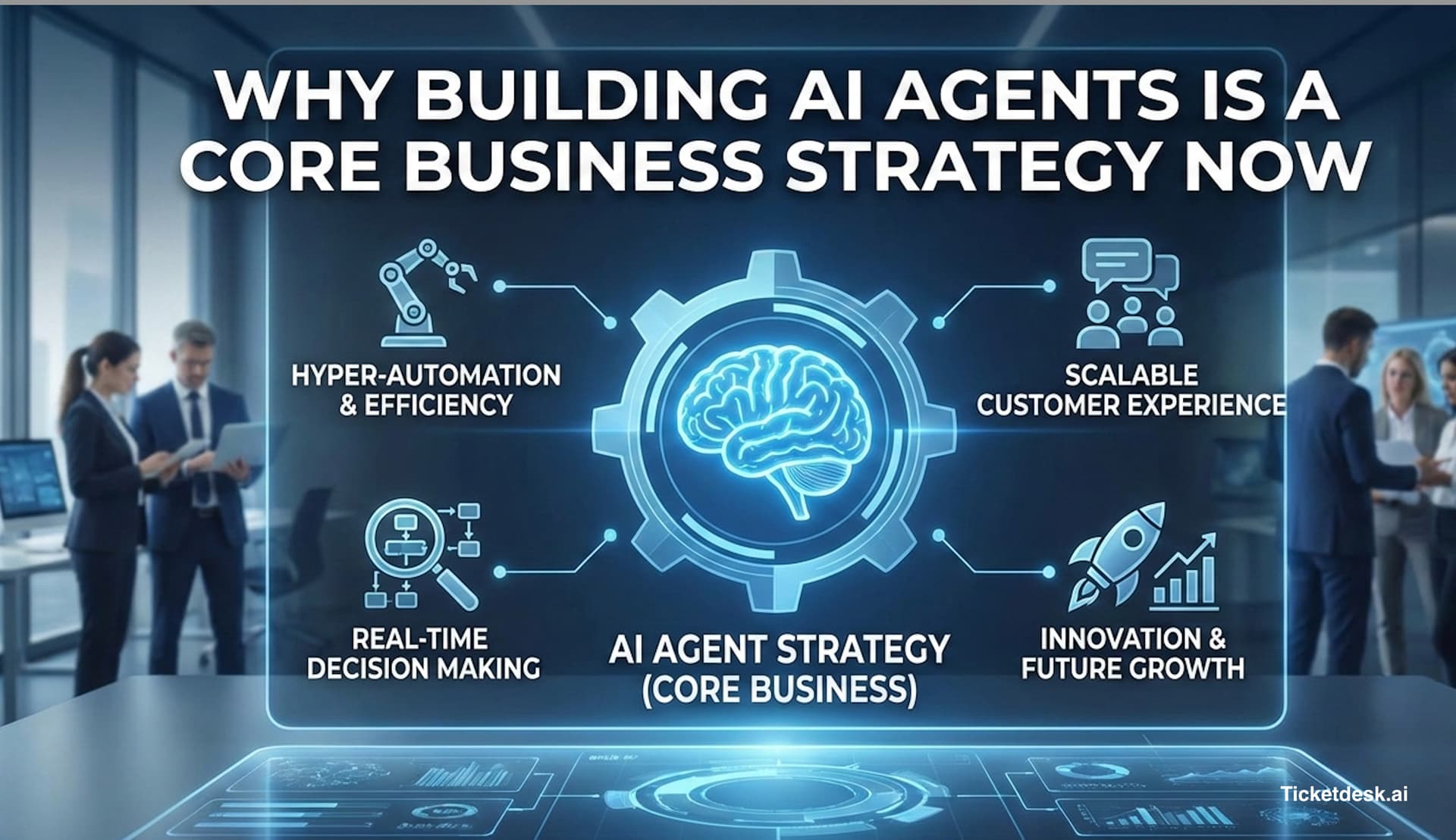
Agentic AI is being adopted at a wild pace. Between 2024 and 2026, we’ve seen AI agents go from experimental toys to core business infrastructure, completely changing how companies think about automation.
One recent survey found that 79% of organizations have already adopted AI agents to some degree. Even more telling, 65% of large U.S. enterprises jumped from experimentation to pilot projects in a single quarter-a massive leap from just 37% the quarter before.
This isn’t just a trend; it’s a fundamental change in how work gets done. The biggest challenge is no longer purely technical. It’s a design problem. Your success hinges on smart planning: defining razor-sharp goals, picking the right tools, and figuring out how to smoothly integrate everything with the systems your team already depends on.
The real world is messy-your agents need to be prepared for that. Building real agents means dealing with broken APIs, vague input, long-running tasks, and dead ends. The focus must be on creating resilient systems that solve specific, high-impact problems.
Understanding the Modern AI Agent
To really get why this matters, it helps to understand What Are AI Agents and how they automate decisions. This isn’t your basic “if this, then that” automation. A true agent can perceive its environment, make decisions, and take action to hit a specific goal.
For customer support, that means an agent can:
- Triage and Classify: Instantly understand a customer’s intent and categorize the ticket-is it billing, a technical glitch, or a feature request?
- Access Tools: Use APIs to check an order status in your backend, search a knowledge base for an answer, or update a user’s account in your CRM.
- Reason and Respond: Put together a genuinely helpful, context-aware response based on all the information it just gathered.
Before we dive deeper, here’s a quick breakdown of the essential building blocks that make up a modern AI agent.
Key Components of a Modern AI Agent
| Component | Function | Why It Matters for Support |
|---|---|---|
| LLM/Model Core | The “brain” that processes language, reasons, and generates responses. | This determines the quality and tone of interactions. A good model understands nuance and context. |
| Prompt/Instructions | The set of rules and goals guiding the agent’s behavior. | This is how you define the agent’s personality, scope, and objectives. It’s the playbook. |
| Tools & APIs | Connections to external systems (CRM, knowledge base, order status). | Gives the agent the power to do things beyond just talking, like fetching data or updating records. |
| Orchestration Logic | The framework that decides when to think, which tool to use, and how to act. | This is the conductor of the orchestra, ensuring all parts work together to solve the user’s problem. |
These components work together to create an agent that can handle real-world challenges.
The immediate goal for most teams is to build agents that solve these kinds of problems, freeing up your human experts to focus on the complex, high-value interactions that truly require a human touch.
Look, before you even think about writing code, let’s talk strategy. Building a great AI agent is all about the blueprint. Rushing into development without a solid plan is a surefire way to end up with an agent that’s more of a headache than a help. This is the first step in learning how to build AI agents from scratch.
This whole foundational stage boils down to three key things: nailing down a clear goal, gathering the right data, and picking the best Large Language Model (LLM) for your specific needs. If you get these three pillars right from the start, you’re setting yourself up for a much smoother ride.
Defining a Laser-Focused Goal
First things first: what, exactly, do you want this agent to do? A fuzzy goal like “improve customer support” is useless. You’ve got to get specific and zero in on a tangible, high-impact task.
Are you trying to:
- Deflect common questions? Maybe an agent that can expertly handle your top 5-10 most frequently asked questions.
- Triage and route new tickets? An agent that acts as a dispatcher, figuring out if a new ticket is about “billing,” a “bug report,” or a “feature request” and sending it to the right team.
- Handle specific user actions? Something more hands-on, like an agent that can actually process a refund, check an order status, or reset a password by talking to your internal APIs.
Starting small is the secret. Don’t try to build a bot that does everything on day one. The most successful projects I’ve seen always start by automating one, well-defined, repetitive task. Once that’s working flawlessly, you can start expanding its skills.
The biggest mistake you can make is aiming for full autonomy too quickly. Build an agent to solve one specific problem exceptionally well. This builds trust, delivers immediate value, and gives you a solid foundation to iterate on.
Gathering and Preparing Your Data
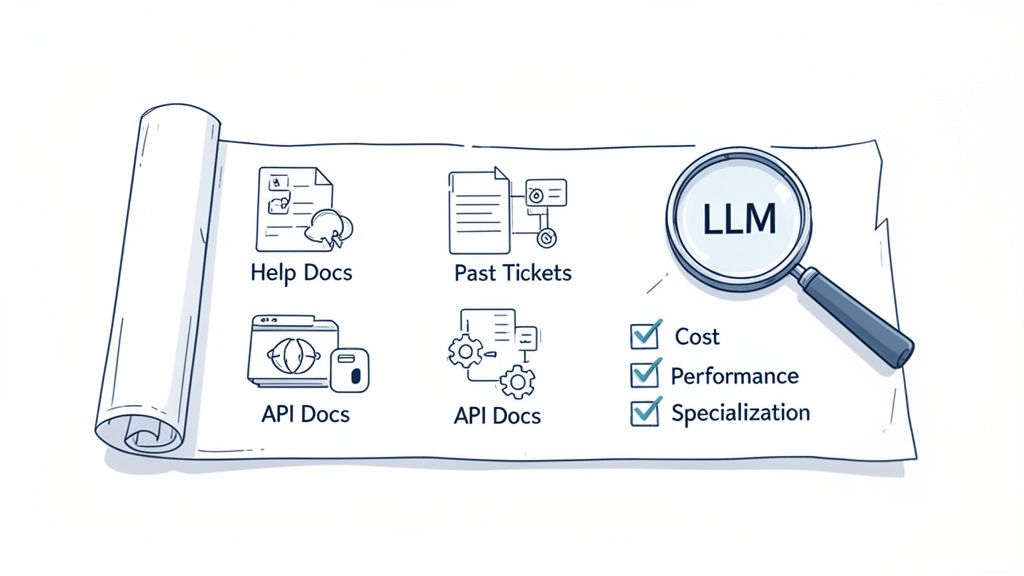
Data is the fuel for your AI agent. Plain and simple. To understand your business, your products, and your customers, the model needs access to high-quality, relevant information. And I’m not talking about massive, messy datasets; I’m talking about curated knowledge.
You can build your agent’s knowledge base from all sorts of places:
- Help Center Articles and FAQs: This is your low-hanging fruit. Your existing docs are the perfect place to start.
- Past Ticket Conversations: Historical data from resolved tickets is a goldmine for understanding how your human agents tackle real-world problems.
- Product and API Documentation: If you’re building a technical support agent, this isn’t optional-it’s essential for providing accurate answers.
- User Guides and Tutorials: Any content you’ve already created to help customers is fantastic training material.
Remember, the quality of this data is way more important than the quantity. A small, clean knowledge base with a few hundred accurate documents will always beat thousands of messy, outdated ticket logs. You can learn more about this in our guide on how to train an AI agent for customer support.
Choosing the Right Large Language Model
Okay, you’ve got your goal and your data. Now it’s time to choose the “brain” for your operation-the LLM. They’re not all the same, and the best one for you depends entirely on what you’re trying to achieve. You’re basically balancing three main factors.
| Factor | Description | Key Question to Ask |
|---|---|---|
| Performance | How good is the model at following instructions, reasoning through tricky problems, and giving accurate responses? | Does this model have the chops to handle my specific use case? |
| Cost | LLMs have different pricing models (per token, per character, etc.). More power usually means more cost. | What’s my budget? Does the cost-per-interaction make sense for the value this agent is providing? |
| Specialization | Some models are built for specific jobs, like conversation, coding, or handling multiple languages. | Is there a model out there that’s already fine-tuned for the kind of work my agent will be doing? |
The best approach is to test a few different models. Pit leaders like OpenAI’s GPT series against Google’s Gemini and some open-source alternatives. Your mission is to find that sweet spot that gives you the performance you need at a price that won’t break the bank.
Ultimately, this groundwork is about moving beyond simple chatbots. The future of customer support AI is in engineering structured, semi-autonomous workflows. We’re already seeing businesses chain multiple agents together to run entire processes, and experts predict that agents will soon manage 10-25% of enterprise workflows, especially for tasks like ticket routing and SLA monitoring. For a deeper dive on this, you can explore the full 2026 AI Agent Trends report from Google.
Alright, let’s move past the theory and get our hands dirty. Now that you’ve set your goals and prepped your data, it’s time to build your agent’s “brain.” This is the fun part-where you design the intelligent workflow that lets your agent think, decide, and act.
Forget about complex code for a moment. This is more about smart design. The goal is to build the logic that transforms a generic language model into a genuinely helpful member of your team.
At the heart of all this is prompt engineering. Think of it as writing a super-detailed job description for your AI. Vague instructions get you vague (and often useless) results. Precise instructions, on the other hand, create a reliable and effective assistant.
Crafting the Perfect Prompt
This is where most of the real work happens. Calling an API or a tool is a simple coding task, but getting an agent to consistently figure out when and how to use that tool comes down to the quality of your prompt.
A weak prompt is lazy. It might just say, “Handle customer questions.” That’s not nearly enough.
A strong, actionable prompt gives the AI clear guardrails and a mission:
“You are a customer support agent for Ticketdesk AI. Your goal is to resolve user issues efficiently. First, classify the user’s request into one of these categories: ‘Billing Inquiry,’ ‘Technical Issue,’ ‘Feature Request,’ or ‘General Question.’ Then, use the provided tools to gather information before drafting a helpful and friendly response.”
See the difference? This prompt removes ambiguity. It gives the agent a clear sequence of operations, a defined persona, and a specific objective. You’ll find yourself tweaking these prompts constantly; even small changes in wording can lead to massive shifts in the agent’s behavior.
Building an Agentic Architecture
A truly useful agent does more than just answer a single question. It needs to handle tasks that have multiple steps. To do that, you need an agentic architecture-a system where you chain different capabilities (I like to call them “nodes”) together to create a full workflow. It’s like setting up a mini assembly line for processing information.
Let’s walk through a common customer support ticket flow:
- Classification Node: The agent first reads the incoming ticket to understand the user’s intent. Is this a “Refund Request”? A “Password Reset”?
- Entity Extraction Node: Next, it scans the message and pulls out key details, like the order number or customer’s name.
- Tool Use Node: With that info, it uses a tool-maybe an API call-to check the order status in your e-commerce platform.
- Response Generation Node: Finally, armed with the API’s response, it drafts a clear, helpful reply for the customer.
This kind of structure, often built with frameworks like LangGraph, is what turns a simple Q&A bot into a genuine problem-solving machine. Each step logically follows the last, which makes the whole process predictable and reliable.
Equipping Your Agent with the Right Tools
An agent’s real power comes from its ability to interact with the outside world. Without tools, an LLM is just a well-read conversationalist, stuck with whatever information it was trained on. With tools, it can actually do things.
Giving your agent tools means granting it access to your other systems. This is the secret to how you build your own AI agents that can solve real-world business problems.
Common Tools for Support Agents:
- Knowledge Base Search: A function letting the agent search your help articles to find verified answers.
-
API Integrations: Connections to your internal systems so it can perform actions like:
- Checking an order status.
- Processing a refund.
- Updating a user’s subscription.
-
Helpdesk Actions: Direct integrations with platforms like Zendesk or Jira to:
- Apply tags to a ticket (e.g., “Billing”).
- Assign a ticket to a specific team.
- Add an internal note for a human agent.
When an agent can tap into your order management API, it can instantly tell a customer, “Your order #12345 has shipped and is scheduled for delivery tomorrow,” instead of giving a generic, “Sorry, I can’t access order information.”
If there’s one thing I’ve learned from months of building these agents, it’s this: tooling is the easy part, prompting is hard. The real challenge isn’t writing the code to call an API. It’s crafting instructions that guide the agent to use that API correctly every single time, especially when dealing with messy, unpredictable user requests.
A Practical Example of an Agent Workflow
Let’s tie this all together. Here’s a quick look at how an AI agent could handle a support ticket for an e-commerce store.
The Scenario: A customer writes in, “Hi, my recent order hasn’t arrived yet. Can you check on it for me? The order number is #ECOM-9876.”
The Agent’s Workflow in Action:
| Step | Node | Agent’s Action |
|---|---|---|
| 1. Triage | Classification Node |
Reads the message and identifies the intent as “Order Status Inquiry.” |
| 2. Extract | Entity Extraction Node |
Scans the text and pulls out the key piece of data: Order Number: ECOM-9876. |
| 3. Act | Order Status Tool |
Calls the internal Shopify API with the order number. The API returns: {"status": "in_transit", "carrier": "UPS", "tracking_id": "1Z..."}. |
| 4. Synthesize | Response Generation Node |
Uses the fresh data from the API to write a helpful, human-like response: “I’ve checked on order #ECOM-9876 for you. It’s currently in transit with UPS and you can track it here: [link].” |
| 5. Organize | Helpdesk Tool |
Finally, it applies the “Order Status” tag to the ticket and marks it as “Pending” until the customer replies. |
This multi-step process is what makes an agent truly effective. It doesn’t just chat; it investigates, acts, and resolves the issue from start to finish.
For more examples of how these workflows come together in the real world, check out our guide on how to automate customer service with proven workflows. By carefully designing this logic, you build a system that reliably solves problems, freeing up your human team to focus on the challenges that truly need their expertise.
Putting Your AI Agent to Work
Building a smart agent is a huge step, but let’s be real-its value is zero until it’s actually helping your team. An agent sitting on a server solves nothing. The real goal is to get it into your daily operations, making it an active part of your support ecosystem without tripping up your human agents.
This is where we move from the dev environment to the real world of customer tickets. The first big hurdle is connecting your AI agent with the helpdesk platforms your team already lives in, like Zendesk or Jira. This integration is what lets the agent do its job: reading new tickets, applying tags, adding internal notes, and even drafting replies right inside the tools you already use.
Integrating with Your Existing Stack
So, how do you actually connect everything? The technical answer is APIs. Most modern helpdesk tools have solid APIs that are built for this kind of automation. You can set up webhooks that ping your agent the second a new ticket arrives. In return, your agent makes its own API calls back to update that ticket.
The key here is to make the entire process feel natural. Your agent shouldn’t be some mysterious black box. Its actions need to be visible and trackable right within the helpdesk, so human agents can see exactly what the AI did and why. Transparency is everything when it comes to building trust with your support team.
The diagram below gives you a bird’s-eye view of how an agent thinks-from understanding the initial prompt to picking a tool and making a decision.
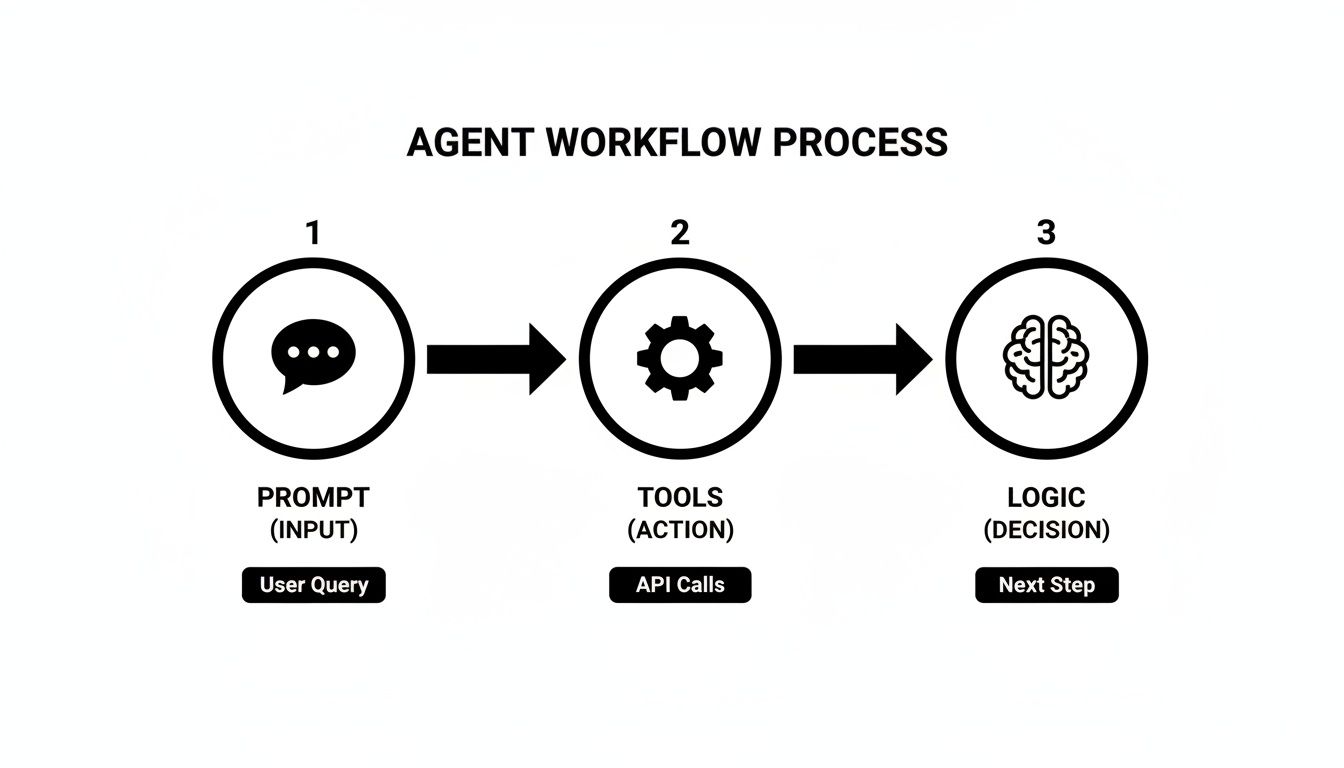
This workflow shows how the agent breaks down a problem into smaller, logical steps, which is fundamental to building an effective and predictable AI.
Launching with a Phased Rollout
Whatever you do, don’t launch your agent to handle 100% of traffic on day one. I can’t stress this enough. A phased rollout is non-negotiable if you want this to succeed. It lets you minimize risk and collect real-world feedback before you go all-in.
Kick things off with a small pilot program. Grab a few of your most experienced agents and have them work alongside the AI. Their job is to keep an eye on its performance, offer feedback, and flag anything that seems off.
Here’s a rollout plan that actually works:
- Shadow Mode: Start by letting the agent run silently in the background. It can analyze tickets and suggest actions or draft replies as internal notes that only the pilot team can see. It’s a completely zero-risk way to see what the agent would have done.
- AI as Assistant: Once you’re comfortable with its suggestions, flip the switch to an “assistant” mode. Now, it drafts replies that a human agent has to review and approve before sending. This speeds things up for your team without handing over the keys.
- Limited Autonomy: For a very specific, high-confidence task (like answering your top 3 most common questions), you can give the agent the green light to respond automatically. Just make sure to monitor these interactions like a hawk.
- Gradual Expansion: From there, you can slowly increase the agent’s responsibilities and the percentage of tickets it handles, always letting the performance data guide your decisions.
A slow, controlled launch is always better than a fast, chaotic one. The goal is to build confidence-both in the agent’s capabilities and in your team’s ability to work with it.
Measuring What Matters Most
To prove your agent is worth the investment, you need cold, hard data. You have to establish your key evaluation metrics right from the start. Don’t just ask “if it works”-measure exactly how much impact it’s having on your business goals.
I recommend focusing on a mix of efficiency, quality, and cost metrics.
| Metric Category | Key Performance Indicators (KPIs) | Why It Matters |
|---|---|---|
| Efficiency Metrics | First Response Time (FRT): How quickly a customer gets an initial reply. |
Ticket Deflection Rate: Percentage of issues resolved without human touch.
Resolution Time: The total time from ticket creation to resolution. | These show how the agent is cutting down workloads and speeding up support. |
| Quality Metrics | Customer Satisfaction (CSAT): Customer ratings on AI-handled tickets.
Accuracy Rate: Percentage of correct answers or actions.
Escalation Rate: How often a ticket is passed to a human agent. | These metrics ensure you aren’t sacrificing a good customer experience for speed. |
| Cost Metrics | Cost Per Resolution: The average cost to resolve a ticket.
Agent Utilization: Time freed up for human agents. | These tie your agent’s performance directly to the bottom line. |
By tracking these numbers, you can objectively show how your AI agent has improved your support operations, which makes it a whole lot easier to get buy-in for future projects.
Building Trust with Governance and Human Oversight
With great automation comes great responsibility. When you have an AI agent handling customer interactions, you need to know it’s reliable, secure, and perfectly aligned with your brand. This isn’t just about making things faster; it’s about building automation that your team and customers can actually trust.
Let’s be real: autonomous agents aren’t perfect. An analysis from MIT Sloan warns that they can still “make too many mistakes for businesses to rely on them for any process involving big money.” This isn’t just theory-it’s reflected in the numbers. A recent survey shows only 11% of organizations have fully rolled out AI agents, while a much larger 65% are still in the pilot phase. This hesitation highlights just how critical robust human oversight is.
Implementing Human-in-the-Loop Systems
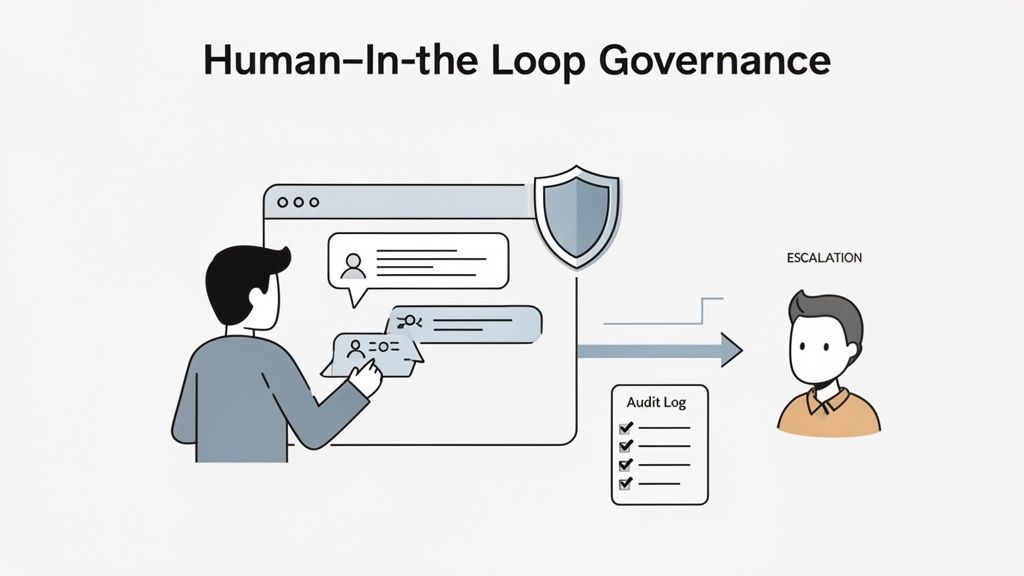
A human-in-the-loop (HITL) system is your essential safety net. It’s a non-negotiable part of the setup that lets your human experts review, approve, or take over an agent’s actions before they ever reach a customer. Think of it less as a sign of AI weakness and more as a mark of a mature, responsible process.
It’s basically a quality control checkpoint. For high-stakes stuff like processing a refund or changing a subscription, forcing a human review prevents costly errors and ensures things are done right. This approach also helps build trust with your support team, positioning the agent as a helpful assistant rather than some unpredictable black box.
There are a few ways to structure this human oversight.
Human-in-the-Loop Workflow Models
| Model | How It Works | Best For |
|---|---|---|
| Pre-Approval | The AI drafts a response, but a human must approve it before it’s sent to the customer. | High-stakes interactions (e.g., refunds, account changes) or when training new agents. |
| Post-Review | The AI sends the response automatically, but a human reviews the interaction afterward for quality and coaching. | Lower-risk, high-volume queries where speed is a priority, but you still want quality control. |
| Exception Handling | The AI operates autonomously until it hits a pre-defined trigger (low confidence, specific keywords), then escalates to a human. | Balanced approach for most support teams, blending automation with a human safety net. |
Each model offers a different balance of speed and control, so pick the one that fits your risk tolerance and the types of issues your agent will handle.
Designing Clear Escalation Paths
Sooner or later, your agent will run into something it can’t handle. It could be a highly emotional customer, a brand-new technical bug, or a request that’s just way outside its training. If you don’t have a clear plan for these moments, you’re going to end up with frustrated customers and more cleanup work for your team.
This is where escalation paths come in. You need to design a smooth handoff from the agent to a human expert.
- Define Trigger Conditions: Figure out what kicks off an escalation. This could be detecting negative sentiment, spotting user confusion, or seeing keywords like “speak to a human.”
- Set Up Routing Logic: Decide where the ticket goes. A billing question should go straight to the finance team, while a bug report needs to land with engineering.
- Ensure Context Transfer: The agent must pass along a full summary of the interaction. This is critical so the human agent can jump in without forcing the customer to repeat everything.
Prioritizing Security and Compliance
When your AI agent handles customer data, security isn’t just a feature-it’s the foundation of everything. You’re responsible for protecting any sensitive information it touches.
That means every action, every decision, and every piece of data the agent interacts with needs to be logged. Keeping auditable logs is crucial for a few reasons:
- Troubleshooting: When something goes wrong, logs give you a step-by-step replay of the agent’s logic, making it much easier to debug.
- Compliance: In regulated industries, detailed logs are essential for passing audits and proving you’re following the rules.
- Performance Analysis: Reviewing logs helps you see how the agent is performing in the real world and where you can improve its prompts or logic.
Protecting customer data is paramount. This includes redacting personally identifiable information (PII) before it gets processed and ensuring all data is encrypted in transit. To get a deeper understanding of what’s involved, check out our resources on AI agent security practices.
By building in these governance and oversight mechanisms from day one, you’ll create an AI agent that isn’t just powerful, but also safe, reliable, and worthy of your customers’ trust.
Common Questions About Building AI Agents
When you first dive into building AI agents, you’ll notice the same questions pop up time and time again. It doesn’t matter if you’re in marketing, sales, or customer support-some challenges are just universal. Let’s break down a few of the most common ones I hear.
How Much Data Do I Need to Build a Support Agent?
This is probably the biggest misconception out there. Many people think they need a mountain of data to “train” a large language model from scratch, but that’s not how modern agents work. That approach would require absolutely massive datasets.
Today’s best AI agents are built using Retrieval-Augmented Generation (RAG). Instead of training, the agent simply looks up information from your existing knowledge base in real-time to answer questions.
This changes everything.
Suddenly, the quality and organization of your data matter far more than the sheer volume. A clean, well-organized knowledge base with just a few hundred accurate articles will crush an agent trying to make sense of thousands of messy, outdated ticket logs.
My advice? Start with what you already have-your help docs, FAQs, and internal guides. Focus on getting that information into good shape and making it easily searchable.
What Is the Biggest Mistake to Avoid When Building an AI Agent?
The single biggest mistake I see teams make is trying to achieve full autonomy right out of the gate. It’s incredibly tempting to build an agent that can handle 100% of customer inquiries from day one, but that’s a recipe for failure and a ton of frustration for everyone involved.
A much smarter approach is to start small with a very narrow, well-defined task.
- Automate just one thing: Pick a simple, high-volume task to start, like automatically tagging new tickets.
- Answer your top 10: Build an agent that can nail the answers to your top 10 most frequent customer questions.
- Keep a human in the loop: A solid system for human review and approval is non-negotiable at the beginning.
This methodical approach lets you build trust with your team and gather real-world performance data. You can then gradually expand the agent’s duties based on proven success, not just wishful thinking.
How Do I Measure the ROI of My AI Agent?
Measuring the return on investment for an AI agent goes way beyond simple cost savings. To really understand its impact, you need to look at its performance across the entire support operation. I always recommend tracking ROI across three key areas.
First, you have your operational metrics. These are the hard numbers that prove you’re gaining efficiency.
- Reduced first response time
- Increased ticket deflection rate
- Fewer tickets needing a human touch
Second, you need to track quality metrics. This is crucial for making sure you aren’t just getting faster at giving bad answers.
- Customer Satisfaction (CSAT) scores for AI-handled tickets
- The agent’s accuracy rate for providing correct info
- A drop in escalations to human agents
Finally, you can calculate the actual cost savings. This is where you connect the agent’s performance directly to the bottom line. Track the reduced cost-per-ticket, but more importantly, calculate the value of the human agent time you’ve freed up. This is what allows your experienced pros to stop answering repetitive questions and start focusing on the complex, high-value work that truly requires a human.