11 AI Customer Support Tools You Should Know
Navigating the crowded market of AI customer support tools can be overwhelming. With dozens of platforms promising to revolutionize your support operations, it’s difficult to distinguish genuine value from marketing hype. The core challenge is clear: customers expect instant, accurate, and personalized support, while businesses struggle to scale their teams efficiently without compromising quality. This is precisely the problem that modern AI-powered solutions are designed to solve by automating repetitive tasks, providing instant answers, and empowering agents to focus on complex issues.
This resource is designed to cut through the noise. We provide a comprehensive, curated list of the top AI customer support tools available today, moving beyond generic feature lists to offer practical, in-depth analysis. For each tool, you will find a concise overview, key feature breakdowns (automation, routing, integrations), ideal use cases for specific business types, and an honest assessment of both pros and cons. We also include pricing guidance, implementation tips, and direct links with screenshots to help you visualize the platform in action.
Our goal is to equip you, whether you’re a customer support manager, an operations leader, or a startup founder, with the critical information needed to make a confident decision. We’ll help you evaluate which platform aligns best with your existing tech stack, budget, and long-term support strategy. To delve deeper into implementing AI in your support strategy, consider this practical guide on using AI for customer service.
Let’s dive into the solutions that can transform your customer support function from a cost center into a strategic growth driver.
1. Ticketdesk AI
Ticketdesk AI stands out as a powerful, end-to-end platform designed to automate the entire support ticket lifecycle.
It moves beyond simple chatbots by creating a comprehensive ecosystem where AI handles repetitive tasks like ticket tagging, routing and initial response generation, freeing human agents to focus on high-value, complex issues.
The system’s core strength lies in its ability to continuously learn from your specific internal documentation, including FAQs, user guides, and even technical API references. This ensures that every automated response is context-aware and highly relevant to your product, not based on generic language models.
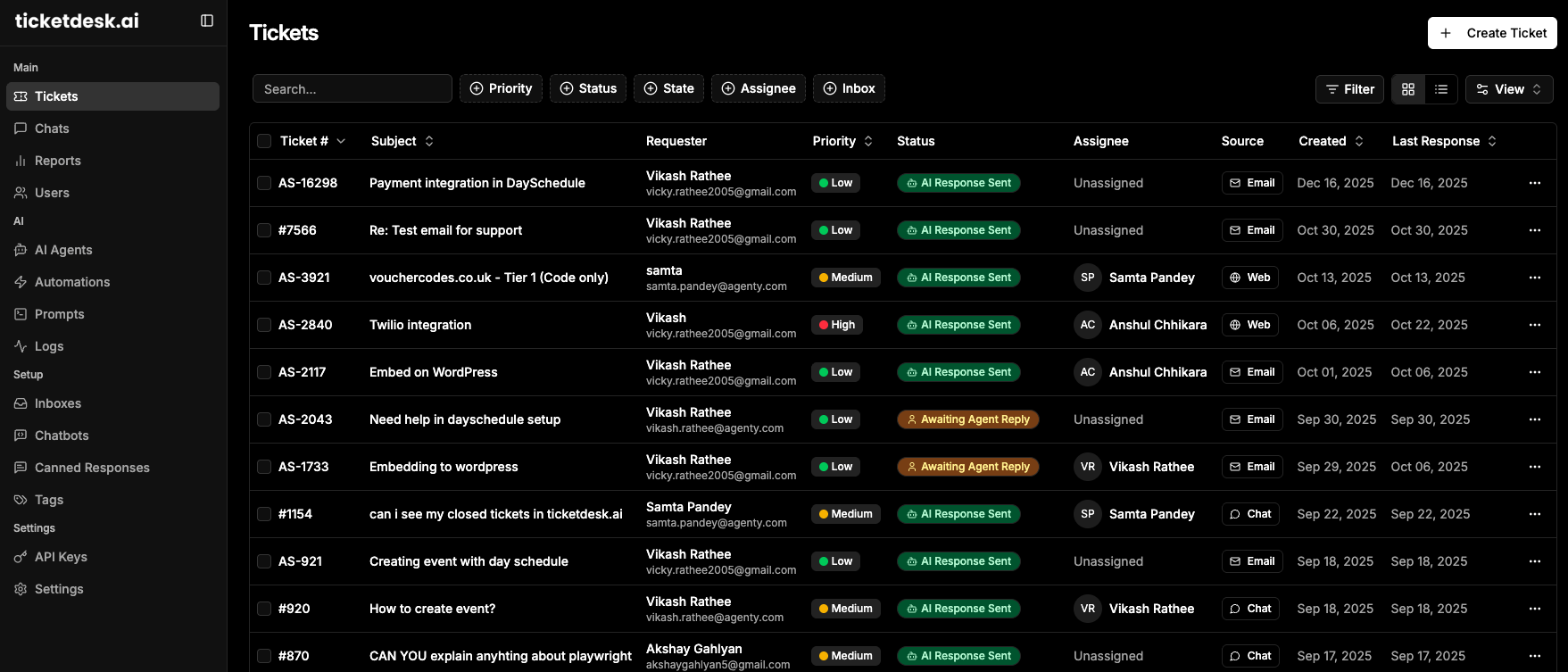
This platform is a strong contender among ai customer support tools because it preserves a crucial human-in-the-loop workflow. AI-suggested replies are surfaced for agent review, allowing for quality control and personalization before a response is sent. This hybrid approach helps teams maintain a high standard of service while dramatically increasing efficiency.
Key Strengths & Use Cases
- Intelligent Ticket Routing: Ticketdesk AI automatically categorizes and escalates tickets to the correct department. For example, a bug report is sent directly to engineering, a billing query to finance, and a feature request to the product team, minimizing internal reassignments and speeding up resolution times.
- Context-Aware Automation: By indexing your entire knowledge base, the platform can answer a significant portion of incoming queries 24/7 without agent intervention. This is ideal for SaaS companies with technical products or e-commerce businesses managing common questions about orders and returns.
- Rapid Implementation & ROI: The vendor highlights a setup time of just 10-30 minutes, a stark contrast to the weeks often required for enterprise software deployment. The platform’s analytics demonstrate clear performance gains, with example metrics showing response times of 2.3 minutes and resolution rates of 94%.
Practical Considerations
-
Pros:
- Automates the full ticket lifecycle, from tagging to resolution.
- Answers are tailored to your business using your own documentation.
- Smart routing ensures tickets reach the right specialists immediately.
- Fast setup and a new API enable quick integration and time-to-value.
-
Cons:
- The AI’s effectiveness is directly tied to the quality of your knowledge base.
- Pricing is not publicly listed, requiring a demo or direct sales contact.
Website: https://ticketdesk.ai
Pricing: Pricing is customized and available upon requesting a demo or free trial. Enterprise-grade plans are offered for scaling teams. For a complete overview of its capabilities, you can explore the full feature set on ticketdesk.ai.
2. Intercom
Intercom is a comprehensive customer communications platform that seamlessly integrates a powerful AI agent, Fin, into its ecosystem. It stands out by offering a full-suite solution that combines an autonomous AI chatbot with a traditional help desk, including a shared inbox, ticketing, and a proactive messenger. This makes it an excellent choice for teams seeking to blend AI-driven resolution with human agent support in one unified interface.

The platform is designed for rapid deployment. Users can sign up for a trial and get started quickly, a significant advantage over tools with lengthy sales cycles. One of Intercom’s most compelling features is its flexibility; Fin AI can be used as a standalone bot integrated with other help desks like Zendesk or Salesforce, or as a native part of the Intercom ecosystem. This adaptability makes it one of the more versatile ai customer support tools available.
Core Features & Use Cases
- Fin AI Agent: An autonomous agent that provides complete, accurate answers by drawing from your knowledge base and conversation history. It’s ideal for instantly resolving common Tier 1 queries.
- Agent Copilot: An AI assistant for human agents that helps draft replies, rephrase text, summarize conversations, and handle translations, boosting team productivity.
- Visual Automation Builder: Allows teams to create no-code workflows for proactive support, customer onboarding, or routing complex issues to the right team.
- Unified Help Desk: Combines a shared inbox, ticketing system, and messenger for a holistic view of the customer journey.
Pricing & Implementation
Intercom offers transparent, tiered pricing that you can explore with an online calculator. The AI features, particularly Fin, are priced per resolution, which introduces a variable cost but aligns spending with tangible outcomes. Implementation is straightforward, with robust onboarding documentation and a free trial to test the platform before committing. To gauge the potential ROI of such a system, you can calculate how AI impacts customer satisfaction and see how faster resolutions improve key metrics.
| Feature | Good For | Limitation |
|---|---|---|
| All-in-One Suite | Teams wanting a single platform for AI and human support. | Can be complex for teams needing just a chatbot. |
| Integrations | Companies already using Zendesk or Salesforce. | Highest-tier features can be costly. |
| Per-Resolution AI | Businesses that want to pay for successful AI resolutions. | Creates a variable and potentially high monthly cost. |
| Fast Onboarding | Teams needing to deploy a solution without a long sales process. | Advanced customization may require support. |
3. Zendesk
Zendesk is a pillar of the customer service industry, known for its mature, enterprise-grade help desk and omnichannel platform. It has evolved by deeply integrating AI across its suite, offering a series of powerful add-ons that enhance its core ticketing and knowledge base functionalities. This approach allows large organizations to layer sophisticated AI onto a familiar, robust system, making it ideal for teams that need deep enterprise capabilities and compliance.
Unlike all-in-one tools where AI is baked in from the start, Zendesk allows for modular adoption. Businesses can start with its market-leading help desk and later purchase AI agents, a copilot for human agents, and advanced workforce management tools as their needs scale. This makes it one of the most customizable ai customer support tools for enterprises that require a platform that grows with them and integrates into a vast ecosystem of existing business applications.
Core Features & Use Cases
- Advanced AI Add-ons: A suite of optional features including AI-powered agents for automated resolution, a copilot to assist human agents, and AI for quality assurance and workforce management.
- Robust Ticketing & Help Center: A best-in-class system for managing customer conversations across any channel, combined with a powerful knowledge base.
- Advanced Analytics & Reporting: Deep reporting capabilities that provide insights into team performance, customer satisfaction, and operational efficiency.
- Large App Marketplace: A massive ecosystem of integrations and apps that allows Zendesk to connect with virtually any other business tool.
Pricing & Implementation
Zendesk’s pricing is tiered, with foundational plans for basic service and enterprise-level packages for more complex needs. The advanced AI capabilities are typically sold as separate add-ons, which increases the total cost but provides flexibility. Implementation can be more involved for enterprise deployments, often requiring dedicated project management. To understand the financial benefits of such a system, you can calculate the ROI of your help desk and see how AI features impact operational costs.
| Feature | Good For | Limitation |
|---|---|---|
| Modular AI Add-ons | Enterprises wanting to add AI to an existing, mature help desk. | AI features are not included in base plans, adding cost. |
| Enterprise-Grade | Large teams needing deep security, compliance, and reporting. | Can be overly complex and expensive for small teams. |
| Vast Ecosystem | Businesses that need to integrate their support with many other tools. | Initial setup and configuration can be extensive. |
| Omnichannel Support | Companies providing support across email, chat, phone, and social. | The sheer number of features can be overwhelming. |
4. Freshdesk (Freshworks)
Freshdesk, part of the Freshworks ecosystem, is an omnichannel help desk that leverages its Freddy AI to streamline customer support. It is particularly well-suited for small to mid-market businesses looking for a powerful yet accessible solution. The platform combines traditional help desk functionality with a suite of AI tools, including agent-facing copilots and customer-facing bots, designed for rapid deployment and immediate value.
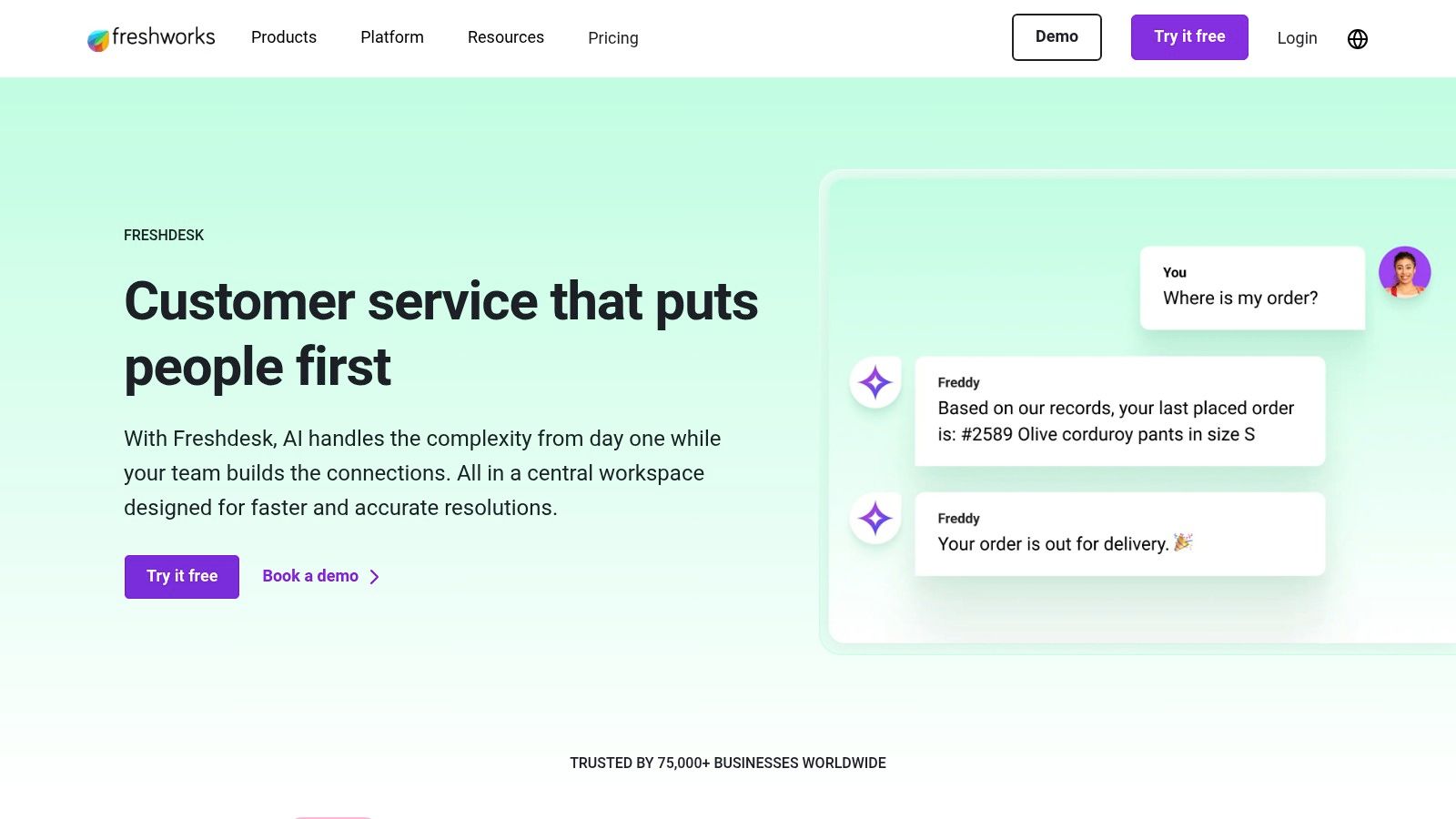
What sets Freshdesk apart is its focus on ready-to-use workflows and transparent pricing. Teams can get started quickly without extensive configuration, and the published AI quotas on its pricing plans make it easy to predict costs. This approach makes Freshdesk one of the more straightforward ai customer support tools for teams that need to implement a solution without a lengthy sales and onboarding process.
Core Features & Use Cases
- Freddy AI Agent Studio: Build and deploy agentic AI workflows and bots with pre-built skills, ideal for automating resolutions across channels.
- Email AI Agent & Omnichannel Bots: Automate responses and actions directly within email threads and other messaging channels to handle high-volume, repetitive inquiries.
- Copilot Features: Provides agents with AI-powered assistance for summarizing conversations, suggesting replies, and translating text to improve efficiency and consistency.
- AI Insights and Command Center: Offers analytics and dashboards for leadership to monitor support performance, identify trends, and track the impact of AI automation.
Pricing & Implementation
Freshdesk offers several pricing tiers, including a free plan, with paid plans featuring explicitly stated AI quotas for Freddy Self-Service sessions. This transparency is a key benefit, although exceeding the initial allotment for features like the Email AI Agent can add to the monthly cost. Implementation is designed to be fast, with a focus on out-of-the-box functionality that allows teams to see results quickly.
| Feature | Good For | Limitation |
|---|---|---|
| Ready-to-Use Workflows | SMBs and mid-market teams needing a quick, simple setup. | May lack deep customization needed by large enterprises. |
| Clear AI Quotas | Businesses that require predictable AI-related costs. | Exceeding session limits can result in extra charges. |
| Omnichannel AI | Teams managing support across email, chat, and other channels. | Some advanced AI features are locked in higher plans. |
| Comprehensive Help Desk | Companies wanting a unified platform for agents and AI. | The full suite can be overwhelming for very small teams. |
5. Salesforce Service Cloud
Salesforce Service Cloud delivers an end-to-end CRM and service platform with powerful AI through its Einstein 1 Platform. It is designed for enterprises needing deep data unification, robust governance, and sophisticated workflow automation, leveraging its native integration with CRM, Data Cloud, and Slack to create a single source of truth for customer interactions. This makes it a formidable choice for large organizations looking to embed AI deeply within their existing customer data framework.
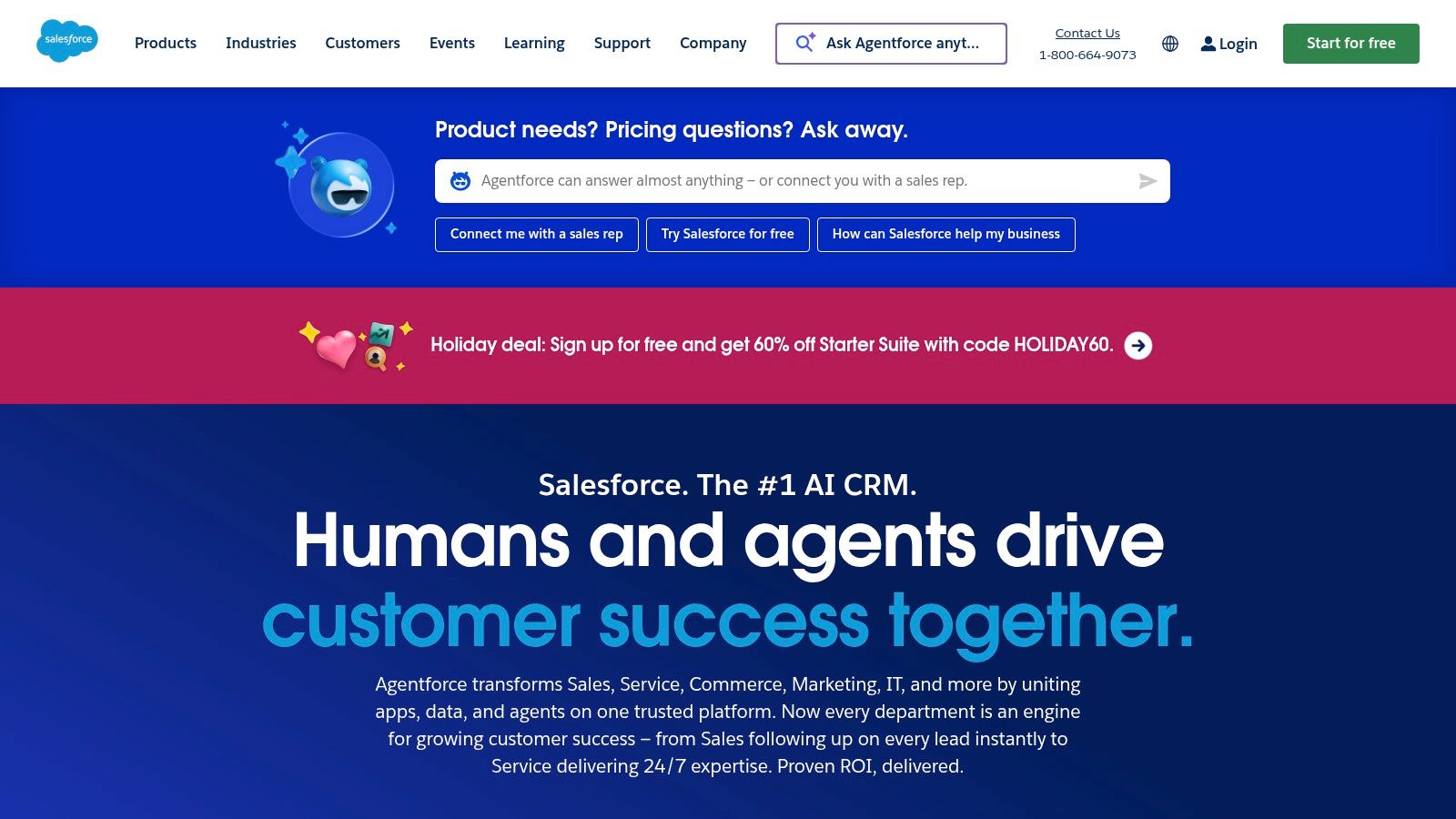
The platform’s strength lies in its ability to connect every customer touchpoint, from service and sales to marketing. Its Einstein AI capabilities are not just a bolt-on feature but are woven into the fabric of the platform, offering everything from predictive case routing to generative AI-powered agent assists. While its comprehensive nature often requires implementation support, the depth of its ecosystem makes it one of the most powerful ai customer support tools for complex, data-driven enterprises.
Core Features & Use Cases
- Einstein 1 Platform: Provides generative and predictive AI capabilities, including Service Replies, Work Summaries, and Knowledge Article generation, all grounded in your trusted CRM data.
- Data Cloud Integration: Unifies all customer data into a single, real-time profile, enabling highly personalized and context-aware service interactions.
- Service Intelligence (Tableau): Offers advanced analytics and data visualization to uncover trends, monitor agent performance, and optimize service operations.
- Omni-Channel Routing: Intelligently routes cases from any channel (email, chat, social) to the best-suited agent based on skill, availability, and case history.
Pricing & Implementation
Salesforce’s pricing is tiered and can be complex, often bundled with various add-ons and editions. AI features are typically consumed via a “Flex Credits” model, which offers flexibility but requires careful management. Due to its extensive capabilities, implementation usually involves working directly with the Salesforce sales team or a certified implementation partner to tailor the platform to specific business needs.
| Feature | Good For | Limitation |
|---|---|---|
| Deep CRM Integration | Enterprises needing a unified view of the entire customer journey. | Can be overly complex for teams needing a simple service tool. |
| AI on Trusted Data | Organizations with strict data governance and security needs. | Pricing and packaging can be difficult to navigate. |
| Vast Ecosystem | Companies seeking extensive customization and integrations. | Often requires professional implementation and support. |
| Advanced Analytics | Teams focused on data-driven service optimization. | The learning curve for new users can be steep. |
Visit Salesforce Service Cloud
6. HubSpot Service Hub
HubSpot Service Hub is an integrated customer service solution built directly into the powerful HubSpot CRM platform. It provides a complete toolkit, including ticketing, a shared inbox, and a knowledge base, designed for teams that prioritize a unified view of the customer. While its core service features are robust, its AI capabilities are concentrated in the upper tiers, making it an ideal choice for businesses already invested in the HubSpot ecosystem and looking to scale their support operations.

The platform is renowned for its user-friendly interface and straightforward onboarding, which simplifies adoption for growing teams. The true advantage lies in the deep integration with HubSpot’s Marketing, Sales, and CMS Hubs, allowing service interactions to be informed by the entire customer lifecycle. This makes it one of the most cohesive ai customer support tools for businesses seeking operational simplicity and a single source of truth for all customer data, from first marketing touchpoint to post-sale support ticket.
Core Features & Use Cases
- Shared Inbox & Ticketing: A centralized place to manage all customer conversations from email and live chat, with powerful automation rules for routing and prioritization.
- AI-Powered Tools (Enterprise Tier): Includes features like conversation summaries, recommended replies, and sentiment analysis to help agents resolve issues faster and more effectively.
- Knowledge Base: A self-service portal that empowers customers to find their own answers, reducing ticket volume for common questions.
- Deep CRM Integration: Leverages complete customer history from the HubSpot CRM to provide agents with context for every interaction, enabling highly personalized support.
Pricing & Implementation
HubSpot offers a range of plans, from a limited free tier to comprehensive Enterprise packages. The most advanced AI features are gated behind the Professional and Enterprise tiers, which may also require onboarding fees. Implementation is generally smooth due to the platform’s intuitive design and extensive documentation, but businesses new to the HubSpot ecosystem should account for the time needed to migrate and centralize their customer data for maximum benefit.
| Feature | Good For | Limitation |
|---|---|---|
| All-in-One CRM | Teams wanting a single platform for sales, marketing, and service. | Can be overly complex for teams needing only a help desk. |
| Ease of Use | Businesses looking for a system with a gentle learning curve. | Onboarding fees may apply to higher-tier plans. |
| Scalable Tiers | Companies that want to start small and scale their toolset as they grow. | Most valuable AI features are locked in expensive tiers. |
| Deep Data Integration | Organizations that prioritize data-driven, personalized support. | Less flexible if you use a non-HubSpot CRM. |
7. Ada
Ada is a highly specialized, no-code AI customer service platform built for high-volume, autonomous resolution. It distinguishes itself by focusing on enterprise-grade automation that can be deployed across multiple channels, including voice and email, without requiring deep technical expertise. The platform is engineered to handle complex inquiries and provides extensive controls over the AI’s persona and behavior, making it a powerful choice for large organizations aiming to automate a significant portion of their support interactions.

Designed for mid-market and enterprise teams, Ada excels in environments where measurable ROI and scalability are paramount. Its support for over 50 languages and deep integrations with essential CRMs and support systems allow it to function as a central automation hub. This focus on enterprise needs makes it one of the most robust ai customer support tools for organizations looking to implement a sophisticated, low-maintenance AI strategy that delivers consistent performance and data-driven insights for continuous improvement.
Core Features & Use Cases
- No-Code AI Agent Builder: Empowers non-technical teams to build, manage, and optimize sophisticated AI agents with full control over persona and conversational flows.
- Omnichannel Automation: Deploys autonomous support agents across web, mobile, social, email, and voice channels for a consistent customer experience.
- Extensive Language Support: Provides automated, accurate support in over 50 languages, making it ideal for global companies.
- Enterprise Integrations: Connects seamlessly with popular CRMs like Salesforce and help desks like Zendesk to personalize conversations and automate backend processes.
Pricing & Implementation
Ada’s pricing is not publicly listed and follows a sales-led model where interested businesses must request a demo and receive a custom quote. This approach is typical for enterprise-focused solutions tailored to specific business needs and scale. Implementation is guided by Ada’s team to ensure successful deployment and integration. The platform is also available for procurement via the AWS Marketplace, which can simplify the purchasing process for companies already using AWS.
| Feature | Good For | Limitation |
|---|---|---|
| High-Volume Automation | Enterprise teams needing to resolve a large number of queries. | Might be overkill for smaller businesses with low volume. |
| No-Code Platform | Non-technical support leaders who want to control the AI. | Customizations may be less flexible than code-first platforms. |
| Omnichannel Support | Companies requiring a unified AI presence on all channels. | Voice and email automation can add to complexity and cost. |
| Sales-Led Procurement | Organizations needing a tailored, enterprise-level solution. | No self-serve option or transparent pricing for quick setup. |
8. Forethought
Forethought offers a suite of outcome-focused AI agents named Solve, Triage and Assist, designed to automate the entire support lifecycle. It stands out by directly tying its AI performance to business outcomes like ticket deflection and handle-time reduction, making it a strong choice for teams focused on demonstrating clear ROI. With deep integrations into major helpdesks, it enhances existing workflows rather than replacing them.
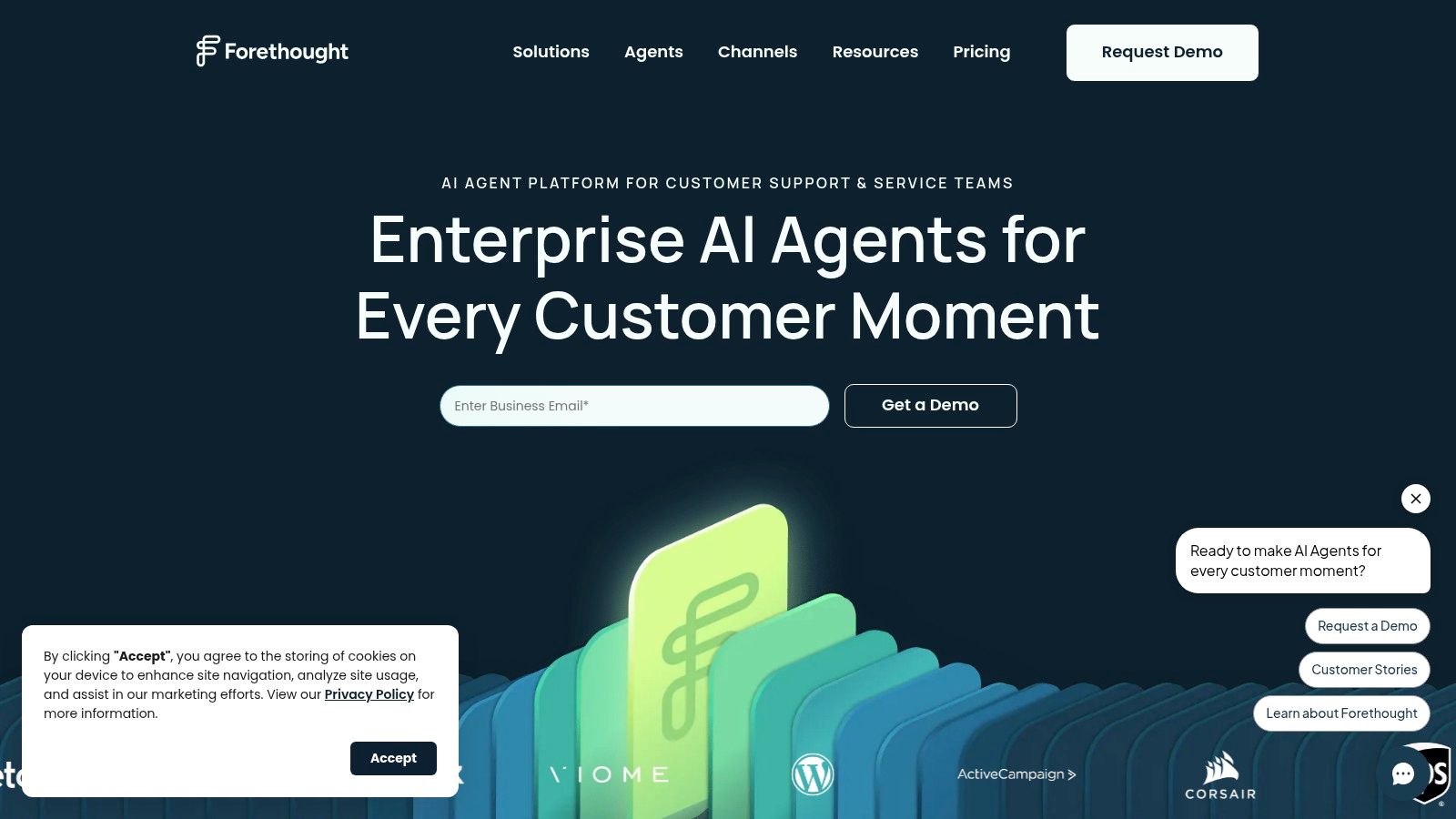
The platform is built for enterprises that need to automate resolutions, intelligently route complex issues, and empower human agents with AI-driven insights. Forethought’s approach is less about being a standalone system and more about being a powerful AI layer that plugs into your current support stack, such as Zendesk or Salesforce. This makes it one of the more strategically focused ai customer support tools for scaling operations without overhauling infrastructure.
Core Features & Use Cases
- Solve & Triage Agents: Automates responses to common questions and intelligently routes tickets to the correct team or agent, reducing manual effort and speeding up resolution times.
- Assist Agent: Acts as an agent-facing copilot, providing real-time suggestions, summarizing complex cases, and finding relevant knowledge base articles to boost agent productivity.
- Discover Agent: Analyzes support conversations to identify gaps in your knowledge base, highlight emerging trends, and suggest new content to improve self-service.
- Enterprise-Grade Security: Offers robust security and compliance features, making it suitable for organizations with stringent data protection requirements.
Pricing & Implementation
Forethought uses a quote-based sales model, so there is no public list pricing available. Procurement is handled through direct sales or via the AWS Marketplace. This model is typical for enterprise-focused solutions that require custom implementation and configuration to align with specific business goals. The deep integrations are a core part of the implementation process, ensuring the AI works seamlessly within your existing help desk environment.
| Feature | Good For | Limitation |
|---|---|---|
| ROI-Focused Automation | Teams needing to prove the value of AI through deflection and efficiency. | No transparent pricing makes initial budget planning difficult. |
| Deep Help Desk Integrations | Businesses heavily invested in Zendesk or Salesforce ecosystems. | May be overly complex for teams without an existing help desk. |
| Agent Assist Copilot | Large support teams looking to improve agent speed and consistency. | Advanced features may be locked behind enterprise-tier plans. |
| Enterprise Add-Ons | Companies that require advanced QA, APIs, and scalability. | The sales cycle can be longer than self-service platforms. |
9. Tidio
Tidio is a customer experience platform designed for small to medium-sized businesses, blending live chat, ticketing, and a powerful GPT-powered AI chatbot named Lyro. It stands out for its self-serve model and straightforward setup, making it a go-to choice for e-commerce stores and startups needing a fast, affordable way to deploy AI support. Tidio’s deep integrations with platforms like Shopify allow it to automate common e-commerce queries effectively.
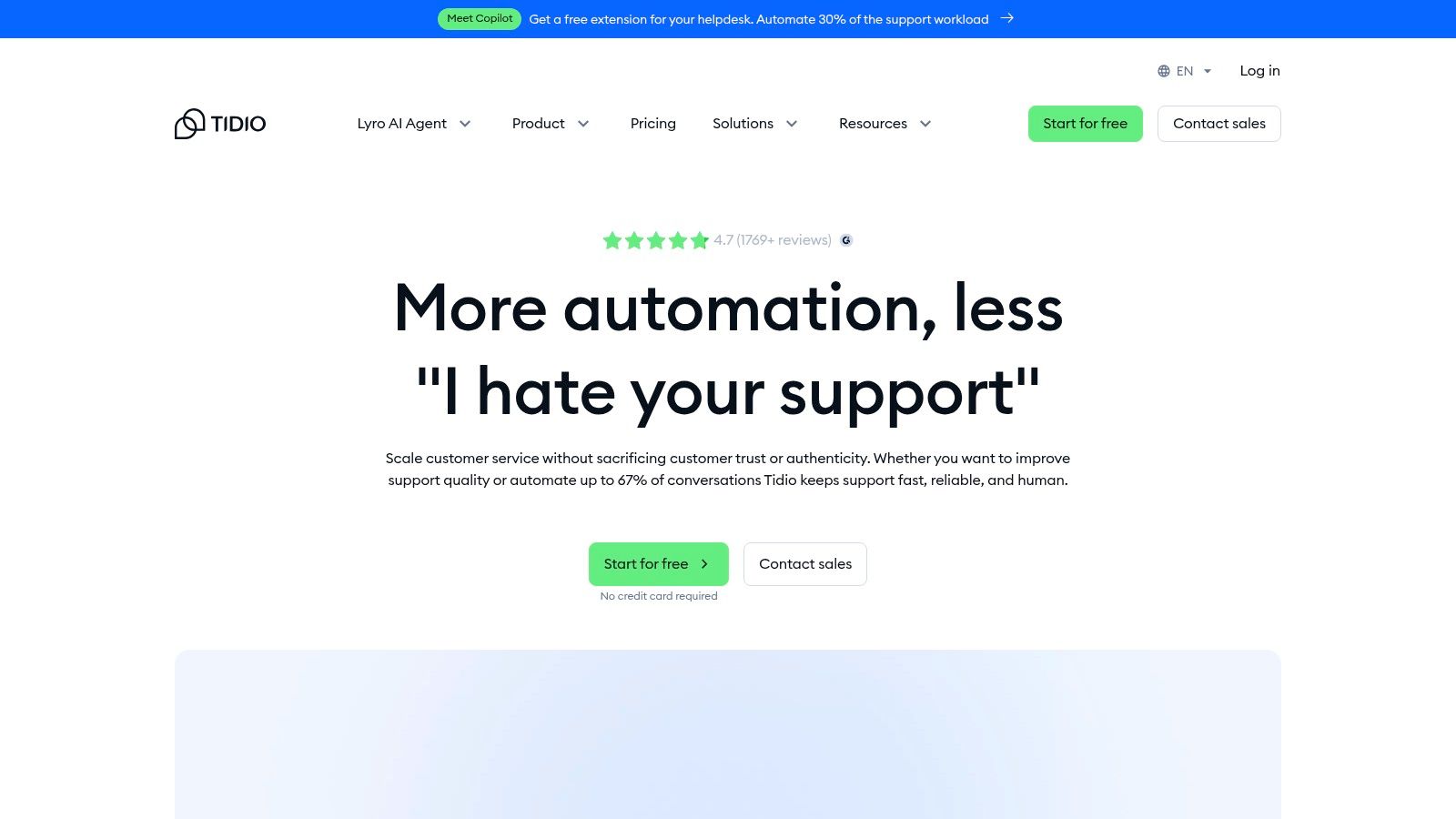
The platform is built for speed and ease of use. A business can sign up and have an AI-powered chat widget live on its site within minutes. Lyro, the AI agent, can be trained on a company’s FAQ or website content to answer customer questions instantly. This approach makes Tidio one of the more accessible ai customer support tools for teams without extensive technical resources, offering a clear path to automating repetitive inquiries and freeing up human agents for more complex issues.
Core Features & Use Cases
- Lyro AI Agent: A conversational AI that provides instant answers to customer questions 24/7. It’s ideal for e-commerce sites needing to handle queries about order status, shipping policies, or product details.
- Live Chat & Ticketing: A unified system to manage real-time conversations and track support requests that require human intervention.
- Flows Builder: A visual, no-code automation builder to create custom chatbot workflows for lead generation, cart abandonment, and proactive customer engagement.
- E-commerce Integrations: Deep connections with Shopify, Wix, and other platforms to pull customer data and automate common retail-related support tasks.
Pricing & Implementation
Tidio offers a generous free plan that includes live chat and a limited number of Lyro conversations. Paid plans are affordable and based on features and the number of billable AI conversations, providing a predictable cost structure for growing businesses. Implementation is exceptionally simple, often just requiring a small code snippet or a one-click app installation on platforms like Shopify. The free tier and low entry cost make it easy to test the platform’s value before committing.
| Feature | Good For | Limitation |
|---|---|---|
| Self-Serve Model | Small teams and e-commerce stores needing a quick, simple setup. | Lacks the advanced governance features of enterprise platforms. |
| Pay-per-AI-Conversation | Businesses wanting predictable costs tied directly to AI usage. | The initial free Lyro conversation quota (50) does not renew. |
| E-commerce Focus | Shopify or Wix merchants looking for integrated support automation. | May be less suited for complex B2B SaaS support workflows. |
| Generous Free Plan | Startups wanting to test AI support without an initial investment. | Advanced analytics and features are reserved for paid tiers. |
10. LivePerson
LivePerson is an enterprise-grade conversational cloud designed for large organizations that need to orchestrate AI and human agents across numerous digital and voice channels.
Its platform is distinguished by an open architecture, allowing businesses to integrate their own large language models (BYO-LLM) and existing tech stacks without a complete overhaul. This positions LivePerson as a powerful solution for enterprises seeking scalable, secure, and highly customizable conversational AI.
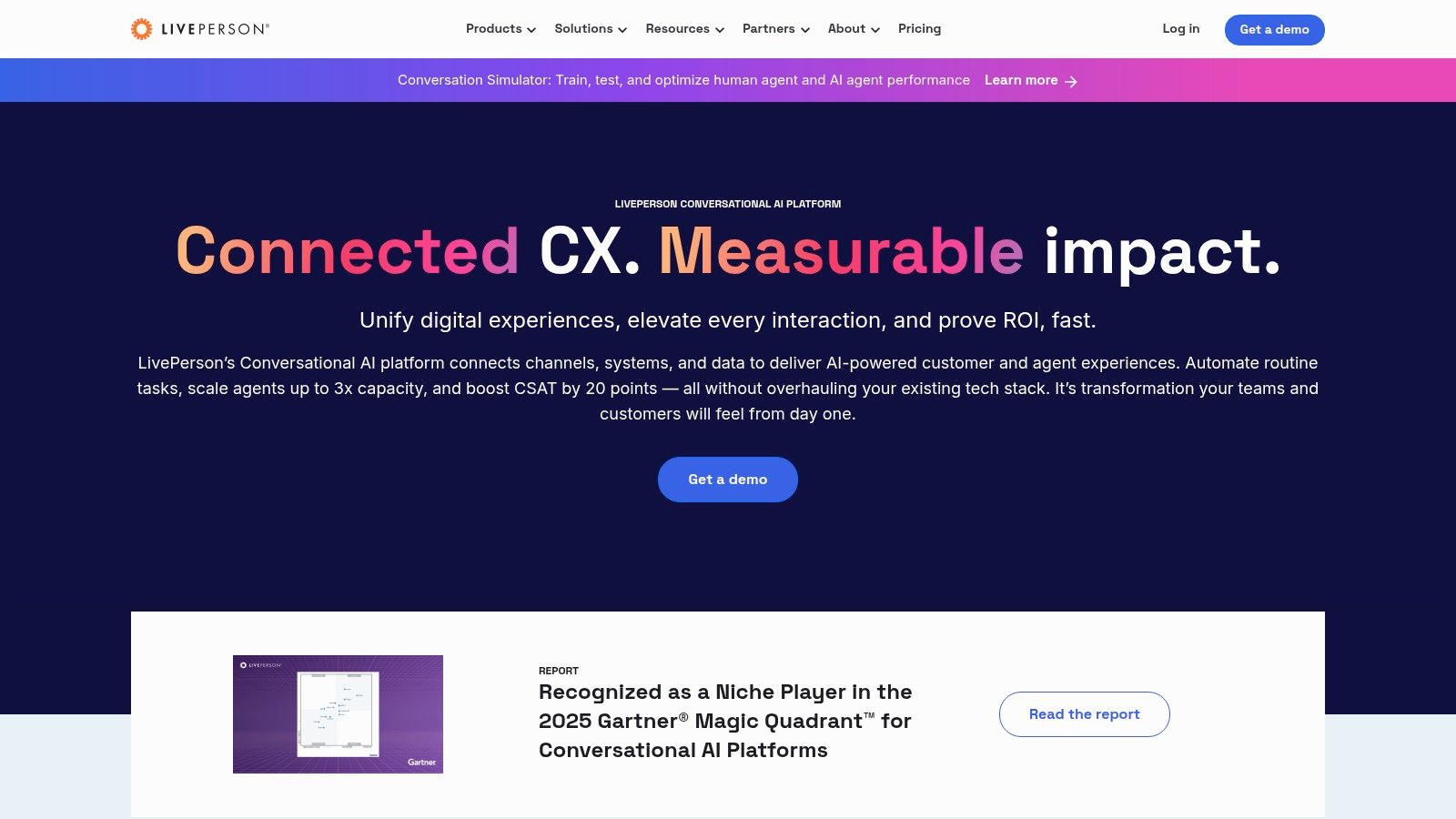
The platform focuses on unifying disparate communication channels into a single, manageable conversation. It provides robust tools for both full automation and agent assistance, ensuring a consistent customer experience. With strong third-party recognition from industry analysts like Gartner and G2, LivePerson is a trusted name among ai customer support tools for businesses that require enterprise-level security, compliance, and scalability for their support operations.
Core Features & Use Cases
- AI Orchestration: Manage and deploy conversational AI across various channels, including web, mobile apps, SMS, and voice, from a single platform.
- Bring-Your-Own-LLM: Offers the flexibility to integrate proprietary or third-party language models, giving companies full control over their AI strategy.
- Conversation Assist & Copilot: AI-powered tools for human agents that provide real-time suggestions, automate routine tasks, and generate conversation summaries.
- Enterprise-Grade Security: Built with compliance for HIPAA, PCI, and GDPR in mind, making it suitable for highly regulated industries like finance and healthcare.
Pricing & Implementation
LivePerson’s pricing is not publicly listed and is determined through a sales-led process tailored to the specific needs of an organization. This model is typical for enterprise solutions with complex implementation and customization requirements. The platform is best suited for mid-market and enterprise companies with the resources to manage a more sophisticated system.
| Feature | Good For | Limitation |
|---|---|---|
| Enterprise Focus | Large organizations needing high security, scalability, and compliance. | Overly complex and costly for small businesses or startups. |
| BYO-LLM Flexibility | Teams with specific AI models or data privacy requirements. | Requires in-house technical expertise to implement and manage. |
| Channel Orchestration | Businesses managing customer interactions across many channels. | The setup process can be lengthy and resource-intensive. |
| Analyst Recognition | Companies seeking a vetted, industry-proven solution. | Lack of transparent pricing makes initial evaluation difficult. |
11. Gorgias
Gorgias is a help desk built from the ground up for ecommerce, particularly for merchants on platforms like Shopify.
It combines omnichannel support with a powerful, integrated AI Agent that is purpose-built to handle common ecommerce inquiries. This tight focus makes it an exceptional choice for online retailers who need a tool that understands their specific workflows, from order tracking to returns management, right out of the box.
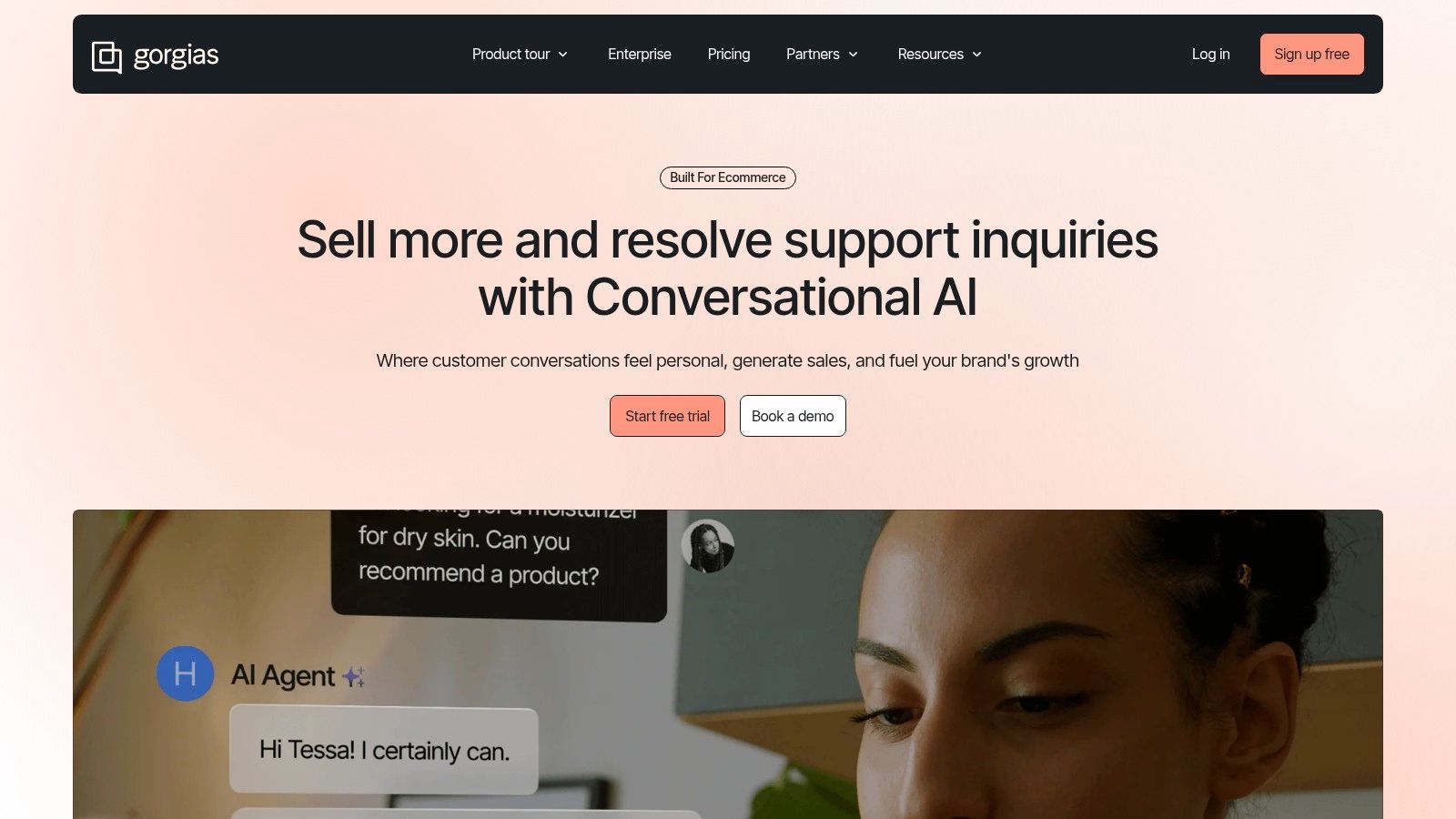
Unlike general-purpose platforms, Gorgias offers deep integrations with ecommerce apps like Recharge, Loop, and Yotpo, allowing agents to see customer data and take action without leaving the help desk. Its pricing model, which includes unlimited users on all plans and offers AI resolutions as an add-on, is designed to scale with a store’s revenue and conversation volume. This makes it one of the most practical ai customer support tools for growing ecommerce brands.
Core Features & Use Cases
- AI Agent: An ecommerce-trained bot that can automate up to 40% of common customer questions, such as “Where is my order?” or return policy inquiries.
- Deep Ecommerce Integrations: Connects directly with Shopify, Magento, and BigCommerce, plus popular apps, to pull customer data into a sidebar for one-click order edits, refunds, or subscription changes.
- Omnichannel Support: Unifies conversations from email, live chat, social media comments and DMs, and SMS into a single customer view.
- Unlimited Users: All plans include unlimited user seats, removing a common barrier to scaling support teams as a business grows.
Pricing & Implementation
Gorgias offers several tiered plans based on ticket volume, with the option to add an AI package. The AI is priced per automated resolution, allowing businesses to pay for the value it delivers. Implementation is straightforward for Shopify merchants, with a quick setup process that connects store data in minutes. The platform is designed for ease of use, enabling teams to start automating common tickets almost immediately.
| Feature | Good For | Limitation |
|---|---|---|
| Ecommerce Focus | Shopify, Magento, and BigCommerce merchants needing integrated workflows. | Less suitable for non-retail businesses like SaaS or B2B. |
| AI Resolutions | Stores wanting to automate high-volume, repetitive ecommerce questions. | AI usage costs can add variability to the monthly bill. |
| Unlimited Users | Growing brands that need to onboard new support agents frequently. | Core plans are based on ticket volume, which can be a cost driver. |
| Deep Integrations | Teams that want to manage orders and subscriptions within the help desk. | Functionality is less broad than a generalist help desk. |
Top 11 AI Customer Support Tools Comparison
| Product | Core features | Quality (★) | Value / Pricing ( ) ) |
Target ( ) ) |
Unique ( ) ) |
|---|---|---|---|---|---|
Ticketdesk AI 
|
Automated routing/tagging, reply generation, KB indexing, real-time analytics, API | ★★★★★ (CSAT 4.8/5 · RT 2.3m · RR 94%) |
Rapid ROI; demo/trial & sales-led pricing (no public list) |
Support managers, scaling SaaS, e‑commerce, enterprise IT, startups |
Continuous learning from your docs; smart escalation; minutes-to-launch |
| Intercom | Fin AI agent, shared inbox, Copilot, visual automation, multichannel | ★★★★☆ |
Clear published pricing; resolution-based AI charges |
Product-led teams, SMBs → mid-market |
Strong messaging UX; easy trial & integrations |
| Zendesk | Omnichannel ticketing, KB, analytics, enterprise AI add-ons | ★★★★☆ |
Add-on pricing; enterprise tiers |
Large enterprises, complex support orgs |
Large app ecosystem & compliance controls |
| Freshdesk (Freshworks) | Freddy AI, omnichannel bots, Copilot, AI insights & dashboards | ★★★★☆ |
Published plans & AI quotas; good SMB value |
SMB → mid-market teams |
Prebuilt workflows; clear AI quota visibility |
| Salesforce Service Cloud | Agentforce/EINSTEIN AI, CRM & Data Cloud integration, automation | ★★★★☆ |
Complex packaging; enterprise pricing & credits |
Large enterprises needing deep CRM unification |
Native CRM data + Slack + Tableau Next integrations |
| HubSpot Service Hub | Ticketing, shared inbox, knowledge base, SLAs, Enterprise AI | ★★★★☆ |
Free → Enterprise tiers; AI on upper tiers |
Teams using HubSpot CRM; SMB → enterprise |
Best-in-class UX/onboarding; unified CRM stack |
| Ada | No-code AI agents, persona control, 50+ languages, omnichannel | ★★★★☆ |
Sales-led pricing; available via AWS Marketplace |
Mid-market → enterprise, high-volume support |
Strong multilingual & persona controls; no-code flows |
| Forethought | Omnichannel AI agents (Solve/Assist/Triage), agent assist, analytics | ★★★★☆ |
Quote-based; ROI/deflection-focused |
Enterprises aiming to reduce handle time |
Knowledge-gap detection; tight Zendesk/SFDC integration |
| Tidio | Live chat, ticketing, Lyro GPT agent, flows builder, ecommerce integrations | ★★★★☆ |
Clear pay-per-conversation; generous free tier |
Small ecommerce stores, startups |
Fast self-serve launch; Shopify-first integrations |
| LivePerson | Conversational cloud, BYO‑LLM, agent assist, analytics, compliance | ★★★★☆ |
Sales-led enterprise pricing |
Large enterprises, regulated industries |
BYO-LLM orchestration; enterprise security & scale |
| Gorgias | Ecommerce helpdesk, AI per automated resolution, deep Shopify apps | ★★★★☆ |
Revenue-aligned pricing; per-resolution AI fees |
Shopify/commerce merchants |
Unlimited users; ecommerce-first automations |
Final Thoughts
Navigating the expansive landscape of AI customer support tools can feel overwhelming, but this guide has aimed to demystify the process. We’ve explored a dozen powerful platforms, from comprehensive service clouds like Zendesk and Salesforce to specialized AI powerhouses like Ada and Forethought. Each tool offers a unique blend of capabilities designed to tackle the modern challenges of customer service.
The core takeaway is clear: AI is no longer a futuristic concept but a present-day necessity for delivering efficient, scalable, and personalized customer experiences. The right AI tool doesn’t just deflect tickets; it empowers your team, surfaces critical insights from customer conversations, and transforms your support function from a cost center into a strategic growth driver. By automating repetitive tasks, providing instant answers, and intelligently routing complex issues, these platforms free your human agents to focus on what they do best: building relationships and solving high-value problems.
Your Next Steps: From Evaluation to Implementation
Choosing the right platform is a critical decision that will impact your team’s efficiency and your customers’ satisfaction for years to come. As you move forward, keep these actionable steps in mind to guide your selection process:
-
Audit Your Current Workflow: Before you can fix a problem, you must understand it. Map out your existing customer support journey. Identify the biggest bottlenecks, the most common repetitive questions, and the areas where your agents spend the most time. Is it ticket triage? Answering FAQs? Data entry? This audit will create a “needs” checklist for your tool evaluation.
-
Define Your Primary Goal: What is the single most important outcome you want to achieve? Is it reducing first-response time, increasing agent capacity without hiring, improving CSAT scores, or providing 24/7 support? Prioritize this goal. A startup like those using Ticketdesk AI might prioritize cost-effective scalability, while an enterprise might focus on deep integration with Salesforce Service Cloud.
-
Run Targeted Demos: Don’t just watch a generic sales presentation. Approach demos with specific use cases from your audit. Ask vendors to show you exactly how their AI customer support tools would handle your top three most common inquiries or your most complex routing challenge. Test the user interface for both the agent and the admin.
-
Plan for Integration and Training: A powerful tool is useless if it doesn’t integrate with your existing tech stack or if your team doesn’t know how to use it. Assess the implementation lift. Does the platform require dedicated developers, or is it a low-code/no-code setup? Inquire about the vendor’s onboarding support, training resources, and ongoing customer success programs.
The Future is Collaborative, Not Replaced
The most effective strategy for implementing AI in customer support is not about replacing human agents but augmenting them. Think of AI as your team’s most diligent and knowledgeable assistant, one that works around the clock to handle the mundane, so your human experts can handle the meaningful.
The journey to an AI-powered support ecosystem is an investment in your customers, your team, and your brand’s future. By carefully evaluating your needs and selecting a tool that aligns with your strategic goals, you can unlock a new era of customer service excellence. The perfect solution is out there, ready to help you build stronger, more loyal customer relationships at scale.

Ready to get started?
Join hundreds of teams using Ticketdesk AI to deliver exceptional customer support.