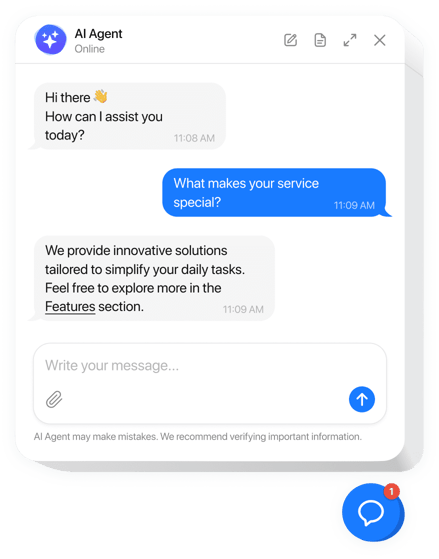
15 Best Chat Widgets for Websites
See live chat widgets to embed on websites for customer support
Think of your website as a physical shop. A chat widget is like having the best concierge standing right at the door, ready to greet every single visitor, answer their questions on the spot and point them exactly where they need to go. These tools are embedded directly onto your website to offer immediate, real-time support and engagement.
What Are Chat Widgets and Why Are They Essential?
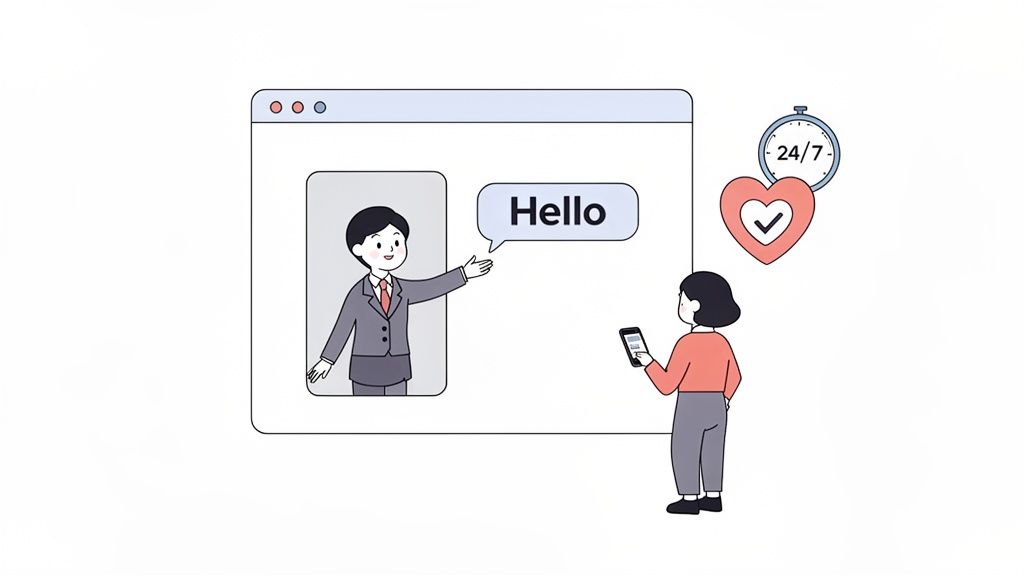
At its most basic, a chat widget is just a small snippet of code that adds a pop-up chat window to your site. This window opens a direct line of communication between you and your visitors. What started as simple pop-up boxes has evolved into the digital front door for modern customer conversations.
These days, a chat widget isn’t just a ‘nice-to-have’-it’s a core part of a great customer experience. It meets the modern consumer’s demand for instant, 24/7 help, turning a passive browsing session into an active, helpful dialogue.
The Evolution From Simple Pop-Ups to Smart Tools
The journey of chat widgets really mirrors the shift in customer expectations. Not too long ago, “support” meant filling out a contact form and waiting days for a response. Today, people want answers in seconds, not days. This is where modern chat widgets truly shine.
The live chat software market is exploding, which tells you just how important these tools have become. In fact, the market is set to grow by USD 714.6 million between 2025 and 2030, powered by a steady annual growth rate of 11.1%.
The Core Purpose of a Modern Chat Widget
The main job of a chat widget is to remove friction. It doesn’t matter if a customer has a question about pricing or needs technical help with a product they just bought-the widget gives them an instant way to get an answer. That speed is crucial for building trust right from the very first click.
A chat widget bridges the gap between a visitor’s question and a company’s answer, turning potential frustration into a positive interaction. It’s the fastest way to show a customer you’re there to help.
When you connect these widgets to a smart helpdesk, they become even more powerful. For example, an AI-powered system like Ticketdesk AI can handle the initial, common questions, which frees up your human agents to focus on more complex problems. To see how this works in practice, check out our guide on AI in customer service. This kind of teamwork delivers an amazing customer experience by blending speed, accuracy, and a human touch right when it’s needed most.
The Core Components of Modern Chat Widgets
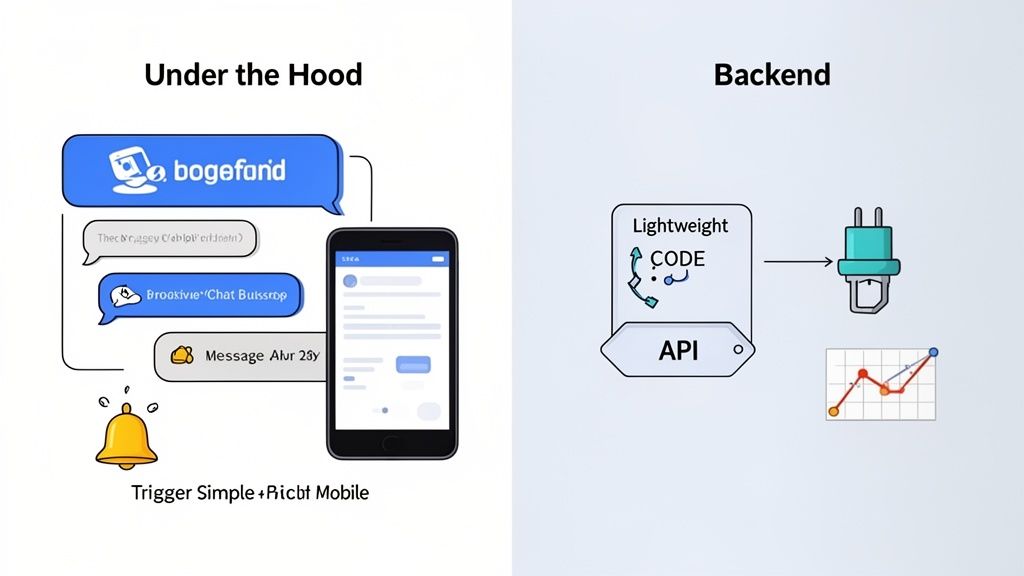
To really get what makes some chat widgets so effective, you have to look past the little box sitting in the corner of a website. It’s better to think of a great widget as a sophisticated machine with two parts working together: the sleek, polished exterior that customers interact with, and the powerful engine humming along in the background.
The exterior is all about the User Experience (UX). This is the visible layer, the part designed to be friendly, intuitive, and genuinely helpful. The engine, on the other hand, is made up of the Technical Components-all the code and infrastructure that makes the whole thing run smoothly, reliably, and quickly.
These two sides are completely codependent. One just doesn’t work well without the other. Let’s pull back the curtain and look at the essential pieces of each.
The User-Facing Experience
The user-facing side of a chat widget is what convinces a visitor to actually start a conversation. It’s their first impression and the interface for the entire interaction, so getting it right is non-negotiable. For B2B companies, where the customer journey can be long and complicated, a smooth UX can be the difference-maker for lead generation and overall satisfaction.
Here’s what goes into a great user experience layer:
- Customizable Branding: You need the ability to tweak colors, fonts, and logos to perfectly match your website’s design. This makes the widget feel like a natural part of your brand, not some clunky, third-party add-on.
- Proactive Chat Triggers: These are smart, automated messages that pop up based on what a user is doing. Imagine a message appearing after a visitor has been on your pricing page for 30 seconds, or after they’ve scrolled 70% down a product page. It’s about offering help right at that moment of potential hesitation.
- Mobile Responsiveness: A modern widget has to look and work flawlessly on any device, from a huge desktop monitor to a tiny smartphone screen. With so much web traffic coming from mobile, a bad chat experience on a phone can cut off a huge chunk of your audience.
- Rich Media Support: Conversations are more than just text. The best widgets let you send and receive files, images, links, and even emojis, which makes the whole exchange more efficient and a lot more human.
The Backend Technical Foundation
While your user only sees the polished interface, the real magic happens behind the scenes. The technical foundation of a chat widget is what makes it fast, secure, and insightful. A poorly built backend can drag down your entire website’s speed or, even worse, fail to deliver messages at all.
These are the critical technical components:
- Lightweight JavaScript Snippet: This is the small bit of code you drop onto your site. The best chat widgets use asynchronous loading, which means the widget’s code loads independently without slowing down the rest of your page content. Your site stays fast.
- API Integrations: This is what allows your chat widget to talk to your other business tools. For example, an integration with your CRM can automatically pull up a customer’s entire history the moment they start a chat, giving your support agent immediate context.
- Analytics and Reporting Dashboard: This is your mission control. It’s where you track key metrics like chat volume, agent response times, and customer satisfaction scores. This data is gold for refining your entire support strategy.
Think of it this way: the backend analytics (the technical side) might show that tons of users are abandoning their carts on the shipping page. In response, you set up a proactive message (the UX side) that triggers on that specific page, asking, “Have questions about shipping?” This seamless link between technology and user experience can turn a lost customer into a completed sale.
The Top 15 Chat Widgets for Your Website
Picking the right chat widget is a huge decision. It’s not just a little icon in the corner of your screen; it directly shapes customer satisfaction and how efficiently your team operates. With so many options out there, it’s easy to get lost.
I’ve put together this curated guide to the 15 best chat widgets on the market right now. We’ll break down each one, highlighting its unique strengths and who it’s really built for. We’ll look at the standout features, how they play with other systems like Ticketdesk AI, and what their pricing looks like. The goal is to help you confidently find the tool that lines up perfectly with what you need, whether you’re a fresh startup, a growing online store, or a large enterprise.
1 Ticketdesk AI
Best For: SaaS and software companies that need an AI-powered helpdesk to automate support and connect it to their chat widget.
Ticketdesk AI is much more than just a chat provider. Think of it as a complete AI helpdesk. It digs into your knowledge base to automate ticket handling, route issues to the right people, and give customers instant, accurate answers. The chat widget is simply the front door to this powerful system, turning simple questions into solved problems.
Key Features:
- Continuous Learning AI: It automatically soaks up information from your docs, FAQs, and even API references to provide answers that are actually in context.
- Intelligent Ticket Routing: Automatically adds tags, drafts replies, and escalates the tricky stuff to the right teams-like sending bug reports to engineering or billing questions to finance.
- Unified Agent Workspace: Pulls chat conversations, tickets, and internal notes together, so agents get the full picture without juggling a dozen different apps.
Pricing: Offers a free trial so you can see it in action, with paid plans built to grow with your business.
2 Intercom
Best For: B2B companies looking for a premium, do-it-all customer communication platform that covers sales, marketing, and support.
Intercom is a true heavyweight in customer engagement. Its chat widget is part of a bigger world that includes proactive messages, product tours, and a sophisticated AI chatbot called Fin. It’s fantastic at engaging users at every step, from capturing a lead to providing long-term support.
Key Features:
- Proactive Engagement: Triggers targeted messages based on what a user does, helping turn visitors into qualified leads. In fact, site visitors who use web chat are 2.8x more likely to convert.
- Fin AI Chatbot: A seriously capable AI assistant that can tackle complex questions, hold natural conversations, and smoothly hand things off to a human agent when needed.
- Deep Integrations: Plugs into hundreds of other tools, including Salesforce and Marketo, to give you a complete picture of your customer.
Pricing: A premium pricing model based on seats and features, designed for businesses ready to invest in a comprehensive solution.
3 Drift
Best For: Sales and marketing teams all-in on conversational marketing and hunting for high-quality B2B leads.
Drift basically invented the idea of “conversational marketing.” The entire platform is built around using chat to speed up sales cycles. Its widget can spot high-intent visitors, connect them with a sales rep in real time, and even book meetings on the spot.
Key Features:
- Lead Qualification Bots: Uses chatbots to ask the right questions and route hot leads directly to the right salesperson.
- Account-Based Marketing (ABM): Identifies visitors from your target accounts and rolls out a personalized welcome mat for them.
- Meeting Scheduler: Lets qualified leads book a demo or meeting right there in the chat window, cutting out all the back-and-forth.
Pricing: Premium plans geared toward mid-market and enterprise companies with a sharp focus on generating leads.
4 LiveChat
Best For: Customer service teams of any size who just need a reliable, feature-packed, and easy-to-use live chat tool.
LiveChat is one of the most established and trusted names out there for a reason. It offers a solid, intuitive platform that helps support agents manage multiple conversations without breaking a sweat. It’s known for being dependable and loaded with features designed for pure support excellence.
Key Features:
- Agent Efficiency Tools: Comes with canned responses, smart chat routing, and agent monitoring to help teams handle a high volume of chats.
- Comprehensive Reporting: Gives you detailed analytics on chat volume, agent performance, and customer satisfaction scores.
- Ticketing System: Has a built-in ticketing system to manage issues that can’t be wrapped up in a single chat session.
Pricing: Offers several subscription tiers based on the number of agents, making it accessible for small businesses and scalable for large ones.
5 Tidio
Best For: Small businesses and e-commerce stores wanting an affordable, all-in-one tool with live chat, chatbots, and email marketing.
Tidio bundles live chat, AI-powered chatbots, and marketing tools into one friendly package. Its free plan is incredibly generous, making it a fantastic starting point for businesses watching their budget.
Key Features:
- Free Forever Plan: Includes live chat and chatbots for up to three operators, which is perfect for startups.
- Visual Chatbot Builder: A simple drag-and-drop editor lets you build automated conversation flows without needing to write any code.
- E-commerce Focus: Comes with specific features for online stores, like abandoned cart recovery and product recommendations.
Pricing: Has a strong free plan, with affordable paid plans that add more advanced features and higher limits.
Chat Widget Feature Comparison
To make your decision a little easier, here’s a quick side-by-side look at the top 5 chat widgets from our list. I’ve focused on the features that matter most to support managers trying to find the right fit.
| Widget Name | AI Capabilities | Helpdesk Integration | Pricing Model | Best For |
|---|---|---|---|---|
| Ticketdesk AI | Advanced, learns from docs | Native AI Helpdesk | Free Trial, Scalable Paid Plans | SaaS/Software needing automation |
| Intercom | Sophisticated AI (Fin) | Strong, part of platform | Premium, Seat-Based | B2B all-in-one engagement |
| Drift | Lead Qualification Bots | Sales-focused (CRM) | Premium | B2B conversational marketing |
| LiveChat | Basic AI features | Built-in ticketing, many integrations | Per Agent Subscription | Reliable, dedicated support |
| Tidio | Visual Chatbot Builder | Integrates with many apps | Freemium, Affordable Paid Plans | Small business & E-commerce |
This table should give you a good snapshot, but diving into the details of each tool will really help you find the perfect match for your team’s workflow and your customers’ needs.
6 HubSpot Live Chat
Best For: Businesses that are already using the HubSpot ecosystem for their CRM, marketing, and sales.
HubSpot’s chat widget is part of its free CRM platform, making it a no-brainer if you’re already in their world. It lets data flow seamlessly between your chats and customer records, giving everyone on your team a single, unified view of every interaction.
By integrating live chat directly with your CRM, you eliminate data silos. Every conversation provides valuable context that your sales, marketing, and support teams can use to deliver a more personalized experience.
Key Features:
- Native CRM Integration: Every single chat is automatically logged in the HubSpot CRM, making your contact profiles richer with conversation history.
- Chatbots with Workflow Integration: You can build bots that qualify leads, book meetings, and create support tickets using HubSpot’s powerful automation tools.
- Completely Free: The live chat and chatbot builder are included in HubSpot’s free tools, which is incredible value.
Pricing: Free to get started, with more advanced features available in their paid Marketing, Sales, and Service Hubs.
7 Zendesk Suite
Best For: Enterprises and large support teams that need a powerful, omnichannel support solution.
Zendesk offers a full suite of customer service tools, and its chat widget is a central piece of that puzzle. It integrates deeply with Zendesk’s ticketing system, knowledge base, and analytics, providing a rock-solid platform for managing customer communication at scale.
Key Features:
- Omnichannel Support: Manages conversations from chat, email, social media, and phone all in one unified agent workspace.
- Answer Bot: An AI-powered bot that suggests relevant help articles from your knowledge base to deflect common questions before they reach an agent.
- Advanced Workflow Automation: Lets you create complex triggers and automations to route chats and manage tickets with precision.
Pricing: It’s packaged as part of the Zendesk Suite, with pricing based on the features you need and your agent count.
8 Freshchat
Best For: Teams looking for an AI-driven chat tool that focuses on proactive engagement across lots of different messaging channels.
Freshchat, part of the Freshworks family, is built for modern, messaging-first customer engagement. It supports popular channels like WhatsApp, Apple Business Chat, and Facebook Messenger, letting you meet your customers wherever they are.
Key Features:
- Multichannel Messaging: Brings conversations from your website, mobile app, and messaging apps into a single inbox.
- Intelligent Message Routing: Assigns conversations to agents based on their skill level, current workload, or the customer’s language.
- Proactive Campaigns: Lets you send targeted, event-triggered messages to onboard new users, announce features, or offer timely support.
Pricing: Offers a free plan for small teams, with paid plans that unlock more advanced features and AI power.
9 Olark
Best For: Small businesses and teams that appreciate simplicity, powerful real-time analytics, and gathering customer feedback.
Olark is known for being incredibly user-friendly and for its focus on providing actionable insights. It lets you see what’s in a visitor’s shopping cart in real-time and provides detailed chat transcripts you can mine for gold to improve your products and services.
Key Features:
- Live Visitor Data: See which pages your visitors are on, what they have in their cart (with e-commerce integrations), and other helpful context.
- Customizable Forms: Collect pre-chat information to help route conversations and gather lead data more effectively.
- Searchable Transcripts: Easily search through past conversations to pinpoint customer pain points and feedback.
Pricing: Simple, affordable pricing based on the number of agents, with optional “Power-Ups” for more advanced features.
10 Crisp
Best For: Startups and SaaS companies on the hunt for a multichannel customer messaging platform with a shared inbox.
Crisp offers a unified platform that pulls live chat, email, and social media messages into one shared inbox. The whole thing is designed to make it easy for sales, marketing, and support teams to work together on customer conversations.
Key Features:
- Shared Inbox: Lets teams collaborate on conversations and see a full history of interactions across every channel.
- Knowledge Base Integration: You can build and manage a help center right inside Crisp and use it to power your chatbot’s responses.
- Co-browsing: Allows agents to see the customer’s screen in real-time to provide much more effective technical support.
Pricing: Includes a free plan, with paid options that offer more features and higher contact limits.
11 Pure Chat
Best For: Budget-conscious businesses that want unlimited chats and a simple, no-fuss live chat tool that just works.
Pure Chat’s main draw is its simplicity and incredible value. Even its free plan gives you unlimited chats for up to three users, which is a fantastic deal for businesses that need a straightforward live chat solution without the hefty price tag.
Key Features:
- Unlimited Chats: There are no caps on the number of conversations you can have, even on the free plan.
- Powerful Mobile Apps: Fully-featured iOS and Android apps let you chat with customers from literally anywhere.
- Visitor Tracking: Get insights into your website traffic and what your visitors are doing.
Pricing: A generous free plan is available, alongside a pro plan that adds real-time analytics and removes the branding.
12 Smartsupp
Best For: E-commerce businesses that want to pair live chat with video recordings to truly understand customer behavior.
Smartsupp has a unique twist: it combines live chat and chatbots with session recording. This means you can see exactly how visitors are interacting with your site, spot where they’re getting stuck, and proactively jump in to help.
Key Features:
- Video Recordings: Watch recordings of visitor sessions to understand their journey and troubleshoot problems more effectively.
- Detailed Visitor Info: See the visitor’s location, their browsing history on your site, and other useful details.
- Mobile App: A solid mobile app for chatting with customers when you’re away from your desk.
Pricing: A free plan with limited features, and paid plans that add more recordings and chatbot capabilities.
13 HelpCrunch
Best For: Businesses looking for an all-in-one customer communication platform that handles live chat, email marketing, and a help desk.
HelpCrunch aims to be the complete package for customer communication. It combines a feature-rich chat widget with pop-ups, email automation, and a ticketing system, all managed from a single dashboard.
Key Features:
- Pop-up Builder: Create custom pop-ups to capture leads or make important announcements.
- Email Marketing: Send automated email follow-ups and full-blown marketing campaigns.
- Knowledge Base: Create a self-service help center to deflect common support questions.
Pricing: Subscription plans are based on the number of team members and emails you send.
14 Userlike
Best For: European businesses or any company with a sharp focus on data privacy and GDPR compliance.
Userlike is a German company that puts data privacy and security front and center. It offers a clean, professional chat widget and supports messaging through popular channels like WhatsApp and Facebook Messenger.
Key Features:
- Strong Privacy Focus: Fully GDPR compliant with very clear data handling policies.
- Unified Messaging: Manage your website chats and messenger conversations all in one place.
- Chatbot API: You can connect your own custom-built chatbot to automate conversations.
Pricing: A free plan for one operator, with paid plans that add more features and more operators.
15 Chaport
Best For: Teams that want a simple, multilingual chat widget with a really generous free plan.
Chaport offers a clean and simple live chat solution that’s all about ease of use. Its free plan is one of the best out there, with unlimited chats, history, and registered users.
Key Features:
- Multilingual Widget: Automatically displays in the visitor’s native language.
- Group Chats: Invite other agents into a conversation to help solve complex problems together.
- Typing Insights: See what visitors are typing before they hit send, giving you a head start on crafting the perfect reply.
Pricing: A feature-rich free plan, with paid plans for teams that need advanced tools like saved replies and detailed reporting.
Integrating Chat Widgets with Your Helpdesk and AI
A standalone chat widget is a solid tool, but it truly becomes a powerhouse when you plug it into your broader support ecosystem. Connecting your chat tool with an AI-powered helpdesk like Ticketdesk AI creates an intelligent, seamless support engine that works around the clock. This integration is what elevates a simple chat bubble into a core strategic asset for your business.
Think of the chat widget as the friendly face at the front desk and the helpdesk as the building’s entire operational brain. When a visitor starts a chat, they aren’t just sending a message into the void. They’re connecting to a sophisticated system built to find the fastest, most accurate answer possible.
Creating a Seamless Support Workflow
The real magic happens when your chat widget and helpdesk are in perfect sync. This connection automates the tedious, manual tasks that often bog down support teams, freeing them up to focus on high-value interactions that actually require a human touch.
Let’s walk through a common scenario: a customer lands on your website and uses the chat widget to ask about your return policy.
- Instant AI Analysis: The moment the message hits, an AI engine gets to work, instantly analyzing the question’s intent. It understands the customer is asking about “returns”-not a new purchase or a technical bug.
- Automated Knowledge Retrieval: The AI then scans your connected knowledge base, FAQs, and internal documents to find the correct, up-to-date return policy.
- Immediate Resolution: Within seconds, the AI delivers a clear, accurate answer right back through the chat widget. The customer gets their answer on the spot, and no human agent was ever involved.
This automated first line of defense can handle a massive volume of common questions, freeing up your team for more complex problems.
The Power of Smart Escalation
Of course, not every question has a simple, one-size-fits-all answer. What happens when a customer’s issue is more complicated? This is where the integration with your helpdesk truly shines, ensuring a smooth handoff from automation to human expertise.
Let’s continue the example. After getting the answer about the return policy, the customer replies, “My order was damaged in transit, and I need to start a return for order #12345.”
The AI immediately recognizes this is a specific, account-related issue that needs a human. Instead of just sending a generic “an agent will be with you shortly,” the integrated system does several things at once:
- It creates a new support ticket in the helpdesk.
- The entire chat conversation, including the initial question and the customer’s order number, is automatically attached.
- The ticket is intelligently routed to the right department-in this case, the returns and logistics team.
The human agent receives the ticket with the full context of the conversation. They don’t have to ask the customer to repeat anything, which drastically cuts down resolution time and makes for a much better customer experience.
This seamless escalation process ensures nothing falls through the cracks. For a more detailed walkthrough, you can learn how to embed an AI chatbot on your website and connect it to your helpdesk.
How to Choose the Right Chat Widget for Your Business
With so many chat widgets on the market, picking the right one can feel like a chore. But this isn’t just about subscribing to another piece of software. It’s a strategic move that directly impacts your customer experience and how efficiently your team operates.
Let’s cut through the noise. A simple framework can help you find a tool that actually fits your business goals, not just one with a flashy feature list.
The best place to start? Not with a vendor’s website, but with a good, honest look at your own operations. This internal audit is the foundation for making a smart choice you won’t regret later.
Conduct a Thorough Needs Assessment
Before you dive into demos, ask yourself some critical questions about your current setup and where you want to go. The answers will create a clear blueprint for your ideal solution.
- Team Size and Structure: How many agents will be using the tool? Are they all dedicated support staff, or do your sales and marketing folks need a seat at the table, too?
- Average Ticket Volume: Think about how many customer inquiries you handle every day or week. This number is key to figuring out how much automation and scalability you’ll need.
- Technical Resources: Do you have developers ready to tackle a complex implementation, or are you looking for a simple, no-code setup you can manage yourself?
This kind of self-evaluation helps you get past the marketing fluff and focus on what your business actually needs to grow.
Key Evaluation Criteria to Consider
Once you have a handle on your internal needs, you can start sizing up potential chat widgets against a few core criteria. These are the things that separate a basic tool from one that can scale with you.
First up, prioritize scalability and security. Your widget has to handle peak traffic without bogging down your site, and it absolutely must comply with data privacy regulations to protect your customers. Then, look at customization. Can you make it look and feel like it truly belongs on your website?
Finally, check out the reporting and analytics. Without solid data, you’re flying blind. You can’t measure your ROI or spot areas for improvement. The ability to track metrics like first-response time and resolution rate is non-negotiable.
This flow shows how a modern chat tool should work, connecting a customer’s first message to an AI for quick answers and then to a helpdesk for the tougher problems.
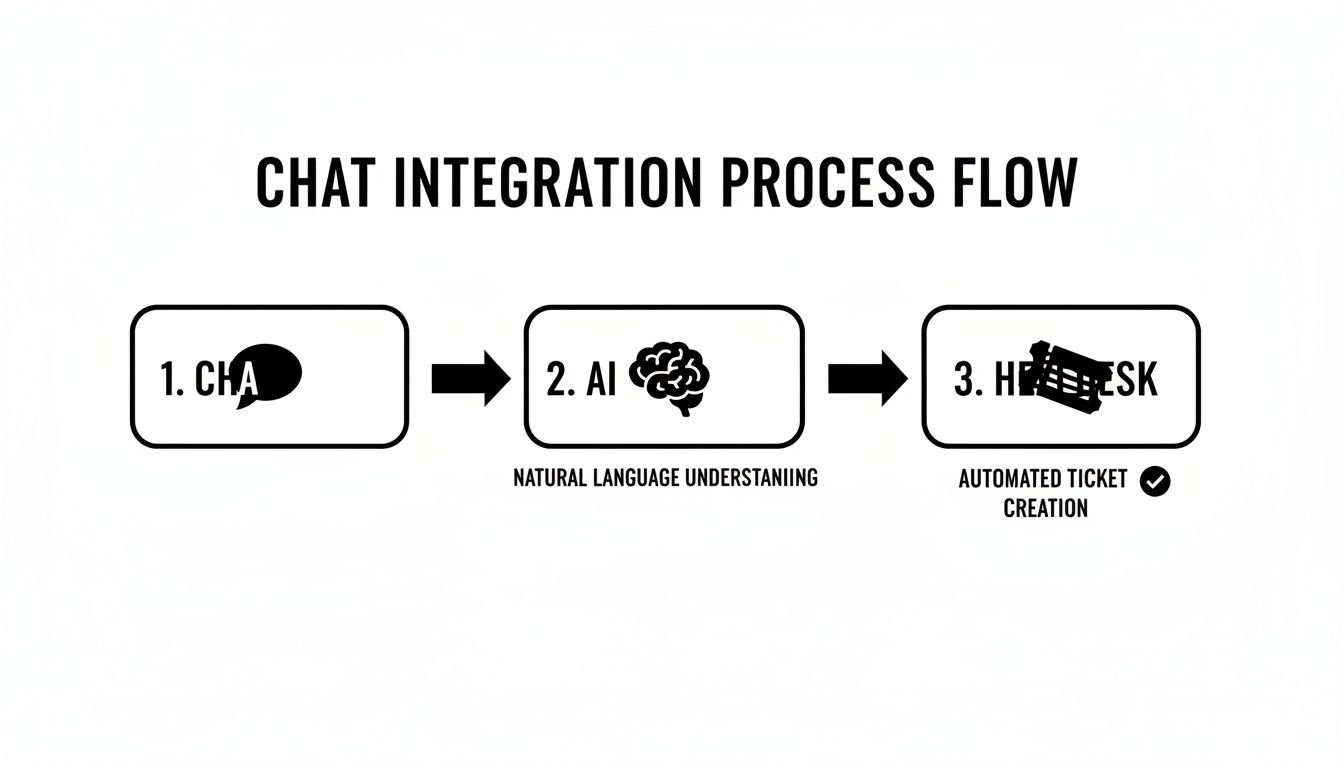
This process shows how integrating your chat with AI and a helpdesk creates a powerful, automated system for getting customer issues solved fast.
Questions to Ask Potential Vendors
Now that you’re armed with your needs and criteria, you’re ready to talk to vendors. Don’t be shy-ask tough, specific questions that get to the heart of how their tool will perform in the real world.
Choosing a chat widget is choosing a partner in your customer service journey. Ask questions that reveal their long-term value, not just their feature list.
Here’s a practical checklist to keep handy during your calls:
- AI and Automation: How does your AI actually learn from our knowledge base and past tickets? Can we train it on our specific, niche use cases?
- Integration Capabilities: How well does your widget play with our existing CRM, helpdesk, and other tools we rely on every day? Check out our guide on top AI customer support tools to see what’s possible.
- Onboarding and Support: What does your implementation and onboarding process look like? Will we have access to ongoing training and real technical help when we need it?
Getting clear answers to these questions will put you in the driver’s seat, ready to pick a tool that solves today’s problems and is ready for whatever you throw at it tomorrow.
In today’s world, a good chat widget is way more than just a little box for customers to type in. It’s a powerful tool for building real, lasting relationships with the people who use your product. We’ve walked through everything from the basics of how chat works to connecting it with smart, AI-powered helpdesks.
The main takeaway is simple: the future of great customer service is a tag team of intelligent automation and skilled human agents. When your chat tool and a smart system like a helpdesk work together, your support team goes from being a reactive cost center to a proactive engine for growth. This partnership doesn’t just solve problems faster-it builds trust with every single conversation.
Think of it this way: you’re combining the speed of AI with the empathy of your team. The result is a support experience that’s both incredibly efficient and genuinely human, making customers feel heard and valued.
Now it’s your turn to put this into practice. I’d encourage you to check out how a solution like Ticketdesk AI can really boost what your chat widget is capable of. You can see for yourself how smart automation empowers your team and turns every customer chat into a chance to build loyalty.
Frequently Asked Questions About Chat Widgets
Thinking about adding a chat widget? You’ve probably got a few questions. Let’s walk through some of the most common ones to clear things up.
How Hard Is It to Install a Chat Widget?
It’s surprisingly easy. Most of the time, it’s just a matter of copying a small snippet of JavaScript code and pasting it into your website’s HTML right before the closing </body> tag.
If you’re on a platform like Shopify or WordPress, it gets even simpler. Many services offer plugins that let you skip the code altogether. For example, a tool like Ticketdesk AI is built to get you up and running in a few minutes flat.
Can a Chat Widget Slow Down My Website?
That’s a fair question, and a critical one. The good news is that most reputable chat widgets are built with performance as a top priority. They use lightweight code that loads asynchronously, which is a fancy way of saying it loads independently of your main website content.
This means the widget won’t block your page from loading or mess with your Core Web Vitals. Just make sure you choose a performance-focused provider and maybe run a quick speed test after installation for peace of mind.
The best chat widgets deliver instant engagement without asking you to sacrifice website performance. They are optimized to be fast and unobtrusive, ensuring a smooth experience for every visitor.
What Is the Difference Between Live Chat and AI Chatbots?
Think of it this way: a live chat widget is a direct line to a real person. When a visitor has a complex or sensitive issue, they get connected to a human agent for a real-time conversation.
An AI chatbot widget, on the other hand, is your automated, 24/7 front-line support. It uses artificial intelligence to answer common questions instantly, without any human help.
The best systems today actually blend the two in a hybrid approach. The AI fields the routine stuff right away, and if things get complicated-or if the customer just wants to talk to a person-it seamlessly hands the conversation over to a live agent.