How to Use ChatGPT-5 for Customer Support?
Bringing a model like ChatGPT-5 into your customer support workflow is about more than just automating replies. It’s a fundamental shift that moves your team from a reactive, ticket-clearing mindset to one focused on proactive, intelligent problem-solving. It tackles the repetitive stuff so your agents can handle the complex issues that truly build customer loyalty.
Moving Beyond Basic Customer Support Automation
Let’s be real-customer support isn’t just about closing tickets anymore. It’s about creating experiences that make customers stick around. This is exactly where AI, particularly advanced models like ChatGPT-5, is making its mark, completely changing how we think about support.
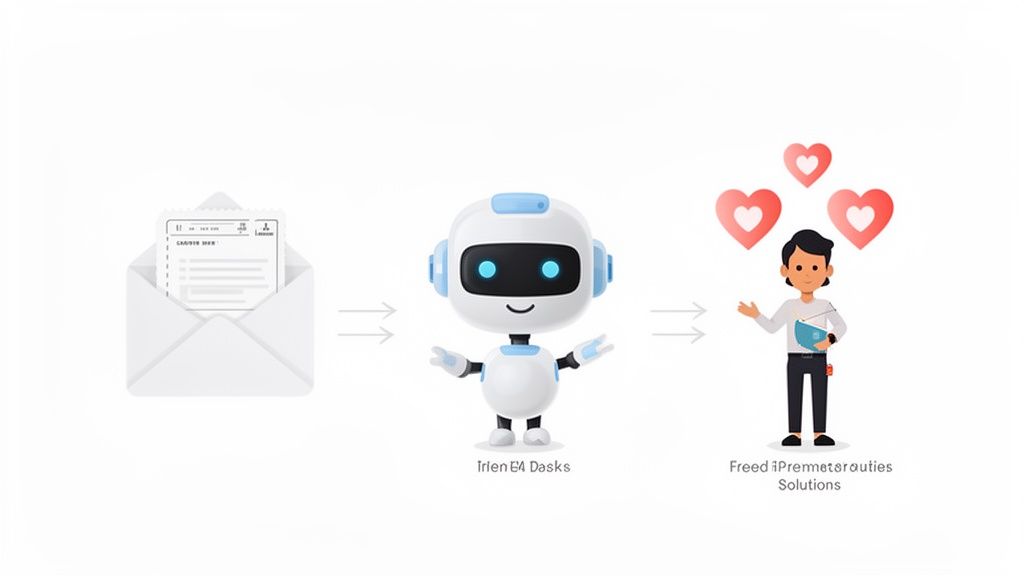
The big idea is to break free from the old, purely reactive model. Instead of having agents stuck in an endless queue of the same old questions, AI can jump in and provide instant answers to a huge chunk of them.
The New Era of Intelligent Assistance
Think about an AI that does more than just copy-paste from an FAQ page. Modern systems built on ChatGPT-5 style tech are designed to actually understand what a customer is asking. They can diagnose a problem, find personalised solutions from your knowledge base and walk a customer through a fix without a human ever getting involved.
This hits a massive operational pain point. Companies typically spend around 8% of their recurring revenue just handling customer questions. In this environment, AI has become a total game-changer, capable of automating nearly 70% of all customer requests. This frees up your human agents for the tricky stuff.
The real win here isn’t just about saving money. It’s about reallocating your most valuable asset-your team’s brainpower-to where it actually makes a difference. When the AI handles the routine, your agents can dive into the high-stakes conversations that need real empathy and sharp thinking.
This naturally leads to a more efficient and scalable support operation. Your team can focus on building relationships and making the customer experience better, rather than getting buried under repetitive tasks.
How AI Augmentation Impacts Key Support Metrics
Adopting this technology doesn’t just feel better; the numbers prove it. When you compare a traditional, human-only team to one augmented by AI, the improvements in key performance indicators (KPIs) are stark.
| Metric | Traditional Support | AI-Augmented Support (with ChatGPT-5) |
|---|---|---|
| First Response Time (FRT) | Minutes to hours, depends on agent availability. | Seconds, with 24/7 instant replies. |
| Resolution Time | Can be lengthy, requiring back-and-forth. | Drastically reduced for common issues. |
| Cost Per Ticket | High, tied directly to agent time and salary. | Significantly lower due to automation. |
| Agent Burnout | High, from repetitive and mundane tasks. | Lower, as agents focus on more engaging work. |
| Scalability | Linear; more tickets require more agents. | Non-linear; easily handles volume spikes. |
| Customer Satisfaction (CSAT) | Varies; often suffers from long wait times. | Higher, driven by instant, accurate answers. |
As the table shows, the impact is felt across the board. AI-augmented teams aren’t just faster; they’re more resilient, cost-effective, and ultimately deliver a better customer experience.
Reshaping Team Dynamics and Focus
Rolling out this kind of AI has a ripple effect that benefits your team and the entire business.
- Reduced Agent Burnout: Automating boring queries lets agents tackle more interesting problems, which boosts job satisfaction.
- Improved Scalability: You can handle more customers without having to hire more people at the same rate. This makes it way easier to manage busy seasons or rapid growth.
- Faster Resolutions: Customers get answers to common questions instantly, any time of day, which crushes first-response time metrics.
- Deeper Customer Insights: Every AI interaction is a data point. You can analyze these conversations to spot common problems and find opportunities to improve your product.
Creating a Chatbot Using ChatGPT-5
Let’s be honest: most people dread interacting with chatbots. The key to creating one that customers don’t immediately try to bypass is less about fancy code and more about thoughtful preparation. Your AI, powered by a model like ChatGPT-5, is only as smart as the information you feed it, and that all starts with a rock-solid knowledge base.
Think of your knowledge base as the single source of truth for your bot. This isn’t just a random pile of documents; it needs to be clean, organized, and comprehensive. Gather up everything you have: FAQs, technical guides, and even past ticket resolutions. The better this data is, the smarter your bot will be right out of the gate.
If you’re just starting this process, our guide on how to train an AI agent for customer support is a great place to begin.
Defining Your Bot’s Brain and Personality
With your knowledge base ready, it’s time to craft the initial system prompt. This is the most critical piece of the puzzle. It’s a set of direct instructions that defines the chatbot’s core purpose, its personality, and the rules it must follow.
A good system prompt for a ChatGPT-5 chatbot should always include:
- Core Mission: State its job clearly. Something like, “You are a helpful customer support assistant for [Your Company].”
- Tone of Voice: Is it formal and professional? Or more friendly and conversational? Define its personality.
- Operational Rules: Set clear boundaries. A great rule is to instruct it not to speculate on things like future pricing or make promises the company can’t keep.
- Escalation Triggers: Be explicit about when it needs to hand off the conversation to a human agent.
This initial setup is what makes the bot a reliable extension of your team instead of a rogue agent. If you want to dive deeper into the tech and see what’s out there, checking out some of the top AI chatbot platforms can give you some valuable perspective.
Designing Conversation Flows and Escalation Paths
Once the bot’s personality is set, you need to map out the most common customer journeys. Don’t try to boil the ocean and solve every single problem at once. Instead, focus on the top 3 to 5 most frequent inquiries you get-things like billing questions, order status checks, or simple troubleshooting.
For each of these scenarios, design a clear, logical flow. For a billing question, the flow might look like this: the bot asks for an invoice number, pulls the details from your system, and then presents the information clearly to the customer.
The most important part of any conversation flow is knowing when to stop. A great chatbot understands its limitations. An effective escalation path ensures that when a customer asks to speak to a person or the AI gets stuck, the transition is seamless.
That handoff needs to be completely smooth, passing the entire conversation history to the human agent. This one simple thing prevents the #1 customer frustration: being forced to repeat themselves. By building these clear escalation paths, you create a safety net that protects the customer experience. Your chatbot becomes a genuinely helpful first line of defense, not just another frustrating roadblock.
Creating an Email Responder Using ChatGPT-5
While chatbots are great for live conversations, the email queue is often the biggest headache for support teams. Manually answering every single ticket is a huge time-sink, filled with repetitive questions. This is exactly where an intelligent email responder, powered by a model like ChatGPT-5, can completely change the game for your team’s productivity.
The idea isn’t to let a robot run wild with your customer communication. Instead, the goal is to have the AI draft smart responses that a human agent can quickly look over, tweak if needed, and send off. This human-in-the-loop workflow keeps your quality high while slashing the time spent typing out replies-we’ve seen teams cut this down by over 50%.
Essentially, you connect your support inbox to an AI that reads each email, figures out what the customer needs, and drafts a ready-to-send reply.
Prompt Engineering for Email Support
The real secret to a killer AI email responder is the system prompt. Think of this as the initial set of instructions you give the AI, telling it exactly how to act. It’s not just a one-line command; it’s a detailed blueprint that shapes how it analyzes emails and crafts replies that match your brand’s voice and policies.
Your prompt needs to walk the AI through a clear thought process:
- Analyze the email: First, tell the AI to identify key details like the customer’s name, the main issue, and their sentiment (are they frustrated, curious, or happy?).
- Extract user intent: What’s the customer really trying to do? Are they asking for a refund, reporting a bug, or just looking for instructions?
- Consult the knowledge base: The AI should then search your internal documents and help articles to find the best solution.
- Generate a draft: Finally, instruct the AI to write a clear, empathetic, and accurate email draft using the information it found.
A solid prompt is like a detailed job description for your AI. It sets clear expectations and guardrails, ensuring the drafts are consistently helpful and on-brand. Most importantly, it stops the AI from making promises your team can’t keep.
This whole process follows a few core principles, which apply to any support automation you build.
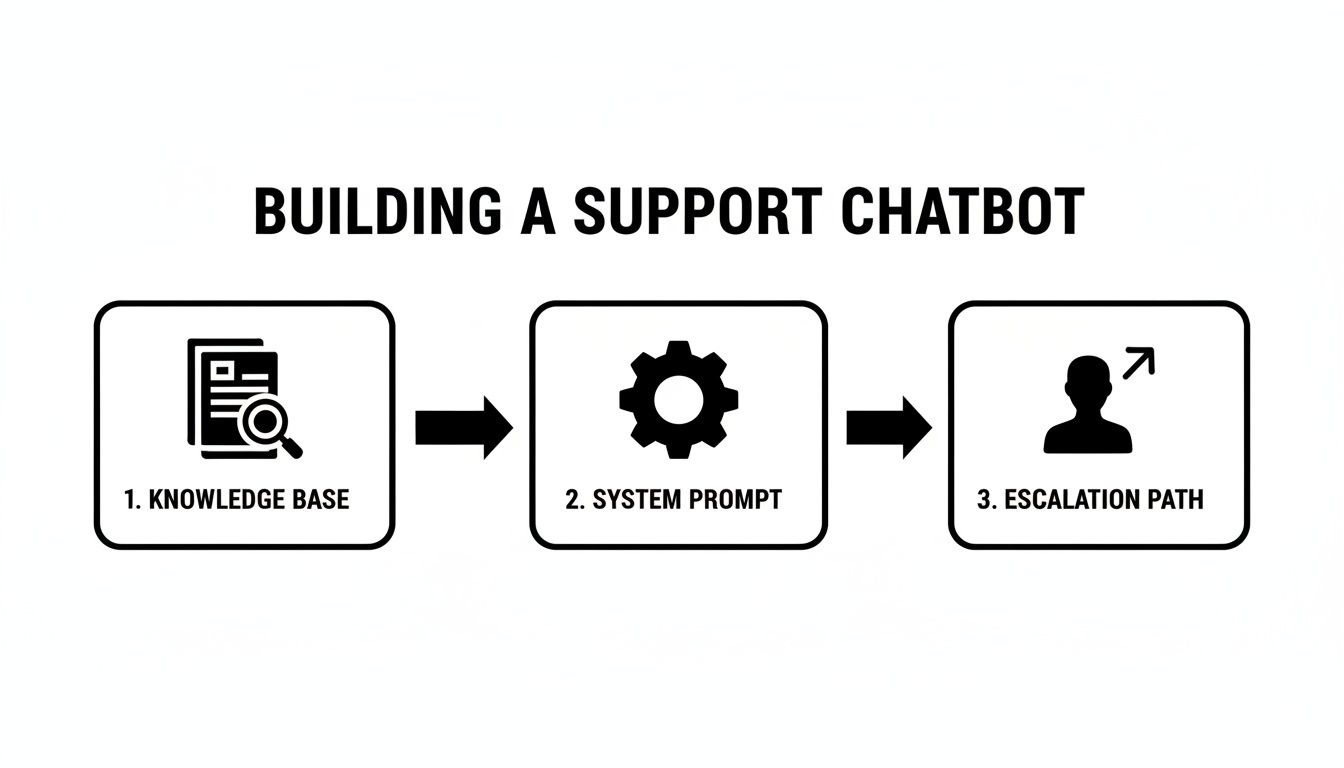
As you can see, it all comes down to three pillars: a strong knowledge base, a precise system prompt, and a clear path for escalation when things get tricky.
Balancing Automation with Human Oversight
Putting a human-in-the-loop system in place is absolutely crucial for this to work. It builds trust with your support agents and guarantees that no AI-generated response goes out to a customer without a final pair of eyes on it.
Your agents shift from being writers to editors. Their expertise is now focused on verifying accuracy and adding that personal touch where it matters most.
This approach gives you the best of both worlds: the raw speed of automation combined with the nuance and empathy of a human. Your team can finally get through those ticket backlogs, improve first-response times, and free up their energy for the complex issues that truly need a person to solve them.
To get a full picture of how this works, check out this guide to AI email responder solutions. This balanced workflow is the key to scaling your email support without ever sacrificing quality.
Integrating AI Seamlessly with Your Current Helpdesk
An AI tool is only as good as its integration. A standalone chatbot or email bot just creates more problems than it solves, forcing your team to constantly switch between tabs and lose the thread of a conversation. The real magic happens when you plug the AI directly into the helpdesk software your team already lives in.
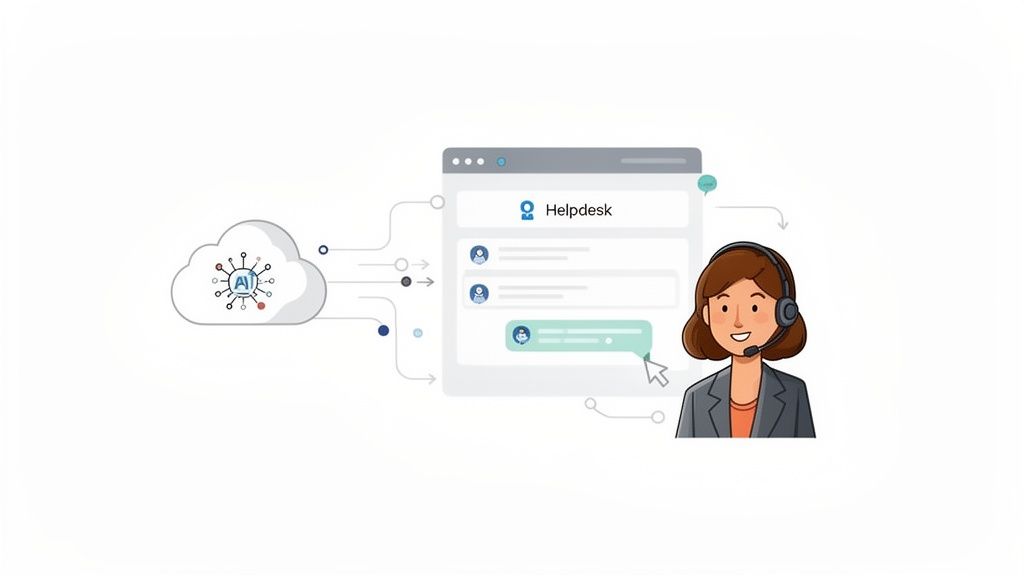
This connection turns your separate tools into a single, cohesive system where AI and human agents actually work together, not in separate worlds. The goal is to make the AI an invisible, helpful layer inside your existing workflow, not another piece of software to manage.
Making Systems Talk to Each Other
So, how do you actually get your AI and helpdesk to communicate? This is where API keys and webhooks come in. Think of an API key as a secure password that lets one application safely access specific data from another. A webhook, on the other hand, is like an automated alert system that pings your helpdesk whenever something important happens with the AI.
This technical handshake is what enables real-time communication. For instance, when an AI chatbot on your website gathers a customer’s details, a webhook can instantly create a new ticket in your helpdesk, complete with the full chat transcript. For a deeper dive, our guide on how to embed an AI chatbot on your website walks through this process in more detail.
Automating Ticket Management and Routing
Once your systems are connected, you can build rules that automate the most mind-numbing parts of ticket management. This is where you’ll see massive efficiency gains. Using a ChatGPT for customer support setup, you can set up rules to do things like:
- Automatically Tag Tickets: The AI scans the customer’s message and applies the right tags, like “billing-issue,” “bug-report,” or “feature-request.”
- Set Ticket Priority: Based on keywords or customer sentiment (e.g., “urgent,” “frustrated”), the AI can automatically flag a ticket as high priority.
- Route to the Right Team: The system can send tickets to the correct department instantly. Billing questions go to finance, and technical problems go straight to engineering.
This intelligent routing isn’t just a small convenience; it’s a huge productivity multiplier. It kills the manual sorting process that eats up a support manager’s day and makes sure every ticket lands in the right queue from the very beginning.
Fostering True Agent Collaboration
A truly integrated system also makes it easier for your human agents and the AI to collaborate. When the AI handles a conversation, it shouldn’t be a black box. Your team needs full visibility and the ability to jump in whenever they’re needed.
A well-designed integration lets agents add internal notes to AI-handled tickets, giving valuable context for later. More importantly, it creates a seamless handoff. If an AI conversation needs to be escalated, an agent can take over with a single click, inheriting the entire chat history. This means the customer never has to repeat themselves.
The rapid adoption of this approach really highlights its power. Integrated AI tools can boost team productivity by a massive 30-45%, which is a game-changer for clearing ticket backlogs. It’s all about creating a balanced environment where the AI handles the repetitive stuff, freeing up your team to solve the complex problems that need a human touch.
How to Measure Your AI Support Performance
Dropping a ChatGPT-powered bot into your customer support workflow is just the first step. The real win comes when you can actually prove it’s making a difference. To do that, you need to ditch the guesswork and start tracking the right data.
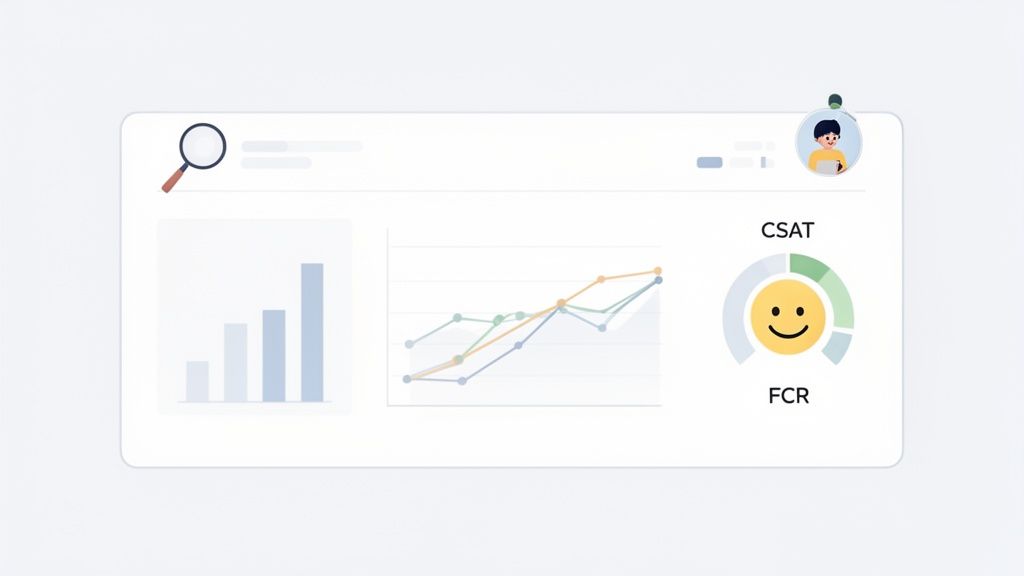
Without clear metrics, your new AI is just a shiny object with no measurable impact. But with the right KPIs, it becomes a strategic asset you can fine-tune over time. The goal here is to see real, tangible shifts in efficiency, customer happiness, and your team’s workload.
Identifying Your Core AI Support KPIs
To get a true read on your AI’s performance, you only need to monitor a handful of critical key performance indicators (KPIs). These numbers tell a story, showing you whether your automation is genuinely solving problems or just creating more work for your human agents.
I recommend focusing on these essentials right from the start:
- First-Contact Resolution (FCR) Rate: What percentage of issues does the AI solve in one go, without a human ever touching the ticket? A high FCR is a clear sign your bot is successfully knocking out those common, repetitive questions on its own.
- Average Handling Time (AHT): For tickets where the AI drafts a reply for an agent, track how much time your team spends editing and sending it. A big drop in AHT means the AI’s suggestions are accurate and genuinely helpful.
- Customer Satisfaction (CSAT) Score: This is the ultimate test. After an AI-only interaction, send a quick survey asking customers to rate their experience. This tells you if the bot is actually being helpful or just frustrating people.
- Ticket Deflection Rate: This metric tracks how many potential tickets are completely resolved by your chatbot before they even land in your helpdesk queue. It’s a direct measure of how much work the AI is taking off your team’s plate.
By tracking these specific metrics, you create a direct link between your AI implementation and your overall support goals. It’s no longer about feeling more efficient; it’s about seeing the hard data that proves it.
To keep things organized, I find it helpful to put these KPIs into a simple table. It clarifies what each metric is for and why it’s so important for proving the value of your AI.
Key Metrics for AI Support Success
| KPI | What It Measures | Why It’s Important |
|---|---|---|
| First-Contact Resolution (FCR) | Percentage of issues fully resolved by the AI without human intervention. | A high FCR directly proves the AI’s ability to handle issues independently, freeing up agents. |
| Average Handling Time (AHT) | The time an agent spends on a ticket when assisted by the AI. | A lower AHT shows the AI is providing accurate, high-quality drafts that speed up agent workflows. |
| Customer Satisfaction (CSAT) | Customer happiness score following an AI-only or AI-assisted interaction. | This is the ultimate validation that your AI is providing a positive, helpful customer experience. |
| Ticket Deflection Rate | The number of potential support tickets resolved by the AI before creation. | This directly quantifies the workload reduction for your support team. |
Tracking these isn’t just about generating reports; it’s about making informed decisions to improve your entire support operation.
Building a Continuous Improvement Loop
Data is completely useless if you don’t do anything with it. The most successful teams I’ve seen set up a formal review process to audit AI conversations on a regular basis. This isn’t about micromanaging the bot-it’s about finding golden opportunities for improvement.
Set aside some time each week for your team to go through a random sample of AI-handled tickets. In these audits, they should be looking for accuracy, tone, and any missed chances to provide a better answer.
This feedback loop is what makes your AI smarter over time. When your team spots a conversation where the AI stumbled, they can use that insight to take immediate action.
- Refine Your System Prompts: A small tweak to the AI’s core instructions can make a huge difference in how it handles similar situations in the future.
- Update Your Knowledge Base: If the AI gave a wrong answer because it was working with outdated information, that’s a clear signal to update your help docs.
This cycle of measuring, auditing, and refining is the engine that drives a high-performing AI support system. It ensures your ChatGPT for customer support tool doesn’t just stay static but actually evolves with your business and continues to deliver incredible service.
Frequently Asked Questions
As teams start looking into using ChatGPT for customer support, the same set of crucial questions always pops up. Leaders are rightfully concerned about data security, brand voice, and what happens when the AI can’t find the answer.
Getting these things right is what separates a successful AI implementation from a frustrating one. Let’s tackle these common questions head-on.
Is It Safe to Use ChatGPT with Customer Data?
This is the big one. Security is non-negotiable, and thankfully, it’s a solved problem. When you use an enterprise platform or the official ChatGPT API, you get a ton of control over your data-it’s a completely different world from the free, public version of ChatGPT.
The key is to pick a solution with rock-solid data privacy controls that’s compliant with regulations like GDPR and CCPA. A reputable system will never use your private customer conversations to train its public models. The golden rule is simple: never, ever paste sensitive customer info into public AI tools.
How Much Training Is Required to Get Started?
People often imagine a massive, months-long training project, but that’s not how it works anymore. The initial setup is more about feeding the AI than training it from scratch. You just need to give it a clean, up-to-date knowledge base.
Pull from your existing resources:
- FAQs
- Internal how-to guides
- Technical documentation
- Saved replies
The ongoing work is all about refinement. You’ll update your knowledge base as your product evolves and tweak your system prompts based on how the AI is performing. It’s a continuous improvement cycle, not a one-and-done ordeal.
Think of it like hiring a new support agent. You don’t build them from scratch. You give them a solid onboarding with all your company docs, then provide ongoing coaching to help them get better. It’s the exact same process with an AI.
Can the AI’s Tone of Voice Be Customized?
Absolutely. This is where the magic happens. You have full control over the AI’s personality and tone through something called a "system prompt."
This is basically a set of instructions that defines the AI’s entire persona. You can tell it to be friendly and casual, formal and professional, or deeply empathetic. This ensures your AI assistant sounds exactly like it’s part of your team, keeping the customer experience consistent.
What Happens When the AI Doesn’t Know the Answer?
A smart AI support system knows its limits. You set up clear escalation paths that tell the AI exactly when to hand a conversation over to a human agent.
This could be triggered if a customer asks to speak with a person, or if the AI recognizes the query is too complex for it to handle. The handoff is designed to be seamless. The agent who jumps in gets the full conversation history, so they have all the context they need without making the customer repeat themselves. It completely avoids that classic chatbot frustration.

Ready to get started?
Join hundreds of teams using Ticketdesk AI to deliver exceptional customer support.