The Top 10 Key Performance Metrics for Customer Service in 2026
In today’s competitive landscape, ‘good’ customer service isn’t enough. World-class support is a data-driven science, built on a foundation of precise measurement and continuous improvement. But which numbers truly matter? It’s easy to get lost in a sea of acronyms and dashboards, tracking metrics that offer little real insight into customer happiness or operational efficiency. The right data, however, can illuminate the path to excellence.
This guide cuts through the noise to focus on the essential metrics that signal a healthy, efficient, and customer-centric support operation. Moving beyond vanity metrics, we will explore the top 10 key performance metrics for customer service that directly impact your bottom line and customer loyalty. For each metric, we’ll provide a clear definition, the exact formula for calculation, industry-specific benchmarks, and actionable strategies for tangible improvement.
To truly quantify customer service excellence, it’s essential to define and track relevant Employee Key Performance Indicators (KPIs). This article will show you how to connect individual agent performance to broader team goals, creating a culture of accountability and success. More importantly, we’ll show you how to leverage modern tools like Ticketdesk AI to not just track these metrics, but to fundamentally transform them. By the end of this comprehensive roundup, you will have a clear blueprint for turning your support center from a necessary cost center into a powerful engine for sustainable growth.
1. Average Response Time (ART)
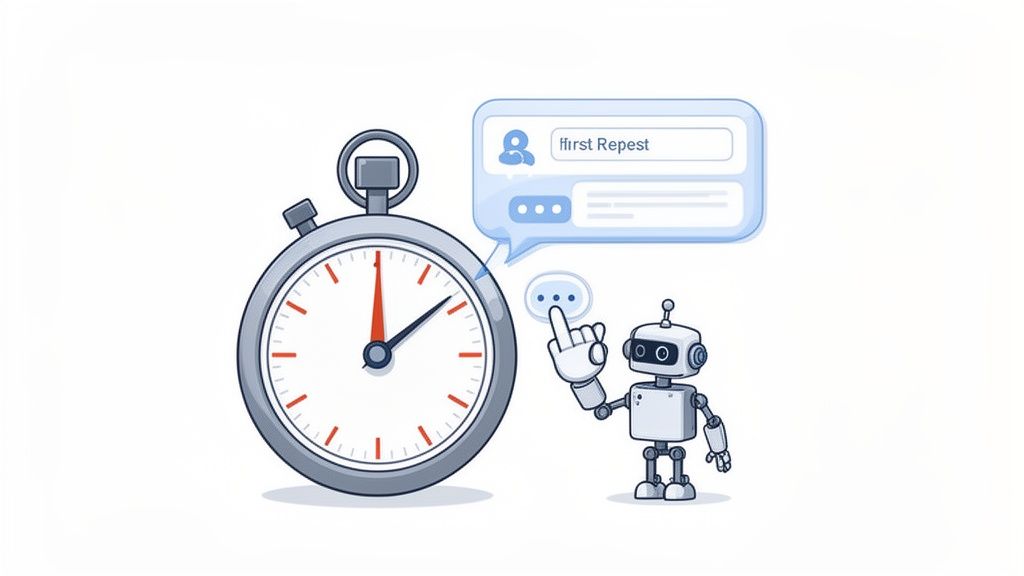
Average Response Time (ART) measures the average duration it takes for a support agent to provide an initial response to a customer’s inquiry after it’s submitted. This isn’t about solving the problem instantly; it’s about acknowledging the customer and beginning the support process. This metric is a cornerstone among key performance metrics for customer service because it sets the tone for the entire customer experience. A fast first response signals attentiveness and efficiency, immediately reassuring the customer that their issue is being addressed.
How to Improve Your ART
Improving your ART requires a strategic blend of process, people, and technology. The goal is to reduce customer waiting time without sacrificing the quality of the initial interaction.
- Implement Tiered SLAs: Don’t treat all tickets equally. Set different response time Service Level Agreements (SLAs) based on priority. A critical system-down ticket should have a much shorter ART target than a general inquiry.
- Leverage AI and Automation: Use an AI-powered helpdesk like Ticketdesk AI to send instant, automated acknowledgments. This immediately confirms receipt and sets expectations, effectively making your initial ART near-zero for the customer. AI can also route tickets to the right agent, saving precious minutes.
- Segment by Channel: Monitor your ART across different channels like email, live chat, and social media. A sub-5-minute ART is expected on live chat, while email might have a benchmark of a few hours. This allows for targeted improvements where they are most needed. You can precisely measure your performance and set goals by using a ticket response time calculator to analyze your current metrics.
2. First Contact Resolution (FCR)
First Contact Resolution (FCR) measures the percentage of customer issues resolved during the first interaction without requiring follow-up contacts. It’s a powerful indicator of both customer satisfaction and operational efficiency, as it shows your team can solve problems effectively without creating extra work. This is one of the most critical key performance metrics for customer service because it directly impacts customer effort; a high FCR means customers get their answers quickly and easily, boosting their perception of your brand.

Pioneered by organizations like Forrester and COPC, FCR has been identified as a top driver of customer loyalty. Research from McKinsey highlights a strong correlation between FCR and reduced operational costs. For instance, American Express attributes its high customer retention partly to achieving an FCR rate of over 80%.
How to Improve Your FCR
Boosting your FCR rate involves empowering your agents and leveraging technology to provide immediate, accurate solutions. The goal is to equip your team with the tools and knowledge needed to resolve issues on the spot.
- Build a Comprehensive Knowledge Base: Create and maintain a detailed, easily searchable knowledge base. By training an AI helpdesk like Ticketdesk AI on your internal documentation and FAQs, you can enable auto-responses that solve common issues instantly, achieving FCR rates of 60-75% for those ticket types.
- Empower Agents with Full Context: Ensure agents have immediate access to the customer’s complete history, including past interactions and purchase data. This 360-degree view eliminates the need for customers to repeat themselves and helps agents diagnose problems faster.
- Implement Feedback Loops: After an interaction is marked as resolved, send a simple survey asking the customer, “Was your issue resolved in this one contact?” This direct feedback helps you accurately measure FCR and identify areas where a supposed resolution led to a follow-up.
- Segment FCR by Issue Type: Not all issues can be resolved on the first contact. Segment your FCR measurement by ticket category or complexity to set realistic targets. A password reset should have a near-100% FCR, while a complex technical bug report will naturally be lower. This prevents a one-size-fits-all approach from skewing your overall performance data.
3. Customer Satisfaction Score (CSAT)
The Customer Satisfaction Score (CSAT) is one of the most direct key performance metrics for customer service, measuring how happy customers are with a specific interaction or the service they received. It is typically captured through a simple, post-interaction survey asking customers to rate their satisfaction on a scale, often from 1 (very unsatisfied) to 5 (very satisfied). This metric provides immediate, actionable feedback on individual agent performance and overall service quality.
Pioneered by organizations like the American Customer Satisfaction Index (ACSI) and integrated into modern workflows by Salesforce, CSAT offers a real-time pulse on customer sentiment. For example, Apple Support consistently maintains a CSAT of over 85% through rigorous agent training, while Ticketdesk AI users often report a 20-30% improvement in their scores by leveraging AI to provide faster, more consistent resolutions.
How to Improve Your CSAT
Boosting your CSAT score involves a focus on service quality, responsiveness, and actively listening to customer feedback. The goal is to consistently meet or exceed customer expectations during every support interaction.
- Optimize Survey Timing and Length: Send your CSAT survey immediately after a ticket is resolved to capture the most accurate feedback. Keep it brief, ideally one or two questions, to maximize the completion rate and respect the customer’s time.
- Act on Negative Feedback: Don’t just track the numbers; create a process to follow up on low CSAT responses. This proactive approach can turn a negative experience into a positive one and helps identify the root causes of dissatisfaction.
- Segment and Analyze Responses: Track CSAT trends over time rather than focusing on individual scores. Segment your analysis by agent, channel, and ticket type (e.g., AI vs. human-handled) to pinpoint specific areas for improvement. You can use a customer satisfaction calculator to easily process your survey results and identify these trends.
- Leverage AI for Deeper Insights: Use AI tools within your helpdesk to analyze open-ended feedback accompanying CSAT scores. This can uncover hidden sentiment patterns and common pain points that a simple numerical score might miss. For a deeper dive into the practical aspects of tracking and improving key customer satisfaction metrics, including AI tips for analysis, refer to this comprehensive guide.
4. Net Promoter Score (NPS)
Net Promoter Score (NPS) measures customer loyalty by asking a single, powerful question: “On a scale of 0-10, how likely are you to recommend our company/product/service to a friend or colleague?” Based on their response, customers are segmented into Promoters (score 9-10), Passives (7-8), and Detractors (0-6). The final NPS is calculated by subtracting the percentage of Detractors from the percentage of Promoters, resulting in a score ranging from -100 to +100. This metric is predictive of long-term business growth and is a vital indicator among key performance metrics for customer service.
Developed by Fred Reichheld of Bain & Company, NPS is widely adopted by industry leaders who correlate high scores with sustainable growth. For example, Apple consistently maintains an NPS above 70, a benchmark in the tech industry. Research by Bain & Company has shown that companies with an NPS greater than 50 tend to grow at more than twice the rate of their competitors.
How to Improve Your NPS
Improving your NPS involves systematically listening to customer feedback and acting on the insights to enhance the overall customer experience, turning Detractors and Passives into loyal Promoters.
- Follow Up with an Open-Ended Question: Always pair the standard NPS question with a qualitative follow-up, such as, “What is the primary reason for your score?” This uncovers the “why” behind the number, providing actionable feedback. AI tools can analyze these text responses for recurring themes and sentiment, highlighting key areas for improvement.
- Segment Your NPS Data: Don’t just look at the overall score. Segment NPS by customer lifecycle stage, product line, or support channel. This can reveal that while your product is highly rated, your onboarding support might be creating Detractors, allowing you to focus your efforts precisely.
- Focus on Converting Passives: While it’s crucial to address Detractor feedback to prevent churn, converting Passives into Promoters is often a quicker win. Passives are generally satisfied but not enthusiastic. A small improvement in service or a proactive support interaction can be enough to elevate their experience and turn them into advocates for your brand.
5. Resolution Time (Mean Time to Resolution - MTTR)
Mean Time to Resolution (MTTR) measures the average time from when a customer ticket is created until it is fully resolved and closed. Unlike response time which focuses on the initial contact, MTTR covers the entire support lifecycle, including diagnosis, troubleshooting, and final solution implementation. This is one of the most critical key performance metrics for customer service because it directly reflects your team’s overall efficiency and effectiveness in solving customer problems. A low MTTR demonstrates that your processes are streamlined and your agents are well-equipped to deliver solutions quickly.
The ITIL Framework originally established MTTR as a core operational metric, and it has since been adopted by leaders like Gartner and ServiceNow as a standard for benchmarking support operations. For instance, Stripe often reports an average MTTR of 2-3 hours for technical issues, while AWS Support maintains a sub-1-hour MTTR for its most critical cases. These benchmarks highlight how crucial swift, complete resolution is to the user experience.
How to Improve Your MTTR
Reducing your MTTR involves optimizing the entire resolution workflow, from initial assignment to final closure. The aim is to eliminate bottlenecks and empower agents to solve issues faster without compromising on quality.
- Set Tiered Resolution SLAs: Not all issues are created equal. Establish separate MTTR targets based on ticket priority and complexity. A password reset should have a much shorter MTTR goal than a complex bug investigation.
- Implement Intelligent Routing: Use your helpdesk to automatically route tickets to the most qualified agent or specialized team (e.g., engineering, billing, product specialists). This prevents tickets from languishing in a general queue or being passed between multiple agents.
- Leverage AI for Resolution Suggestions: An advanced helpdesk like Ticketdesk AI can analyze historical ticket data to identify patterns and suggest proven resolution paths for similar issues. This provides agents with instant expertise, dramatically cutting down on research and troubleshooting time.
- Create Canned Responses and Templates: For common and recurring issues, build a library of pre-written resolution templates. This allows agents to provide detailed, accurate solutions with a single click, ensuring both speed and consistency.
6. Customer Effort Score (CES)
Customer Effort Score (CES) is a transactional metric that measures how much effort a customer had to exert to get an issue resolved, a question answered, or a request fulfilled. It’s typically gauged with a single question post-interaction, such as “To what extent do you agree or disagree with the following statement: The company made it easy for me to handle my issue?” answered on a scale of 1 to 7. This metric is a powerful component of key performance metrics for customer service because it focuses on the simplicity and frictionlessness of the customer journey.
Pioneered by researchers at Gartner, CES has emerged as a stronger predictor of customer loyalty than Customer Satisfaction (CSAT). Gartner’s research found that 96% of customers with a high-effort service interaction become more disloyal, compared to just 9% who have a low-effort experience.
How to Improve Your CES
Improving your CES means systematically identifying and removing friction from your support processes. The objective is to make getting help as seamless and straightforward as possible for the customer.
- Map and Simplify Journeys: Actively map the steps a customer takes to resolve common issues. Identify high-effort points, such as needing to switch channels or repeat information, and re-engineer those processes for simplicity.
- Empower with Self-Service: Implement robust self-service options like a knowledge base or FAQ section for common, low-complexity issues. An AI-powered helpdesk like Ticketdesk AI can analyze ticket data to identify top candidates for self-service content, directly reducing customer effort.
- Deploy AI for Instant Gratification: Use AI chatbots and virtual assistants to handle routine queries instantly. This provides immediate answers without requiring customers to wait for a human agent, dramatically lowering the perceived effort for simple tasks.
- Survey Immediately and Act: Trigger CES surveys immediately after a ticket is closed to capture the most accurate feedback. Combine the score with an open-ended question like “How could we have made that easier for you?” to gather actionable insights for process improvement.
7. Ticket Volume and Backlog
Ticket Volume and Backlog are foundational operational metrics that gauge your support team’s capacity and efficiency. Ticket Volume measures the total number of support requests received over a period, while the Backlog tracks the number of unresolved tickets still awaiting action. Together, they provide a clear picture of workload versus resolution capacity, making them essential key performance metrics for customer service that directly influence staffing decisions and process optimization.
A high or growing backlog indicates your team is overwhelmed, leading to longer wait times and declining customer satisfaction. Conversely, a stable volume with a shrinking backlog signals high team productivity and effective processes. For instance, a rapidly scaling company like Shopify manages volume from millions of merchants by using tiered automation to handle common requests, preventing backlog accumulation and keeping its human support focused on complex issues.
How to Manage Your Volume and Backlog
Effectively managing volume and backlog involves balancing workload with resources and proactively identifying trends. The goal is to keep the backlog minimal while handling incoming tickets efficiently, even during peak periods.
- Establish Baselines and Forecast: Track your ticket volume to establish baseline patterns by day, week, month, and season. Use these historical trends to forecast future volume, allowing you to proactively adjust staffing and resources for anticipated spikes, such as during holiday seasons or product launches.
- Leverage AI for Backlog Reduction: An AI-powered system like Ticketdesk AI can significantly reduce your unresolved backlog. By automating responses and resolutions for routine, repetitive inquiries, AI frees up human agents to focus on complex tickets. This approach can reduce an existing backlog by 30-40% and prevent new backlogs from forming.
- Set SLAs for Backlog Aging: Don’t just track the size of your backlog; track its age. Implement Service Level Agreements (SLAs) for ticket resolution, for example, a goal to resolve 95% of all tickets within 48 hours. This ensures older tickets are prioritized and prevents issues from lingering unresolved, which is a major source of customer frustration.
- Analyze Volume by Category: Segment your ticket volume by category or topic (e.g., billing, technical issue, feature request). If you see a high volume of tickets about a specific feature, it may signal a need for better in-app guidance, clearer documentation, or targeted agent training, addressing the root cause rather than just the symptoms.
8. Agent Productivity and Utilization
Agent Productivity and Utilization are two powerful, interconnected metrics that measure the efficiency and capacity of your support team. Productivity evaluates the output of an agent, often calculated as tickets resolved per day or average handle time. Utilization, on the other hand, measures the percentage of an agent’s logged-in time that is spent on active customer-facing work versus idle time. Together, these are crucial key performance metrics for customer service because they directly correlate with operational costs and team efficiency.
Popularized by workforce management leaders like Verint and Calabrio, optimizing these metrics is a core function of contact center management. For example, a typical SaaS support agent might resolve 8-12 tickets per day. However, with AI assistance, studies show that productivity can increase by 30-50%, demonstrating the immense impact of technology on these metrics.
How to Improve Your Agent Productivity and Utilization
Improving productivity and utilization is not about making agents work harder; it’s about enabling them to work smarter. This involves removing friction, automating repetitive tasks, and providing powerful tools.
- Balance Productivity with Quality: Never track productivity in a vacuum. High ticket resolution numbers are meaningless if customer satisfaction plummets. Always pair productivity metrics like “tickets closed” with quality metrics like CSAT or NPS to ensure agents are not rushing through interactions and sacrificing quality for speed.
- Leverage AI-Assisted Responses: Implement an AI helpdesk like Ticketdesk AI to provide agents with real-time, context-aware response suggestions. This drastically reduces the time spent typing common answers, researching knowledge base articles, and formulating replies, directly cutting down handle time.
- Automate Manual Workflows: Use AI to automatically tag, categorize, and route incoming tickets. This eliminates significant manual effort from an agent’s daily workload, freeing them to focus entirely on problem-solving and customer engagement.
- Monitor for Burnout: While pushing for efficiency, it’s critical to watch for signs of agent burnout. High utilization rates sustained over long periods can lead to exhaustion and turnover. Ensure your utilization calculations account for necessary non-ticket activities like training, coaching, and breaks.
9. Knowledge Base and Self-Service Utilization
Knowledge Base and Self-Service Utilization measures how often customers use your help documentation, FAQs, and other resources to solve issues on their own. Instead of just counting page views, this metric focuses on effectiveness: how many support tickets were prevented because a customer found an answer independently? This is one of the most impactful key performance metrics for customer service because it directly correlates to operational efficiency and customer empowerment. A high utilization rate means fewer repetitive tickets for your agents and faster resolutions for your customers.
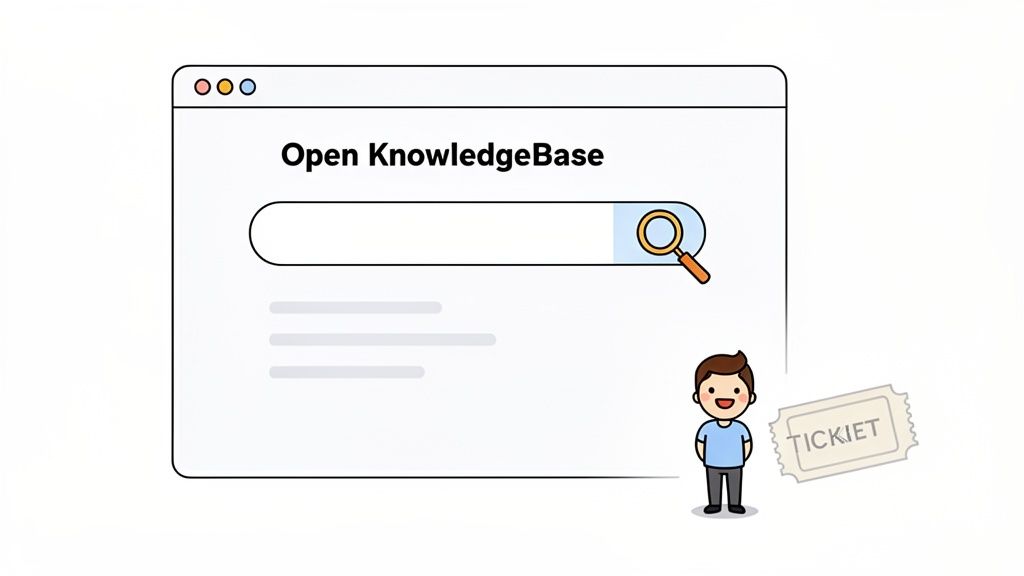
This metric’s value is proven by companies like Intercom, which deflects 30-40% of support cases with its knowledge base. In modern support, the knowledge base isn’t just a static library; it’s the training data for AI. For instance, Ticketdesk AI uses your documentation to train its agents, achieving first-contact resolution rates of 60-75% by providing instant, accurate answers derived from your content.
How to Improve Your Self-Service Utilization
Boosting your self-service utilization creates a positive feedback loop: better resources lead to fewer tickets, freeing up agents to create even better resources.
- Build Content from Real Tickets: Don’t guess what customers need. Analyze your most frequent support tickets and turn the solutions into detailed knowledge base articles. This ensures your content directly addresses real-world problems.
- Use AI to Power Your KB: Leverage platforms like Ticketdesk AI, which not only answers tickets but also identifies gaps in your knowledge base. It can suggest new articles based on recurring, unanswered customer questions, keeping your content relevant and effective.
- Optimize for Search and Accessibility: Organize your knowledge base with clear categories, tags, and a powerful search function. Ensure articles are easy to read with short paragraphs, images, and videos. An undiscoverable answer is the same as no answer at all.
- Track Article Effectiveness: Monitor which articles are viewed most and which ones lead to ticket deflection. Use a simple “Was this helpful?” survey at the end of each article to gather direct feedback and identify content that needs improvement.
10. Support Cost per Resolution and Cost per Ticket
Support Cost per Resolution, often used interchangeably with Cost per Ticket, measures the total operational expense required to resolve a single customer support issue. This metric is a vital component of key performance metrics for customer service because it directly connects support activities to business finances. It provides a clear, quantifiable way to understand the economic efficiency of your support operations and demonstrate their return on investment (ROI).
Calculating this metric involves dividing your total support department costs (including salaries, benefits, software, and overhead) by the total number of tickets resolved in a specific period. For a typical SaaS company, this cost can range from $5 to $15 per ticket. A lower cost per resolution, achieved without sacrificing quality, signifies a highly efficient and scalable support model.
How to Reduce Your Support Cost per Resolution
Lowering your cost per ticket requires a focus on efficiency, automation, and strategic resource allocation. The objective is to resolve more issues with the same or fewer resources, thereby boosting the department’s financial performance.
- Calculate Your True Cost: To get an accurate baseline, ensure you include all associated expenses. This includes agent salaries, benefits, training costs, software licenses (for your helpdesk, CRM, etc.), and a portion of office infrastructure costs.
- Leverage AI for High-Volume Tasks: Implement an AI-powered helpdesk like Ticketdesk AI to automate repetitive tasks like ticket categorization, routing, and answering common questions. Our users consistently see a 40-60% reduction in cost per ticket, with a tangible ROI often realized within 3-6 months.
- Segment Costs by Issue Type: Analyze costs for different categories of support requests. You might find that “billing inquiries” are cheap to resolve, while “technical bug reports” are expensive. This insight allows you to focus process improvement and automation efforts where they will have the greatest financial impact.
- Correlate Cost with CSAT: As you work to lower costs, monitor your Customer Satisfaction (CSAT) scores closely. The goal is efficiency, not cutting corners. A drop in CSAT could indicate that cost-saving measures are negatively affecting the customer experience. You can project the financial impact of these efforts by using a help desk ROI calculator to model potential savings.
Top 10 Customer Service Metrics Comparison
| Metric | Implementation  (complexity) (complexity) |
Resources  (requirements) (requirements) |
Expected Outcomes 
|
Ideal Use Cases 
|
Key Advantage 
|
|---|---|---|---|---|---|
| Average Response Time (ART) | Low-Medium - automated ACKs & routing easy to deploy |
Low-Medium - chatbots, routing rules, monitoring | Faster first replies; improved perceived service; possible sub‑minute ART
|
High‑volume channels, 24/7 support, initial ticket triage | Immediate engagement reduces customer anxiety
|
| First Contact Resolution (FCR) | Medium-High - KB integration & AI training required |
Medium-High - knowledge base, AI models, context access | Higher % issues resolved on first contact; lower repeat tickets
|
Complex products with repeatable fixes; goal: reduce recontacts | Strongest driver of satisfaction and cost reduction
|
| Customer Satisfaction Score (CSAT) | Low - post‑interaction surveys simple to add |
Low - survey tool + analytics | Direct measure of perceived support quality; trendable
|
Monitoring individual interactions and agent performance | Quick, easy feedback to act on (granular)
|
| Net Promoter Score (NPS) | Low - periodic single‑question surveys |
Low-Medium - sampling, cross‑segment analysis | Predicts loyalty and long‑term growth; benchmarkable
|
Company‑level loyalty tracking and strategic planning | Industry‑comparable metric for growth correlation
|
| Resolution Time (MTTR) | Medium - requires routing, escalation workflows |
Medium - cross‑team coordination, tooling, AI suggestions | Faster end‑to‑end resolutions; exposes bottlenecks
|
Technical support and incidents requiring multi‑step fixes | Measures full lifecycle efficiency and operational gaps
|
| Customer Effort Score (CES) | Low-Medium - single‑question survey + context |
Low-Medium - surveys, process mapping, self‑service options | Identifies friction; strong predictor of loyalty
|
Process simplification initiatives and UX improvements | Actionable for reducing customer friction and churn
|
| Ticket Volume & Backlog | Low - tracking and aging reports straightforward |
Low-Medium - analytics, categorization, SLAs | Visibility into capacity, seasonal trends, backlog aging
|
Staffing forecasts, surge planning, SLA management | Signals resource needs and workload hotspots
|
| Agent Productivity & Utilization | Medium - WFM and performance instrumentation |
Medium - agent tools, coaching, utilization tracking | Higher throughput; identifies training needs; cost impact
|
Optimize staffing, improve throughput, identify top performers | Direct lever on cost per resolution and efficiency
|
| Knowledge Base & Self‑Service Utilization | High - content creation, organization, search UX |
High - writers, CMS, analytics, continual updates | Ticket deflection, scalable support, better self‑service rates
|
High‑repeat questions, scaling support without headcount growth | Largest long‑term cost‑savings and scalability driver
|
| Support Cost per Resolution / Cost per Ticket | Medium - requires accurate cost allocation |
Medium - finance inputs, tooling, segmentation | Measures ROI; prioritizes automation investments
|
Business cases for tooling/AI and profitability analysis | Connects support operations to financial impact and ROI
|
From Measurement to Mastery: Activating Your Support Data
You’ve navigated the essential landscape of key performance metrics for customer service, from the immediate pulse check of Average Response Time to the long-term loyalty signal of the Net Promoter Score. Understanding these individual KPIs is a critical first step, but the true transformation happens when you move from simply measuring data to actively mastering it. Each metric we’ve explored is not an isolated number; it is a vital chapter in your customer’s story.
FCR tells you how effective you are at providing complete solutions. CSAT and NPS capture the emotional outcome of your interactions. CES reveals the hidden friction in your processes. By themselves, they are informative. Together, they create a comprehensive, multi-dimensional view of your support organization’s health and its impact on the business. The goal is to avoid the common pitfall of “metric myopia,” where focusing intensely on improving one KPI, like Resolution Time, inadvertently harms another, like Customer Satisfaction.
The Power of a Balanced Scorecard
The most successful support leaders don’t fixate on a single “magic metric.” Instead, they build a balanced scorecard that connects operational efficiency with customer experience.
- Efficiency Metrics (ART, MTTR, Ticket Volume): These tell you how fast and how much your team is handling. They are the engine of your support operation.
- Effectiveness Metrics (FCR, Knowledge Base Utilization): These reveal how well you are solving problems. Are you providing lasting solutions or just temporary fixes?
- Experience Metrics (CSAT, NPS, CES): These capture how customers feel about their interactions. They are the ultimate arbiter of your success and a leading indicator of retention and loyalty.
This holistic approach ensures you aren’t just closing tickets faster; you’re creating happier, more successful customers who require less effort to get the help they need. This is the cornerstone of a sustainable, scalable, and value-driven support strategy.
Activating Your Insights with the Right Tools
Monitoring these metrics is one thing; improving them is another. This is where modern helpdesk platforms become indispensable partners. A system like Ticketdesk AI is engineered not just to display dashboards but to serve as an active engine for improvement.
Key Takeaway: A great helpdesk doesn’t just show you the problem; it gives your team the tools to solve it. By automating ticket categorization, suggesting relevant knowledge base articles, and providing agents with complete customer context, it directly impacts your ability to improve these crucial KPIs.
When an AI-powered system handles the routine, repetitive tasks, your agents are freed up to focus on complex problem-solving and building customer relationships. This directly translates into better agent productivity, faster resolutions, and higher satisfaction scores. The platform becomes a proactive participant in creating better outcomes.
Your Action Plan for Data-Driven Support
Transforming your customer service department into a data-driven powerhouse doesn’t happen overnight. It begins with a few focused, intentional steps.
- Select Your “North Star” Metrics: Start small. Choose 3-4 core metrics that align most closely with your current business goals. For a startup focused on product adoption, FCR and Knowledge Base Utilization might be key. For an enterprise focused on retention, NPS and CES are paramount.
- Establish Clear Baselines and Goals: You cannot improve what you don’t measure. Document your current performance for your chosen metrics and set realistic, time-bound improvement goals. Share these goals transparently with your team.
- Empower, Don’t Micromanage: Use these key performance metrics for customer service as tools for coaching and process improvement, not for punishing underperformance. Celebrate wins, identify opportunities in team huddles, and give agents the autonomy and resources to contribute to the goals.
The journey from measurement to mastery is a continuous cycle of learning, adapting, and improving. By weaving these KPIs into the fabric of your daily operations and empowering your team with intelligent tools, you are not just managing a support queue. You are building a world-class customer experience engine that drives loyalty, reduces churn, and becomes a powerful competitive advantage. The data is waiting; it’s time to put it to work.