Chatbot Builder
Create an AI chatbot for sales, support, or lead generation. Add your website documentation as a source, preview the live chat, and embed it anywhere.
Auto-filled from the selected purpose. Edit to fine-tune your bot's behavior.
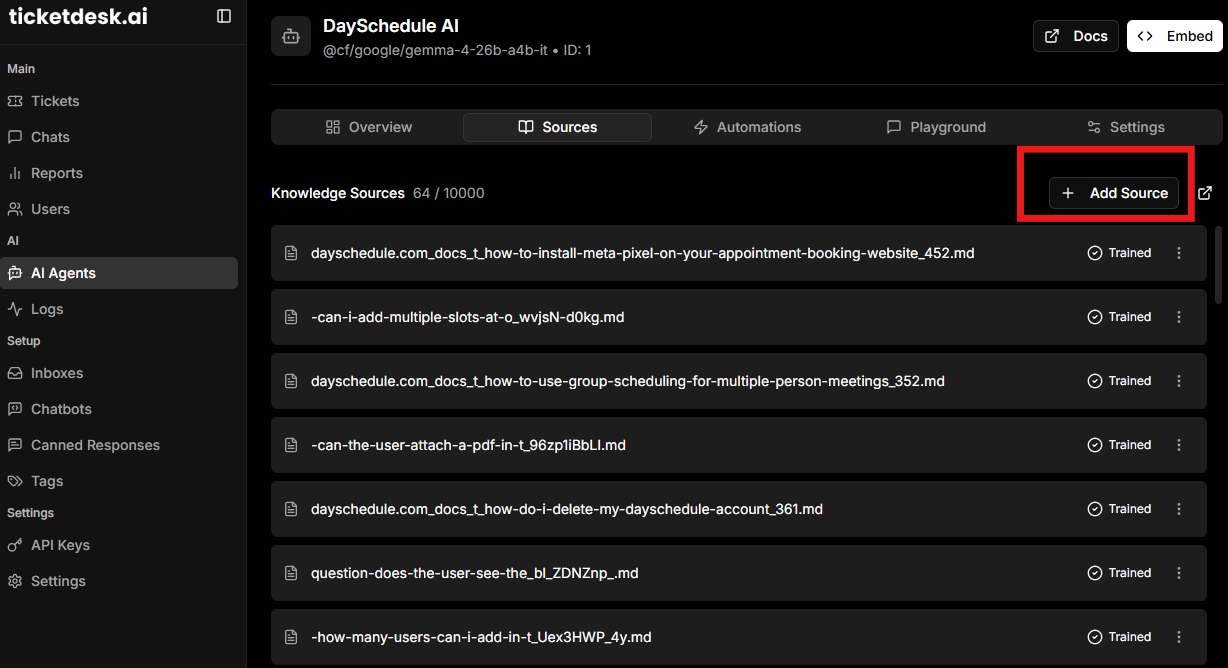
Add website URLs to index. The bot will answer using content from these pages.
- https://ticketdesk.ai/docs
What is the Chatbot Builder?
The Chatbot Builder is a free tool to design an AI chatbot for your website. Pick a purpose (customer support, sales or lead generation), customize the system prompt, and add the URLs you want the bot to learn from.
Then preview the conversation live before embedding it on your site.
Can I edit the system prompt?
Yes. We pre-fill a strong default prompt based on the purpose you select for the chatbot, but every word is editable. Use the prompt to set tone, restrict topics, or instruct the bot to always collect a specific piece of information.
How does the bot learn from my website?
When you add a website URL as a source, our crawler indexes the public pages, convert it to markdown and feeds the content to the bot at chat time. The more relevant pages you add (docs, pricing, FAQs), the better the answers - just like training a human teammate.
How do I add the chatbot to my website?
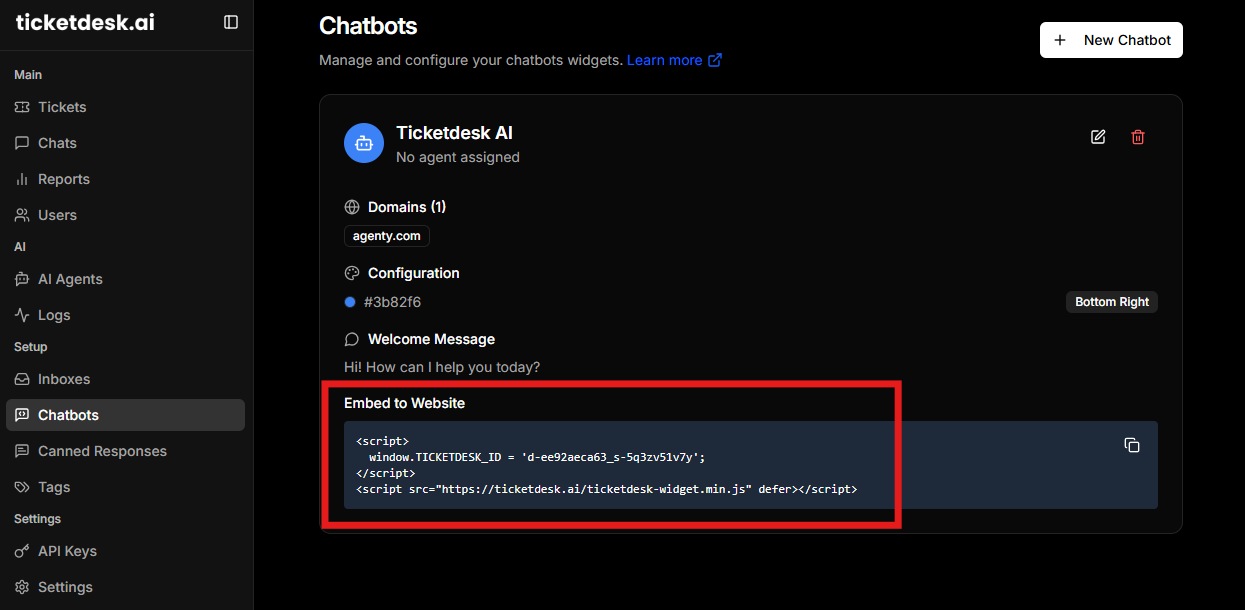
Click Embed on website to copy a one-line script tag, then paste it just before the closing </body> tag on your site. This script loads the chatbot widget and connects it to your account. View full embed guide.
You'll need an account to publish your chatbot so we can host it, store conversations, and keep your data sources up to date.
Here are the step-by-step guides for popular platforms:
You can also embed it in platforms like WordPress, Vue, or any website that supports custom HTML/JavaScript.