Article
10 Best SaaS Support Tools in 2026
Updated · View as Markdown
In the fast-paced SaaS landscape, exceptional customer support is the engine for retention and growth. As customer expectations rise, manual processes and disjointed systems quickly become bottlenecks, leading to slow responses, frustrated users, and agent burnout. The right SaaS customer support tools can transform this chaos into a streamlined, intelligent operation. This guide moves beyond generic feature lists to offer a practical analysis of the top platforms in 2026.
We’ll explore how modern helpdesks, AI-powered automation, and robust knowledge base systems work together to reduce ticket volume, improve resolution times, and empower your team to focus on building lasting customer relationships. We’ve organized the best SaaS support tools into clear categories, complete with screenshots, direct links, and practical analysis to help you find the perfect fit for your team’s specific needs.
We cover everything from core helpdesk platforms like and Help Scout to specialized solutions like Gorgias and Ticketdesk AI, ensuring you have a full picture of the market.
Let’s dive into the tools that can scale your support operations effectively:)
1. Ticketdesk AI
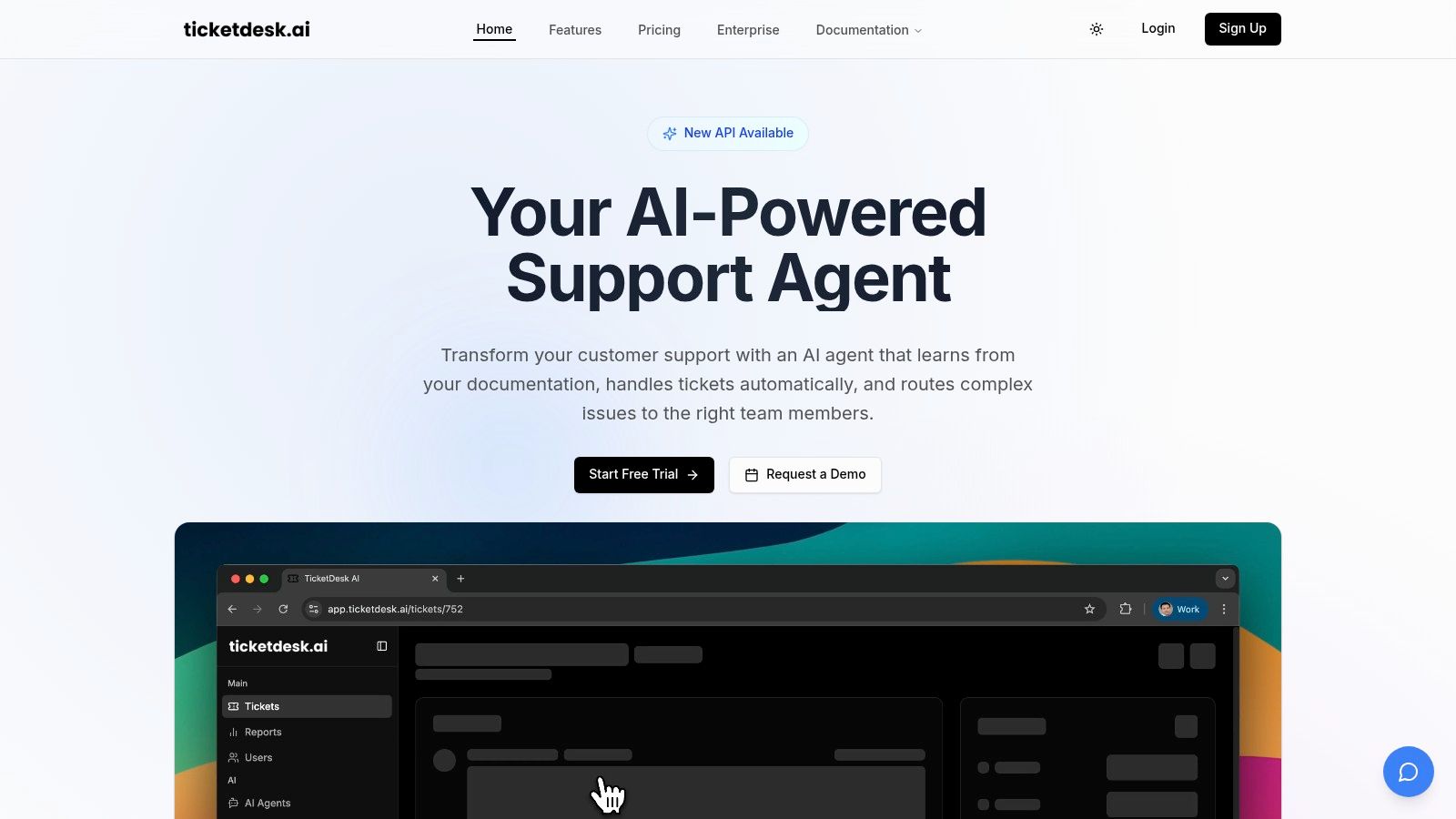
Ticketdesk AI stands out as a formidable, AI-native helpdesk engineered to automate the entire support ticket lifecycle. It moves beyond basic ticketing by leveraging a sophisticated AI engine that continuously learns from your company’s internal documentation, FAQs, and even API references. This allows it to deliver highly contextual, accurate responses, making it one of the most intelligent saas support tools available today for teams focused on scalability and efficiency.
The platform’s core strength lies in its ability to automate tasks that traditionally consume significant human resources. From the moment a ticket arrives, the AI can classify the issue, apply relevant tags, and route it to the correct department, whether that’s billing, engineering, or product.
This intelligent routing ensures complex problems are escalated to human experts immediately, while the AI handles repetitive queries 24/7. This dual approach helps SaaS companies dramatically reduce response times and operational costs, with the platform citing impressive metrics like a 90% faster response time and transforming 300 hours of manual work into just minutes of automated processing.
Key Capabilities and Use Cases
Ticketdesk AI is built for rapid deployment and immediate impact, positioning itself as an enterprise-ready solution with a quick time-to-value. The platform emphasizes a “human-in-the-loop” model, where AI-suggested replies can be reviewed and approved by agents, ensuring quality control while still maximizing efficiency.
- Ideal Use Case: Best suited for fast-growing SaaS companies and enterprises looking to scale their support operations without a proportional increase in headcount. It is particularly effective for businesses with a robust, well-maintained knowledge base that the AI can leverage for training.
- Standout Feature: The AI’s ability to learn from technical documentation and API guides allows it to provide nuanced, accurate answers to complex product questions, a significant differentiator from more generic AI chatbots. For companies seeking to leverage advanced AI in their support, considering solutions like an AI Receptionist integration with CRM systems can further streamline operations and enhance customer interactions.
- Analytics and Collaboration: Built-in dashboards provide real-time insights into key metrics like resolution rates, response times, and CSAT. Agents can use internal notes and assignments to collaborate on complex tickets, ensuring a seamless handoff between the AI and human teams.
Pros and Cons
| Pros | Cons |
|---|---|
| Comprehensive Automation: Automates ticket tagging, routing, and replies, significantly reducing manual agent workload. | Documentation Dependency: The AI’s effectiveness is directly tied to the quality and completeness of your existing knowledge base. |
| Context-Aware AI: Learns from your specific documentation for more accurate, relevant answers over time. | Opaque Pricing: Pricing is not publicly listed; a demo or custom quote is required to determine the total cost of ownership. |
| Rapid Deployment: Claims a setup time of 10-30 minutes, a stark contrast to the weeks often required for traditional helpdesks. | |
| Built-in Analytics: Provides actionable insights into team performance and customer satisfaction without needing third-party tools. |
Pricing and Access
Ticketdesk AI does not offer fixed public pricing tiers. Instead, it encourages potential users to book a demo or start a free trial to evaluate the platform. This approach suggests a focus on customized, enterprise-level packages tailored to specific business needs.
Website: https://ticketdesk.ai
2. Zendesk
Zendesk is a titan in the customer service software space, offering an enterprise-ready suite that has evolved significantly over the years. It stands out as a comprehensive, all-in-one solution for support teams managing high volumes of inquiries across multiple channels like email, chat, voice, and social media. This platform is a prime example of a mature tool that scales effectively from a growing startup to a large, complex enterprise.
The platform’s strength lies in its robust, interconnected ecosystem. Unlike newer, niche tools, Zendesk provides a unified agent workspace, powerful ticketing, and deep customization options. It’s one of the most well-documented SaaS support tools available, backed by an extensive marketplace of third-party integrations, allowing you to connect it to virtually any other business software in your stack.
Key Features and Use Case
Zendesk is ideal for mixed-channel support teams needing a secure, scalable platform. The optional AI add-ons, including unlimited Copilot access and advanced autonomous agents, allow organizations to phase in automation at their own pace. Native add-ons for Quality Assurance (QA) and Workforce Management (WFM) further centralize support operations.
- Pros: Highly mature platform with extensive documentation, broad analytics and administrative controls included, and multiple AI add-ons for phased automation.
- Cons: The cost of AI features can add up quickly, and the best pricing is typically found with annual commitments.
Pricing: Suite Team plans start at $55 per agent/month (billed annually). Advanced AI features are available as add-ons.
Website: https://www.zendesk.com/pricing/
3. Freshdesk (Freshworks)
Freshdesk, a core product of the Freshworks suite, presents a compelling option for businesses seeking a powerful help desk with integrated AI at a competitive price point. It is designed for teams that prioritize both omnichannel capabilities and cost control, offering a modern, intuitive interface that simplifies agent workflows. The platform is particularly well-suited for small to mid-sized businesses looking to scale their support operations without a significant upfront investment.
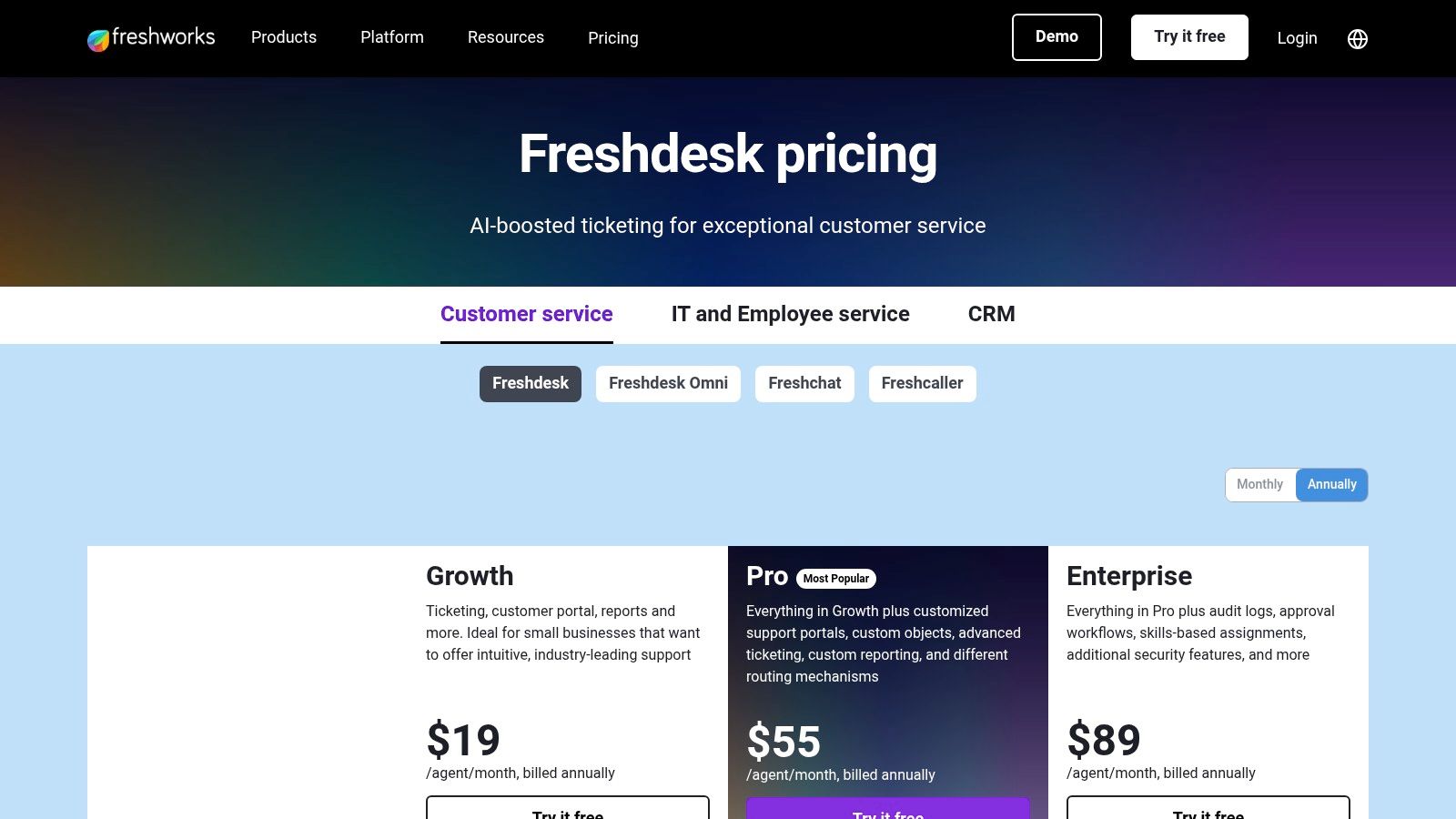
Freshdesk’s strength lies in its built-in AI, “Freddy,” which is woven into its ticketing, automation, and reporting features. Unlike platforms where AI is a costly, all-or-nothing add-on, Freshdesk offers usage-based AI session pricing, giving teams more control over their spending. This approach makes it one of the more accessible saas support tools for companies wanting to experiment with AI-driven efficiency. By managing costs effectively, teams can better understand the return on investment of their help desk and scale AI usage as needed.
Key Features and Use Case
Freshdesk is ideal for support teams that require a fast-to-implement, omnichannel solution with predictable AI costs. Its large integration catalog allows it to connect seamlessly with other business tools, while its multichannel ticketing system unifies conversations from email, a customer portal, and a knowledge base. The availability of a unified Omnichannel SKU adds chat, voice, and SMS for a complete customer view.
- Pros: Competitive entry pricing and free trials, usage-based AI session pricing helps control costs, and fast setup with 24x5 support included.
- Cons: Some advanced analytics and customizations are gated to higher-tier plans, and AI session overages can add pricing complexity if not monitored.
Pricing: A free plan is available for up to 10 agents. Paid plans start at $15 per agent/month (billed annually).
Website: https://www.freshworks.com/freshdesk/pricing/
4. Intercom
Intercom pioneered the in-app messenger and has since evolved into a powerful, AI-first customer service platform. It excels at creating a seamless, contextual support experience directly within a product or website, making it ideal for businesses that prioritize proactive engagement and in-product messaging. The platform combines a modern help desk, a shared inbox, and a sophisticated AI agent named Fin.
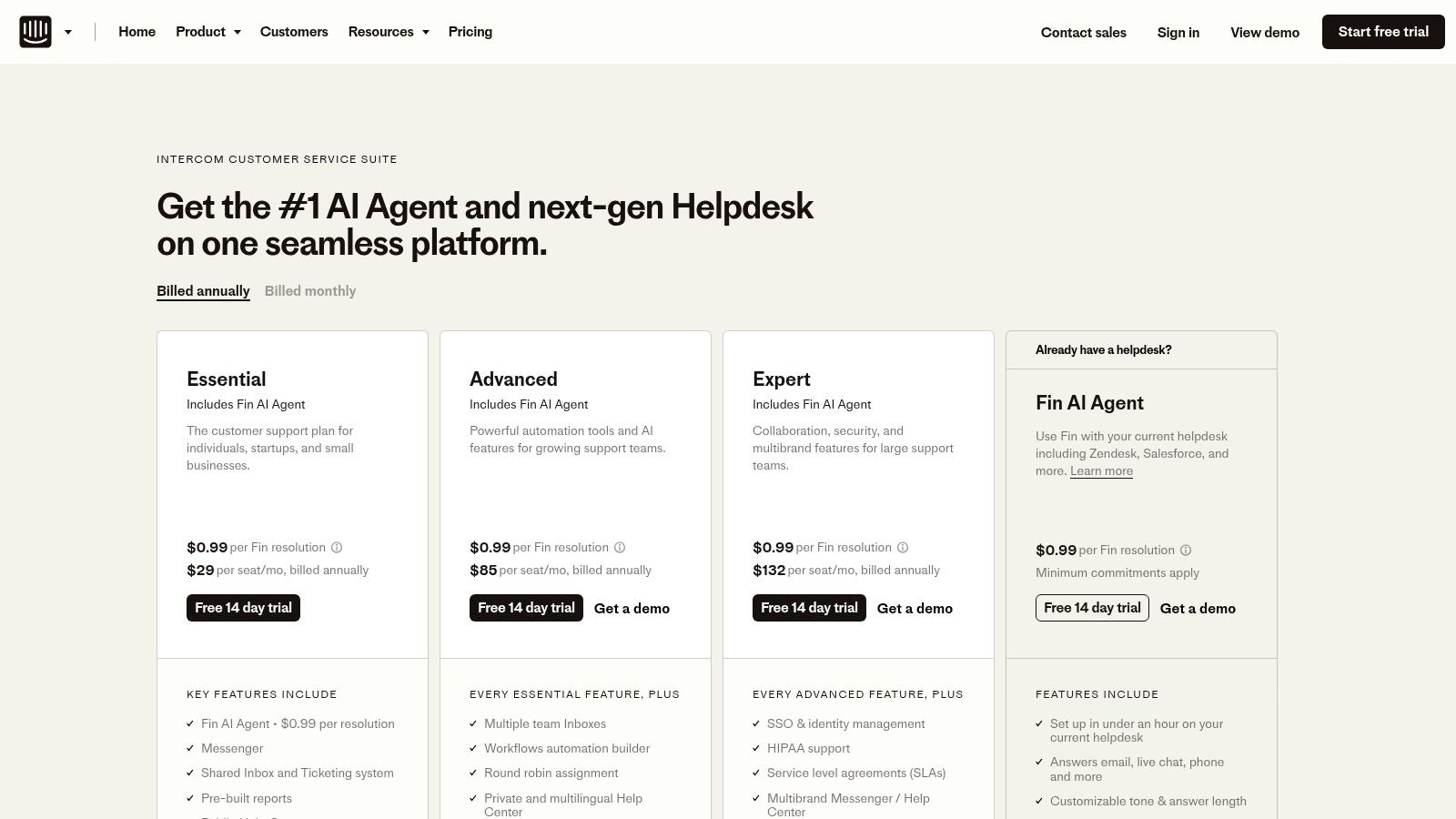
Its unique strength is its polished user interface and its focus on resolution-based AI pricing. Fin, the AI agent, is billed per resolved conversation, which directly aligns automation costs with tangible outcomes. This model makes it one of the most interesting SaaS support tools for teams aiming to demonstrate a clear return on investment from their AI implementation.
Key Features and Use Case
Intercom is best suited for support and product teams who want to deliver a highly integrated, messenger-first experience. The platform’s Fin AI Agent, shared inbox, help center, and workflow builder provide a comprehensive toolkit for managing conversations. Optional add-ons for Proactive Support and a Copilot enhance its capabilities for outbound messaging and agent assistance. For those interested in a deeper dive, you can learn more about Intercom’s role in modern AI-driven support.
- Pros: Resolution-based AI pricing aligns spend to outcomes, polished UI and in-product messaging tools, and strong automation with lightweight CRM context.
- Cons: Combining seat pricing with resolution fees can be tricky to forecast, and add-ons are required for some outbound or product tour use cases.
Pricing: Essential plans start at $39 per seat/month. Fin AI Agent pricing is based on resolutions, starting at $0.99 per resolution.
Website: https://www.intercom.com/pricing
5. Help Scout
Help Scout is a customer-centric help desk designed for teams that prioritize a personal, human touch in their support interactions. It excels as an email-first platform with a clean, shared inbox that feels familiar and intuitive, making it a favorite among SMBs and teams looking for fast onboarding. The platform strips away the complexity often found in enterprise-grade software, focusing instead on a streamlined agent experience that promotes collaboration and efficiency.
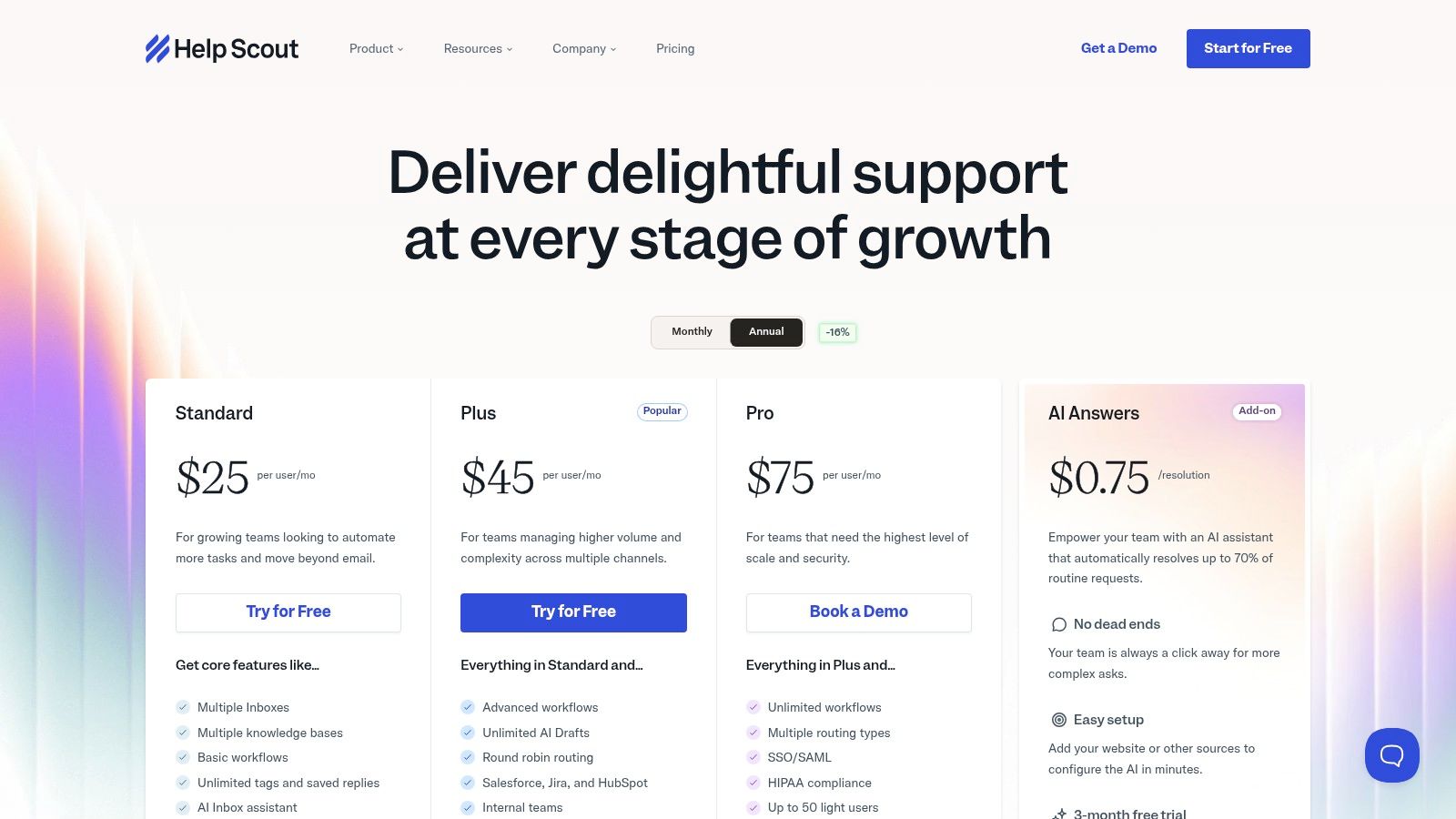
Unlike more heavyweight SaaS support tools, Help Scout blends its core ticketing functionality with a light CRM, a self-service knowledge base, and pragmatic AI features. This combination allows support agents to see customer context, deflect common questions, and draft replies without leaving their primary workspace. Its emphasis on simplicity makes it one of the top SaaS customer support tools for businesses that need powerful features without a steep learning curve or extensive administrative overhead.
Key Features and Use Case
Help Scout is ideal for growing support teams that need a shared inbox, knowledge base, and live chat in one easy-to-use package. Its AI tools, like the AI Inbox assistant and AI drafts, are designed to assist agents rather than replace them, focusing on summarizing conversations and improving response quality. The ability to manage multiple inboxes and knowledge bases from one account makes it highly scalable for businesses managing different products or brands.
- Pros: Clean UX that’s easy for new agents, fast setup and good documentation, and fair per-user pricing across tiers.
- Cons: Some advanced routing and SSO are gated to the Pro plan, and public feedback notes occasional price hikes, so verify fit and term before committing.
Pricing: The Standard plan starts at $25 per user/month (billed annually). A free plan is available for very small teams.
Website: https://www.helpscout.com/pricing/
6. HubSpot Service Hub
HubSpot Service Hub is a powerful customer service software built directly on top of the HubSpot CRM Platform. Its primary appeal is for businesses that want a single, unified system for their marketing, sales, and service teams, eliminating data silos and creating a seamless customer journey from prospect to advocate. This tight integration makes it one of the most cohesive SaaS support tools for organizations prioritizing a single source of truth for all customer interactions.
Unlike standalone helpdesks, Service Hub leverages the full power of the CRM, providing support agents with complete context on every customer. This unified data model allows for deeply personalized service, powerful automation, and sophisticated reporting that connects support activities directly to business growth. It offers a comprehensive suite including ticketing, a knowledge base, SLAs, and customer feedback surveys.

Key Features and Use Case
Service Hub is ideal for go-to-market teams that are already invested in or are considering the HubSpot ecosystem. Its automations and workflows, available from the Professional tier, allow teams to create sophisticated ticket routing and escalation processes based on CRM data. The platform’s broad app marketplace further extends its capabilities, ensuring it can connect to other critical business tools.
- Pros: Unified data model across go-to-market teams, flexible seat model (Core and View-Only), and good scalability from free to enterprise tiers.
- Cons: Some advanced features and onboarding services add to the total cost, and the best value often requires annual billing and multi-hub bundling.
Pricing: A free plan is available. Paid plans start with the Starter tier at $20 per seat/month (billed annually).
Website: https://www.hubspot.com/products/service
7. Zoho Desk
Zoho Desk is a powerful, context-aware help desk software that stands out for its exceptional value and deep integration within the Zoho ecosystem. It provides a comprehensive, omnichannel solution for support teams looking to manage conversations from email, chat, social media, and phone in one unified interface. The platform is particularly well-suited for cost-conscious organizations or businesses already invested in other Zoho products like CRM or Books.
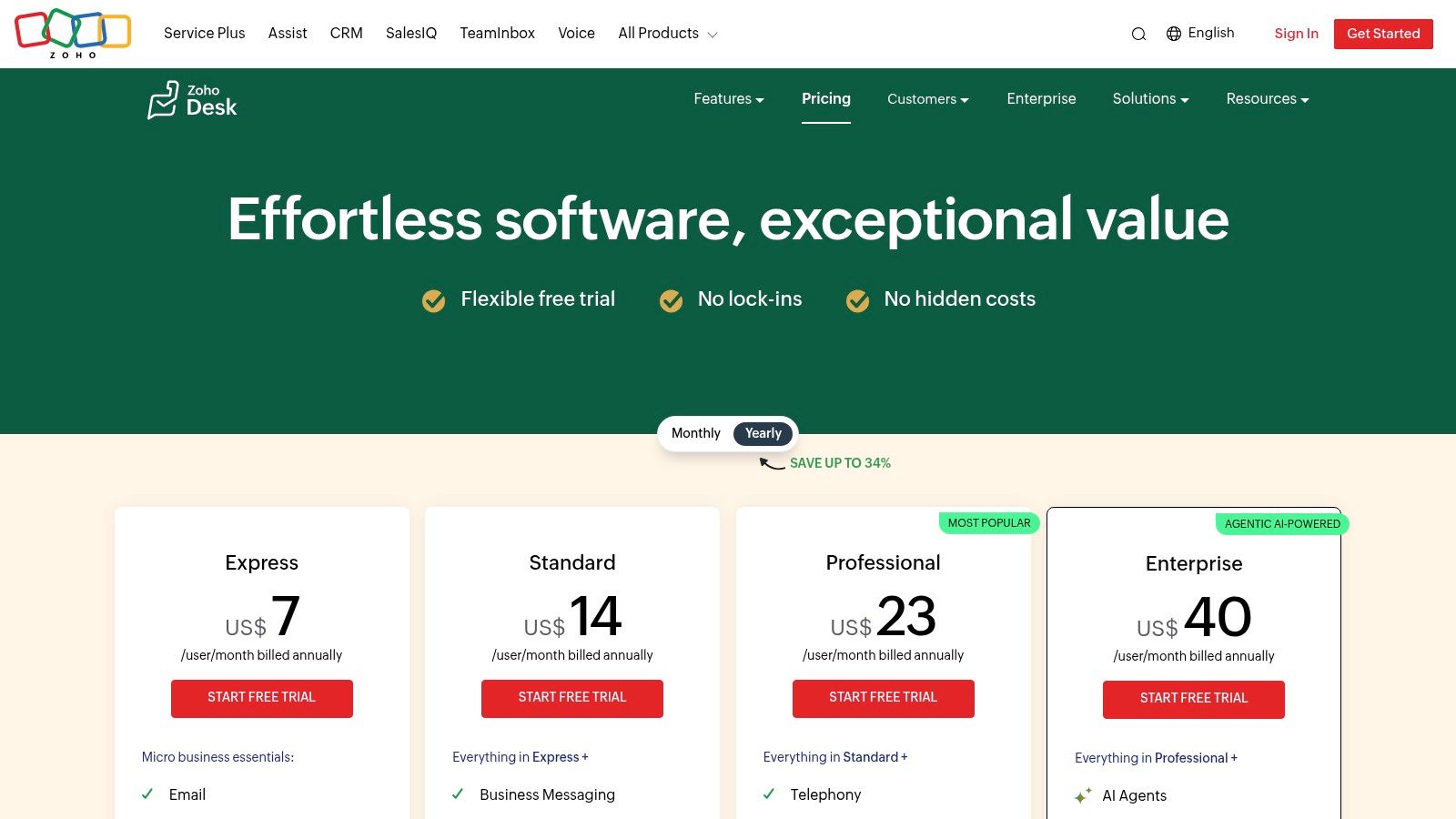
The platform’s strength is its ability to deliver a wide array of features, including AI, automation, and community forums, at a highly competitive price point. Unlike many saas support tools that gate advanced functionality behind expensive tiers, Zoho Desk makes key features accessible to smaller teams. This makes it an excellent choice for businesses aiming to scale their support operations without a proportionate increase in costs, positioning it as one of the top saas customer support tools for growing companies.
Key Features and Use Case
Zoho Desk is ideal for SMBs and mid-market companies needing an all-in-one support platform that won’t break the budget. Its built-in AI, Zia, assists agents with sentiment analysis and anomaly detection, while features like knowledge bases and community forums help customers find their own answers. The generous free plan for up to three agents also makes it a zero-risk entry point for startups.
- Pros: Competitive pricing with significant annual discounts, a wide feature set available at lower tiers, and seamless integration with the extensive Zoho suite.
- Cons: The user interface can be more complex for new administrators compared to very lightweight tools, and exact USD pricing may require selecting a specific region.
Pricing: A free plan is available for up to 3 agents. Paid plans start at $14 per agent/month (billed annually).
Website: https://www.zoho.com/desk/pricing.html
8. Salesforce Service Cloud
Salesforce Service Cloud is an enterprise-grade service platform designed for organizations that need deep integration between their support, sales, and marketing operations. Its primary strength is its native connection to the Salesforce CRM, providing support agents with a complete 360-degree view of the customer. This makes it an excellent choice for businesses where service interactions are closely tied to sales opportunities and long-term customer relationships.
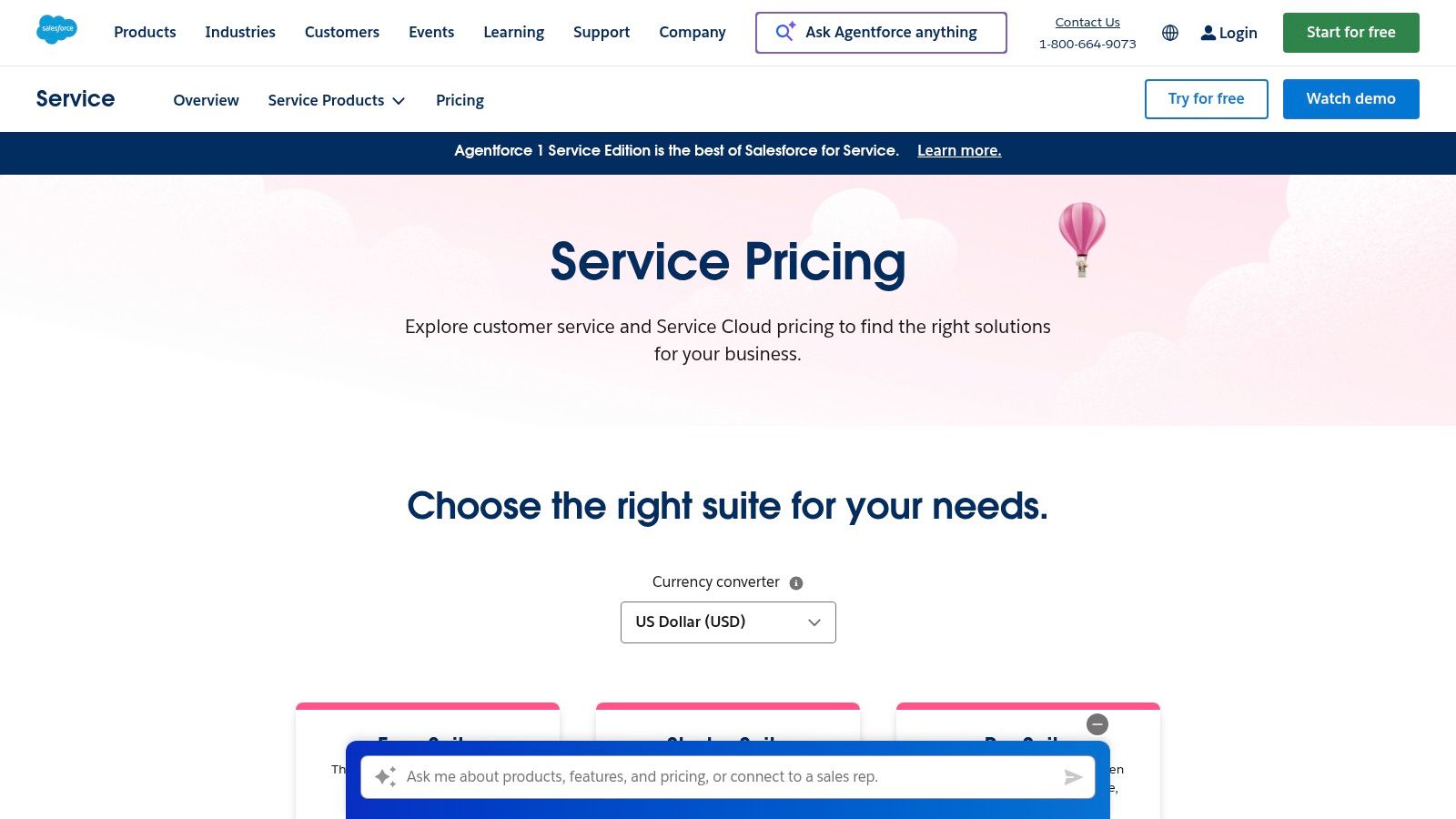
The platform goes beyond standard ticketing with powerful case management, omnichannel routing, and robust automation capabilities. What truly sets it apart is its extensibility through the AppExchange marketplace, which offers thousands of apps to customize and enhance functionality. For businesses already invested in the Salesforce ecosystem, Service Cloud is one of the most powerful SaaS support tools available, offering unparalleled governance and security controls for complex enterprise needs.
Key Features and Use Case
Service Cloud is ideal for large organizations that require a unified platform for sales and service, especially those in regulated industries needing strong governance. Its features for case management, knowledge bases, and optional self-service portals allow for a highly tailored support experience. The ability to build complex workflows and leverage deep analytics makes it a strategic asset, not just a support tool.
- Pros: Powerful customization and an enormous ecosystem, flexible deployment with many add-ons, and broad reporting and analytics options.
- Cons: Higher learning curve and implementation effort required, and overall pricing can add up significantly with add-ons and necessary sandboxes.
Pricing: Starter Suite plans begin at $25 per user/month (billed annually). Enterprise and Unlimited editions offer more advanced features.
Website: https://www.salesforce.com/service/pricing/
9. Jira Service Management (Atlassian)
Jira Service Management extends Atlassian’s project management prowess into the realm of IT service management (ITSM) and external customer support. While rooted in ITSM principles, its deep integration with the wider Jira ecosystem makes it a compelling choice for product-led and engineering-centric SaaS companies. This platform excels at connecting support requests directly to development workflows, ensuring seamless collaboration between customer-facing teams and the engineers who fix bugs and build features.
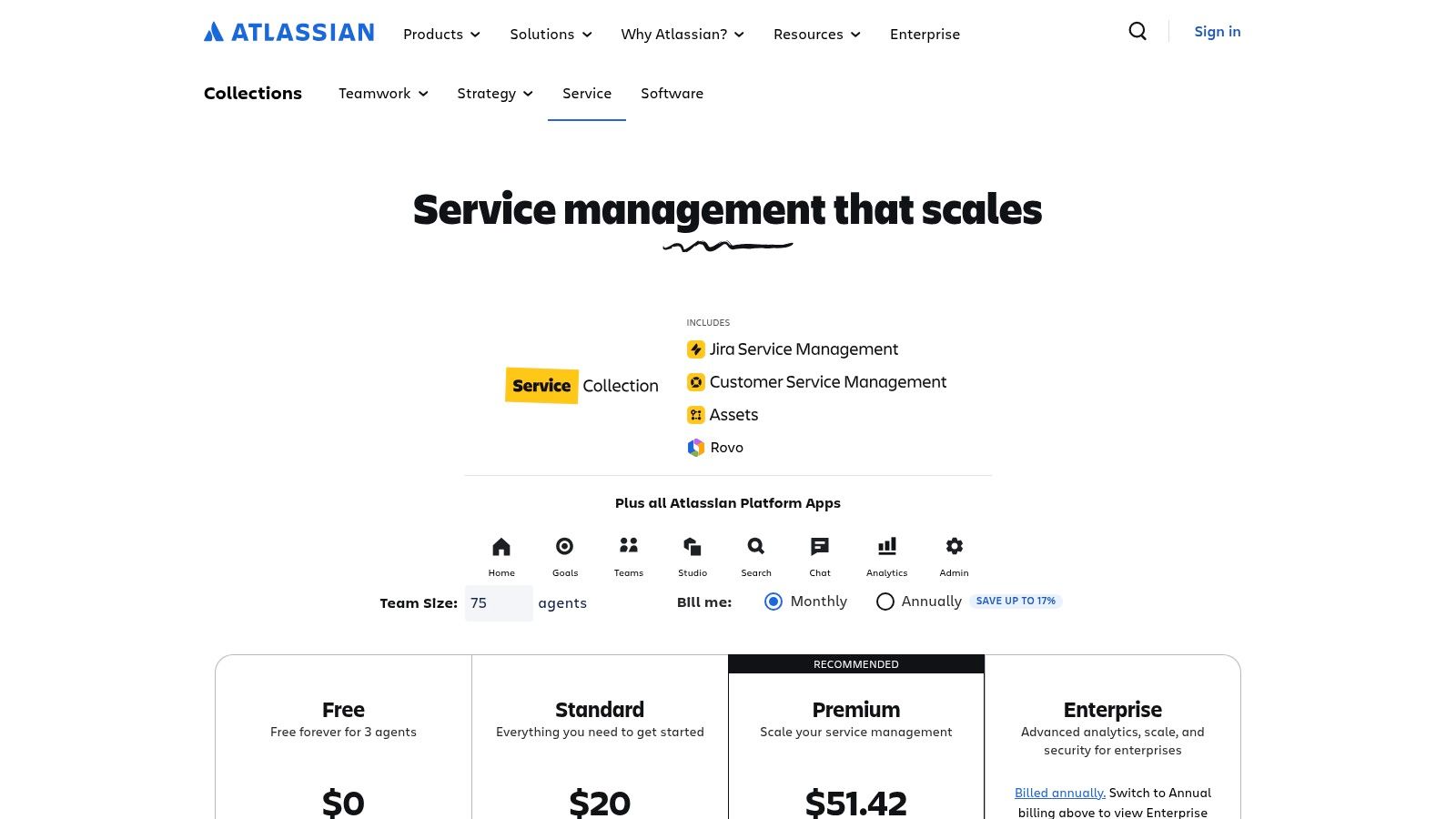
The platform’s strength is its ability to serve as a unified hub for both internal IT and external customer inquiries. For companies already using Jira for development, it offers a familiar interface and powerful automations that can link support tickets to engineering tasks with ease. As one of the more versatile SaaS customer support tools, it supports everything from simple request portals to complex incident and change management processes, making it highly adaptable.
Key Features and Use Case
Jira Service Management is ideal for cross-functional teams, particularly those where support and engineering must work in lockstep. The embedded knowledge base, powered by Confluence, allows teams to deflect common questions and build a comprehensive self-service resource. The introduction of Atlassian’s AI engine, Rovo, adds modern capabilities like intelligent search and virtual agents to higher-tier plans.
- Pros: Excellent for teams working closely with engineering, flexible workflows and forms, and a generous free tier for up to three agents.
- Cons: The customer service user experience can feel less intuitive than dedicated CX platforms without some configuration, and AI feature limits vary significantly by tier.
Pricing: A Free plan is available for up to 3 agents. Standard plans start at $22.05 per agent/month.
Website: https://www.atlassian.com/software/jira/service-management/pricing
10. Gorgias
Gorgias has carved out a distinct niche as the go-to help desk for direct-to-consumer (DTC) brands, building its entire platform around deep integrations with ecommerce ecosystems like Shopify and BigCommerce. It excels at consolidating customer conversations from email, chat, and social media into a single view enriched with live retail data. This makes it one of the most effective SaaS support tools for teams that need immediate access to order history, shipping status, and loyalty information without switching tabs.
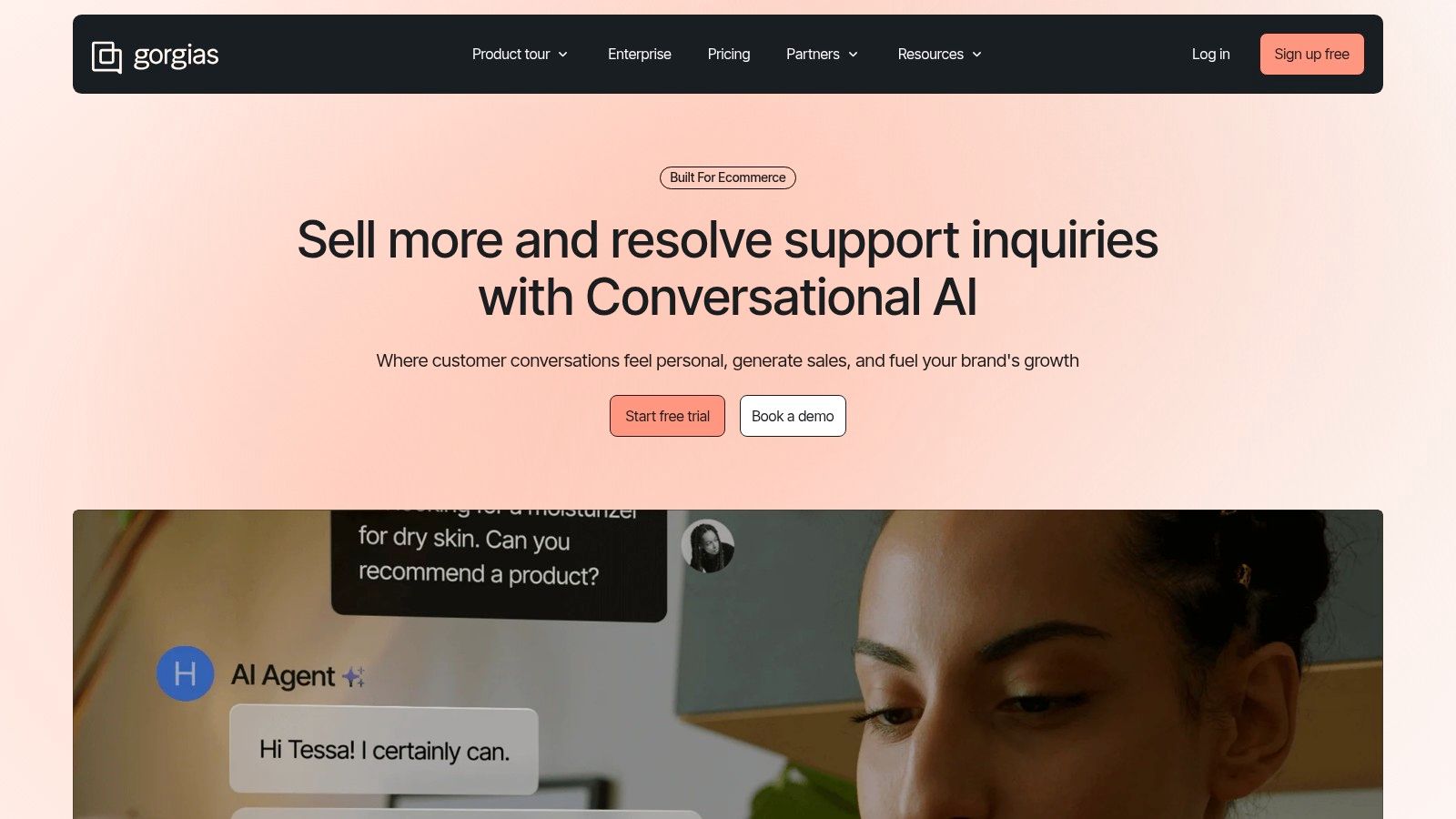
The platform’s unique value is its usage-based pricing model, which allows for unlimited users on most plans and instead charges based on ticket volume. This structure is ideal for seasonal businesses or rapidly scaling brands that need to add agents without incurring a fixed per-seat cost for each one. Gorgias is a powerful example of a specialized solution that streamlines high-volume retail and subscription support workflows far more efficiently than a general-purpose help desk.
Key Features and Use Case
Gorgias is built for ecommerce support teams managing questions about orders, returns, and product details. Its platform actions allow agents to modify orders or issue refunds directly from the help desk. The app marketplace extends functionality with AI assistants and other ecommerce-specific tools, making it a comprehensive hub for retail operations.
- Pros: Optimized workflows for retail and subscription use cases, unlimited users on many plans while paying for conversation volume, and a strong partner and integration catalog.
- Cons: Pricing pages and bundles can vary, so confirm current package and overage rates. Some advanced analytics and integrations are add-ons.
Pricing: Plans start with a baseline number of tickets per month, with optional add-ons for voice, SMS, and automation.
Website: https://www.gorgias.com
Top 10 SaaS Support Tools - Quick Comparison
| Product | Core features | UX & quality (★) | Value ( ) ) |
Target ( ) ) |
Unique ( ) ) |
|---|---|---|---|---|---|
Ticketdesk AI 
|
AI-driven ticket automation, auto-tagging, smart routing, real-time analytics, API | ★★★★★ Context-aware replies, human-in-loop |
Demo / custom - high ROI claims |
Support teams (SMB → Enterprise) |
Learns from your docs; very fast setup & escalation |
| Zendesk | Omnichannel suite, AI copilots, QA, WFM add-ons | ★★★★☆ Mature, robust tooling |
Tiered + AI add-ons (can add up) |
Mid → Enterprise, mixed-channel teams |
Large app marketplace & integrations |
| Freshdesk (Freshworks) | Multichannel ticketing, Freddy AI, automations, omnichannel SKU | ★★★★☆ Competitive, fast setup |
Entry-friendly + usage-based AI sessions |
SMBs & cost-conscious teams |
Usage-based AI pricing to control costs |
| Intercom | In-product messenger, Fin AI per-resolution, shared inbox | ★★★★☆ Polished UI, product-focused |
Per-resolution + seats - ROI-aligned |
Product-led teams & in-app support |
Resolution-based billing; strong in-app messaging |
| Help Scout | Email-first inbox, KB, AI drafts, workflows | ★★★★☆ Simple, agent-friendly UX |
Per-seat - fair tiers; free plan |
Small teams & SMBs |
Clean UX and rapid onboarding |
| HubSpot Service Hub | Ticketing, SLAs, KB, workflows built on CRM | ★★★★☆ Unified CRM-aligned experience |
Bundled pricing; add-ons increase cost |
Sales/marketing/service-aligned orgs |
Deep CRM data model & marketplace |
| Zoho Desk | Omnichannel support, KB, automation, Zia AI | ★★★☆☆ Feature-rich, steeper UI |
Cost-focused; free tier available |
Cost-conscious teams / Zoho users |
Wide feature set at lower price tiers |
| Salesforce Service Cloud | Case mgmt, omnichannel routing, AppExchange extensibility | ★★★★☆ Powerful, enterprise-grade |
Premium - many paid add-ons |
Large enterprises needing CRM tie-in |
Highly extensible ecosystem & governance |
| Jira Service Management | ITSM, request portals, SLAs, Confluence KB, Rovo AI | ★★★★☆ Engineering-aligned workflows |
Per-agent pricing + free tier |
Dev/engineering-led organizations |
Strong Dev/ops integration & Confluence KB |
| Gorgias | Ecommerce-focused helpdesk, Shopify/BigCommerce actions | ★★★★☆ Retail-optimized UX |
Usage-based ticket bundles & overages |
Ecommerce / DTC brands |
Deep ecommerce platform actions & flows |
Making the Right Investment in Your Customer Experience
Choosing the right SaaS support tools is no longer just an operational decision; it’s a strategic investment in your company’s future and a cornerstone of your customer experience. The platforms we’ve explored, from enterprise powerhouses like Zendesk and Salesforce Service Cloud to nimble, specialized solutions like Gorgias and the AI-native Ticketdesk AI, represent the best options available in 2026. Navigating this landscape can feel overwhelming, but the goal is to look beyond surface-level features and focus on the core outcomes that drive business growth.
The central takeaway is this: the best tool is the one that directly addresses your team’s most significant pain points and aligns with your long-term vision. For a rapidly scaling startup, this might mean prioritizing AI automation to handle ticket volume without ballooning headcount. For a large enterprise, the focus could be on seamless integration with an existing CRM and advanced analytics for global operations. The key is to move from a reactive “problem-solving” mindset to a proactive “experience-building” one.
From Selection to Strategic Advantage
Making the right choice requires a clear, methodical approach. Before you commit to a platform, consider this your final checklist to ensure you’re building a truly effective support stack.
1. Define Your Core Problem First, Not the Solution:
- Are your agents drowning in repetitive, low-level tickets? An AI-driven tool like Ticketdesk AI might be the answer.
- Is your biggest challenge a lack of a single, unified view of the customer? A comprehensive platform like HubSpot Service Hub or Zendesk could be a better fit.
- Do you struggle with slow resolution times due to siloed information? Focus on platforms with strong knowledge base and internal collaboration features, such as Jira Service Management.
2. Map Your Customer Journey:
- Identify every touchpoint where a customer might need help. Does your current process feel disjointed?
- Look for saas support tools that can provide a consistent experience across all channels, whether it’s live chat, email, or a self-service portal. Platforms like Intercom excel at this conversational, journey-based support.
3. Plan for Implementation and Adoption:
- The most powerful tool is useless if your team doesn’t use it. Prioritize platforms with intuitive interfaces and excellent onboarding support.
- Factor in the technical lift. How easily does it integrate with your existing software? Does it require dedicated developer resources, or can your support lead manage the setup?
4. Future-Proof Your Support Operations:
- Your business will evolve, and your support needs will change. Select a tool that can scale with you.
- Ask vendors about their product roadmap. Are they investing in AI, proactive support features, and deeper analytics? Choosing a forward-thinking partner is crucial for long-term success.
Your Next Steps
To turn this information into action, begin by auditing your current support workflow. Identify the top three bottlenecks that slow down your team and frustrate your customers. Use this audit to create a shortlist of 2-3 tools from our list that specialize in solving those specific problems. Engage with their sales teams, request personalized demos that mirror your real-world use cases, and don’t be afraid to ask tough questions about limitations and implementation timelines.
Ultimately, the goal of investing in saas customer support tools is to empower your team to do their best work. When you equip them with the right platform, you reduce their manual workload, accelerate resolutions, and free them up to handle complex issues that truly require a human touch. This transforms your support department from a cost center into a powerful engine for customer loyalty and a distinct competitive advantage. The right investment today will pay dividends in customer satisfaction and retention for years to come.