The Reports section in Ticketdesk AI provides a comprehensive view of your customer support performance. You can track average response times, ticket handling times, ticket volume, support channels, and much more.
Delivering fast and efficient customer support isn’t possible without clear visibility into your support team’s daily operations. Whether you’re running a startup helpdesk or scaling enterprise-level customer support system - The repots give you the full insights needed to improve response times, agent performance, and customer satisfaction.
In Ticketdesk AI, there are six main types of reports:
- New Tickets
- Tickets handled by AI
- Tickets handled by Agents
- Source breakdown
- Resolution Time
- First Response Time
New Tickets Received Per Date
Tracking new ticket volume helps support managers understand customer demand, workload distribution, and whether your team needs more staffing or AI automation.

Tickets Handled by AI
If you’re using AI automation to automatically respond to your support tickets using LLM models like ChatGPT, Gemini, Claude, etc., this report helps you understand how many tickets is handled by AI.
For example -
- How many tickets were resolved by AI
- How many AI-generated replies were sent
- Categories where AI delivers the highest efficiency
Tickets Handled by Agents
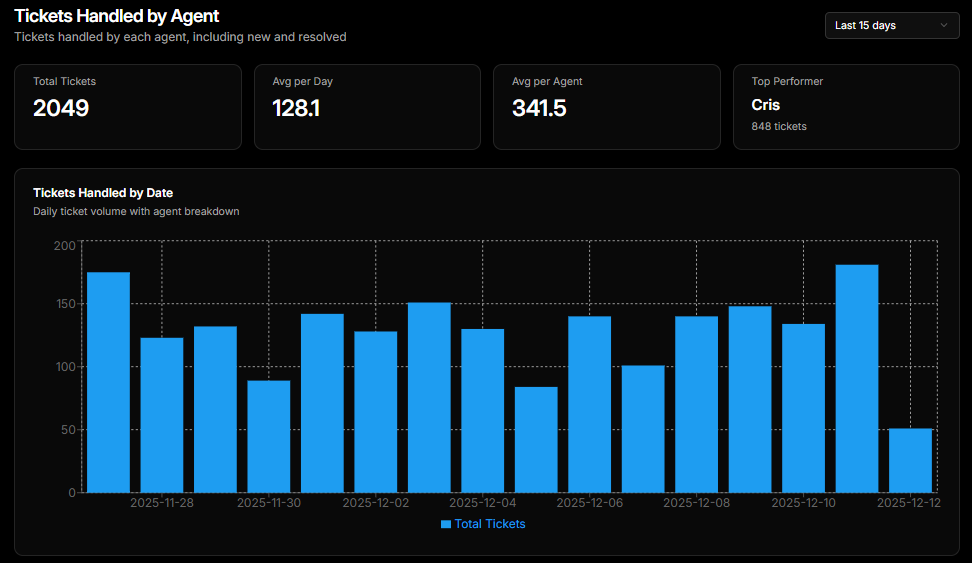
This is one of the most important reports for operational management. It shows how many tickets each agent handled per day, top performer, and % of ticket handled by each agent.
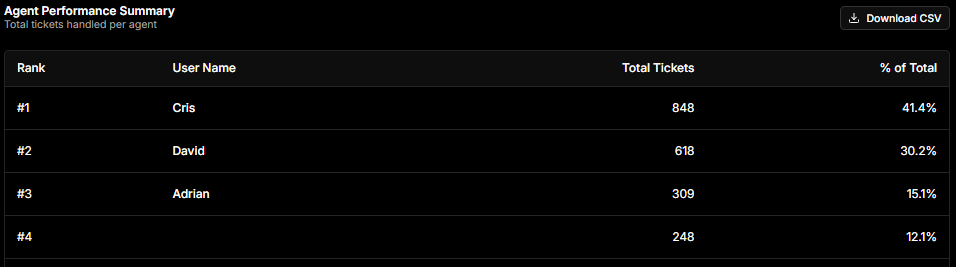
And a table with agent performance summary to find each agent, their rank and total ticket resolved by them.
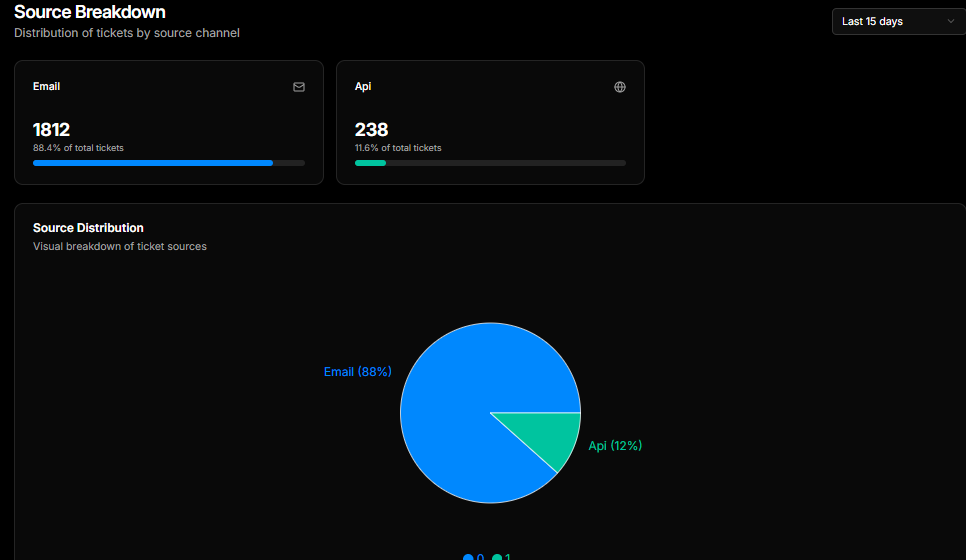
Tickets by Source
Different customers prefer different communication channels- email, chat, web form, API etc. The source breakdown report shows how many tickets are coming from each channel.
First Response Time
First Response Time measures how quickly an agent responds to a customer after a ticket is created. It’s arguably the most important helpdesk KPI because it directly affects customer satisfaction.
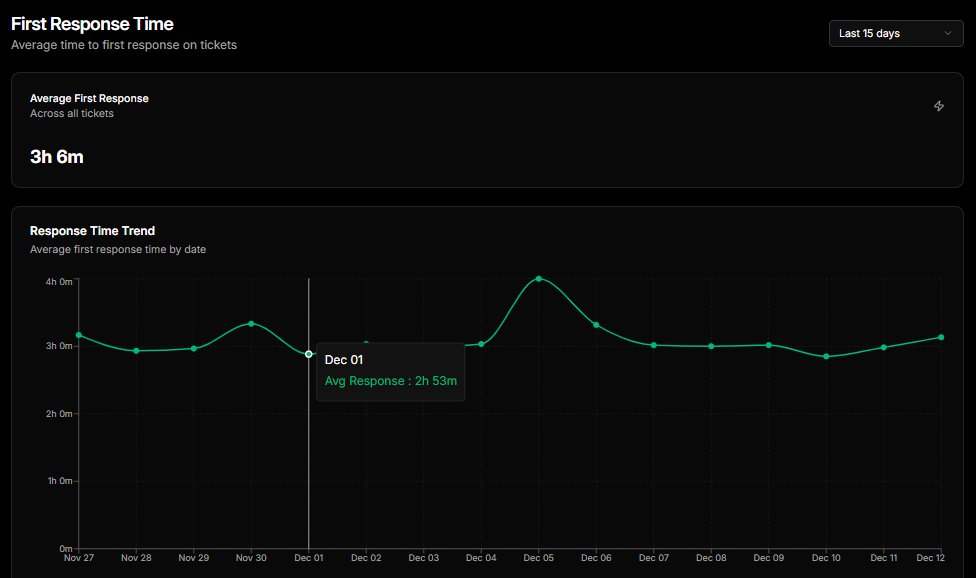
You can use this report to find peak load hours, understaffed days, and agent response efficiency.
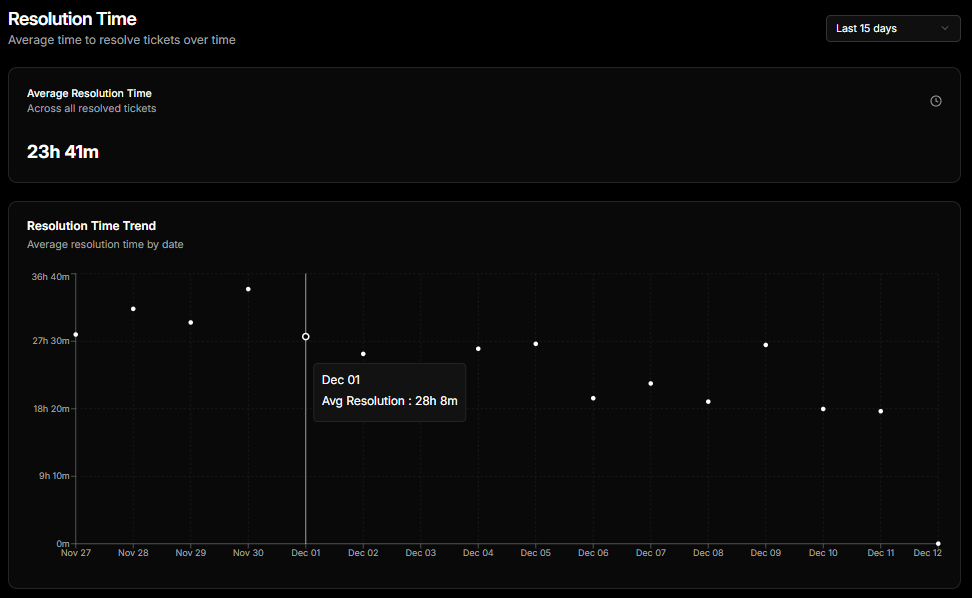
Resolution Time Report
Resolution Time measures the total time it takes to fully resolve a ticket. Monitoring this helps you maintain healthy SLAs and uncover delays in your support workflow.