Use the Ticketdesk AI playground to chat with your agent, validate replies, and tune your knowledge base before going live.
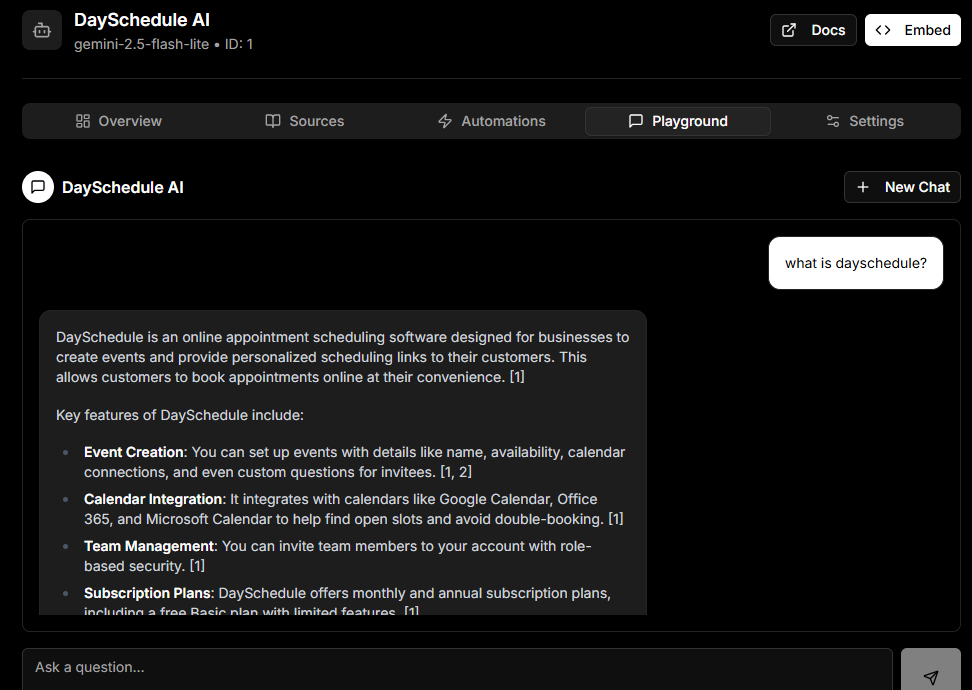
Before letting your AI agent loose on real customer tickets, it is a good idea to test it. The Playground is a private chat where you can send messages to your agent and see exactly how it would respond, using the same prompt, model, and knowledge sources you have configured.
In this guide, I will show you how to use the Playground to validate and improve your agent.
Open the Playground
- Go to Agents and open your agent.
- Click the Playground tab.
Send a Test Message
Type a question into the chat box and press Enter. The agent will reply using:
- The system prompt from your agent settings
- The trained knowledge sources
- The current model and temperature
What to Look For
Use the playground to check:
- Tone and accuracy, does the agent sound like your brand and answer correctly
- Coverage, can it handle the most common customer questions you receive
- Edge cases, what does it do when asked about something not in the knowledge base
If the answers are off, here are quick fixes:
- Wrong tone, update the system prompt in settings
- Missing facts, add more knowledge sources
- Too creative or random, lower the temperature
- Too silent, lower the confidence threshold
Reset the Conversation
Each playground chat is a fresh session. Click on the “New chat”, or reload the page or use the reset action to start over without the previous messages affecting context.
Next Steps
Once you are happy with the playground replies, turn on AI Response to let the agent handle live tickets received on the email.