Chat widget
How to add chatbot suggestions to your AI chat widget?
Updated · View as Markdown
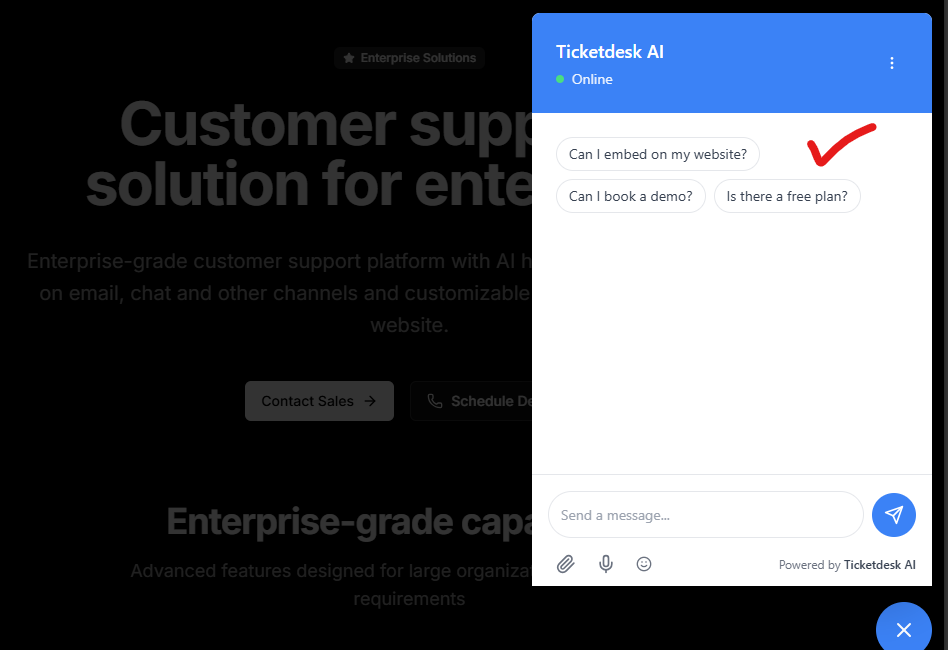
Chatbot suggestions help visitors start a conversation by displaying clickable buttons before they send their first message. When a visitor clicks a suggestion, the configured message is automatically sent to the chatbot.
Add Suggestions
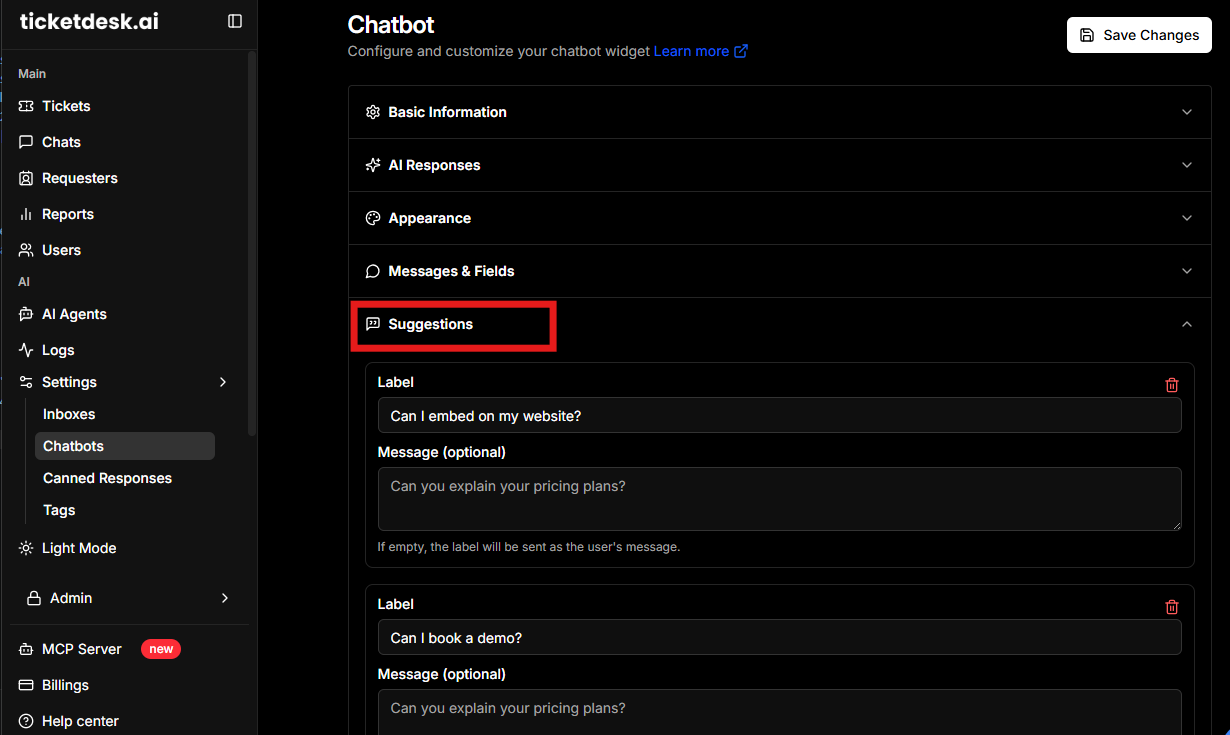
To add a suggestion, open your chatbot and click on Suggestions option
- Click Add Suggestion .
- Enter a Label (this is the text displayed on the button).
- Enter a Message to send when the button is clicked. If left empty, the label itself will be sent as the user’s message.
- Repeat these steps to add more suggestions.
Note: The welcome message is automatically hidden when suggestions are configured, providing a cleaner conversation starter experience.
Example Suggestions
| Label | Message Sent |
|---|---|
| Pricing | Can you explain your pricing plans? |
| Book a demo | I’d like to schedule a product demo. |
| Contact sales | Contact sales |